AI agent for motion graphics designers
Motion Project Template Library Agent
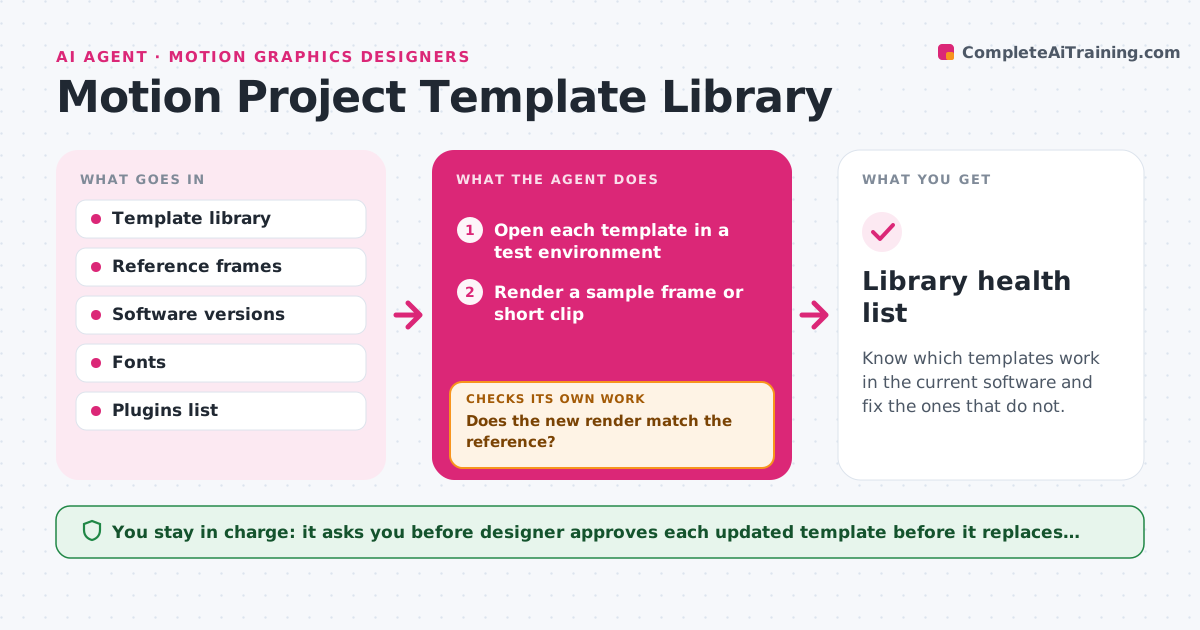
Know which templates work in the current software and fix the ones that do not.
What it does
After a software update, you open a favorite title template and find missing fonts and a plugin that no longer loads. This agent keeps a library of templates healthy. On a schedule or after an update, it opens each template in a test environment and renders a short sample. It compares the sample with a stored reference frame and flags differences, plus errors such as missing fonts, missing plugins or broken media links. It tries a fix, such as a substitute plugin setting or a relinked font, and renders again. Templates that still fail are tagged as broken with the reason. The designer approves any update to a template before it replaces the saved version. Edge case: a template renders correctly but 20% slower, so the agent notes it.
How it works
Follow the arrows from top to bottom. The orange dashed arrow is the loop: when a check fails, the agent goes back and tries again.
Read the steps as a list
- Software update or monthly check
- Open each template in a test environment
- Render a sample frame or short clip
- Compare the sample with the stored reference frame
- Record errors such as missing fonts or plugins
- Try a fix such as relinking or a substitute
- Render the fixed template again
- Does the new render match the reference?If not: try the next fix, or tag the template as broken with the reason. Back to step 5.
- Is the render time within 20% of the last test?If not: note the slowdown and suggest simplifying the heaviest layers. Back to step 7.
- Designer approves updated templatesThe agent waits here for your OK.
- Library health list
How it decides
A template passes if it opens without errors and its sample frame matches the reference within a small difference. Failures are sorted by cause.
- Pass a template if the sample differs from the reference by less than 2%
- Always test fonts and plugins first when an error appears
- Tag a template as broken after two failed fixes
- Archive templates unused for 12 months after asking the designer
Make it yours
Every agent is a starting point. You choose these settings for your own situation.
- Template folders to test
- Match tolerance against the reference (default 2%)
- Test schedule
- Substitute fonts and effects to try
- Archive rule for unused templates
What keeps you in control
It always asks you first
- Designer approves each updated template before it replaces the saved version
Hard limits
- Never overwrite a saved template without approval
- Never delete a template
It stops when
- Done: every template is passing or tagged with a reason
- Stop: the software itself cannot open the test environment
Set it up
We guide you through the set-up, step by step
Members get the full set-up guide for this agent. No technical skills needed: you copy, paste and upload.
- One set of instructions to paste into your AI, with the clicks for ChatGPT, Claude, Microsoft 365 Copilot, Gemini and Grok
- The agent then walks you through connecting your own data, one source at a time
- A downloadable copy with the flow chart, the rules and the full guide