AI agent for newsletter writers
Newsletter Issue Curation Agent
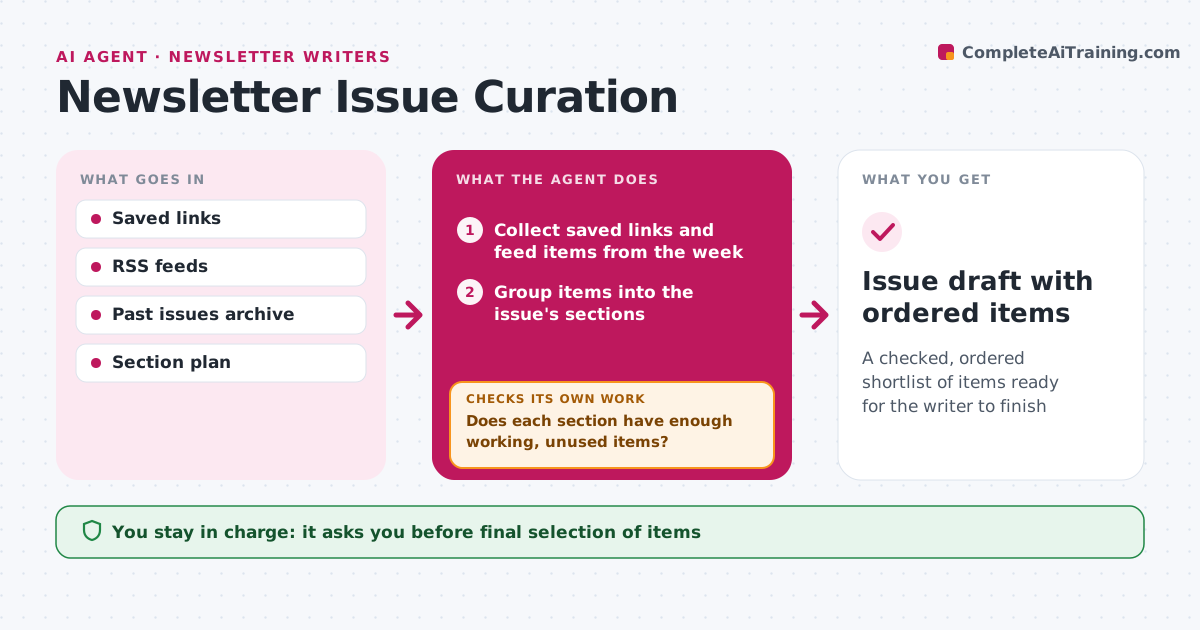
A checked, ordered shortlist of items ready for the writer to finish
What it does
Curating a weekly newsletter means sifting dozens of saved links, and dead links or repeats slip into issues. During the week this agent collects candidate stories from the writer's saved sources, feeds and bookmarks. When the curation window closes, it groups items into the issue's planned sections. It checks each link: does it load, is it behind a paywall, and was it featured in the last ten issues. Repeats are skipped, paywalled items are marked rather than dropped, and two links on the same story are merged, keeping the original source. If a section ends up short of working, unused items, it pulls the next best candidates from the feeds and checks again. It ranks items by fit, freshness and past reader clicks, and drafts a one-line reason and short summary for each in the writer's style. The writer chooses the final picks and writes the opening. Edge case: duplicate coverage is merged into one item.
How it works
Follow the arrows from top to bottom. The orange dashed arrow is the loop: when a check fails, the agent goes back and tries again.
Read the steps as a list
- Curation window closes
- Collect saved links and feed items from the week
- Group items into the issue's sections
- Check each link loads, paywall status and past use
- Does each section have enough working, unused items?If not: drop failed items and pull the next candidates from the feed. Back to step 3.
- Draft short summaries in the writer's style
- Writer picks the final itemsThe agent waits here for your OK.
- Issue draft with ordered items
How it decides
It ranks items by fit with the section plan, freshness and whether readers clicked similar items before.
- Skip any link featured in the last ten issues
- Merge duplicate stories and keep the original source
- Mark paywalled items rather than dropping them
Make it yours
Every agent is a starting point. You choose these settings for your own situation.
- Sources and feeds to watch
- Number of past issues checked for repeats (default 10)
- Items per section
- Summary length
What keeps you in control
It always asks you first
- Final selection of items
Hard limits
- Never publishes or schedules the issue
- Does not copy full articles into the draft
It stops when
- Done: draft ready with all sections filled
- Stop: fewer than half the sections have candidates
Set it up
We guide you through the set-up, step by step
Members get the full set-up guide for this agent. No technical skills needed: you copy, paste and upload.
- One set of instructions to paste into your AI, with the clicks for ChatGPT, Claude, Microsoft 365 Copilot, Gemini and Grok
- The agent then walks you through connecting your own data, one source at a time
- A downloadable copy with the flow chart, the rules and the full guide