AI agent for no-code developers
No-Code Data Model Design Agent
A sound data model that supports every screen before the app is built
What it does
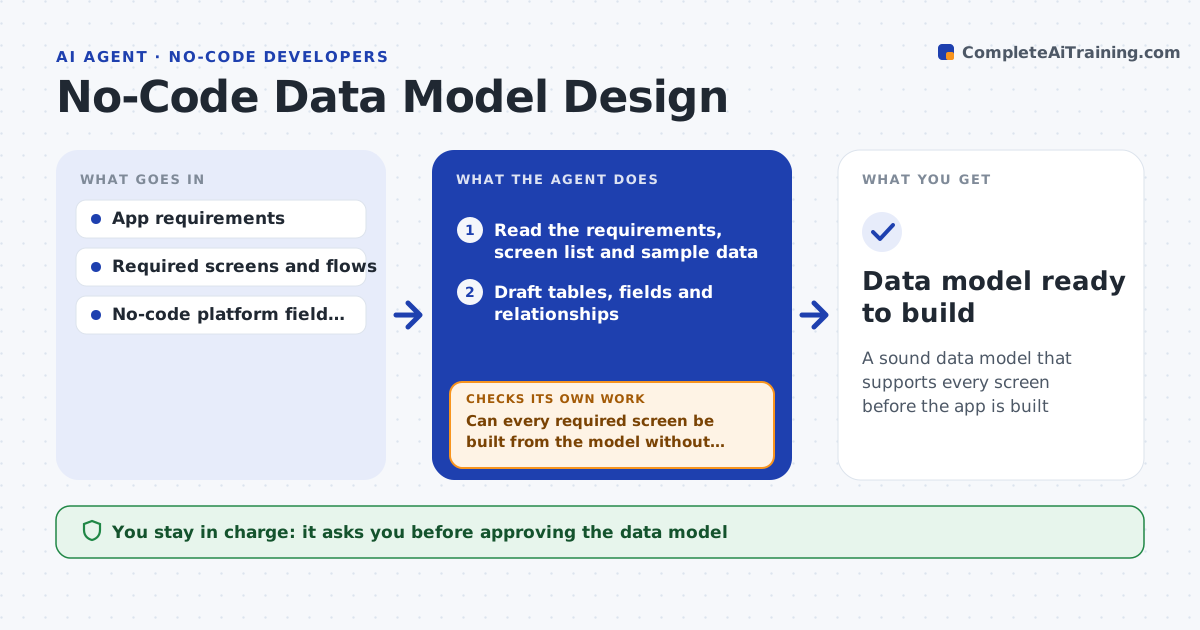
In no-code tools, the data model is the foundation, and a poor one causes broken relationships and duplicate data that are hard to fix once real records exist. This agent reads the app's requirements, screen list and sample data, then drafts tables, fields, types and the relationships between them. It walks through every required screen and flow to confirm the data can be built from the model without copying the same value into two places. When a screen cannot be served, it adjusts the model and checks again. It flags free-text fields that should be lookups and links that could leave orphaned records. Then it loads the sample records into the draft model, and if any fail, it fixes the field or relationship and retries. The builder approves the model before anything is built. Edge case: a many-to-many relationship entered as a single field is reshaped into a linking table.
How it works
Follow the arrows from top to bottom. The orange dashed arrow is the loop: when a check fails, the agent goes back and tries again.
Read the steps as a list
- New app or feature to model
- Read the requirements, screen list and sample data
- Draft tables, fields and relationships
- Can every required screen be built from the model without duplication?If not: adjust tables or links and recheck against the screens. Back to step 3.
- Flag free-text fields that should be lookups and orphan risks
- Do the sample records load into the model without errors?If not: fix field types or required fields and reload the sample. Back to step 3.
- Builder approves the data modelThe agent waits here for your OK.
- Data model ready to build
How it decides
It accepts a model only when every required screen can be built from it without duplicated data or orphan-prone relationships.
- Normalize to avoid duplicated data
- Use lookups over free text where values repeat
- Reshape many-to-many into linking tables
Make it yours
Every agent is a starting point. You choose these settings for your own situation.
- Platform and its field types
- Normalization preferences
- Naming conventions
- Which screens must be supported
What keeps you in control
It always asks you first
- Approving the data model
Hard limits
- Does not build the app without approval
- Prevents duplicated and orphan-prone data
It stops when
- Done: model supports all screens and is approved
- Stop: requirements or screens are undefined
Set it up
We guide you through the set-up, step by step
Members get the full set-up guide for this agent. No technical skills needed: you copy, paste and upload.
- One set of instructions to paste into your AI, with the clicks for ChatGPT, Claude, Microsoft 365 Copilot, Gemini and Grok
- The agent then walks you through connecting your own data, one source at a time
- A downloadable copy with the flow chart, the rules and the full guide