AI agent for it specialists
Offboarding Equipment and Access Recovery Agent
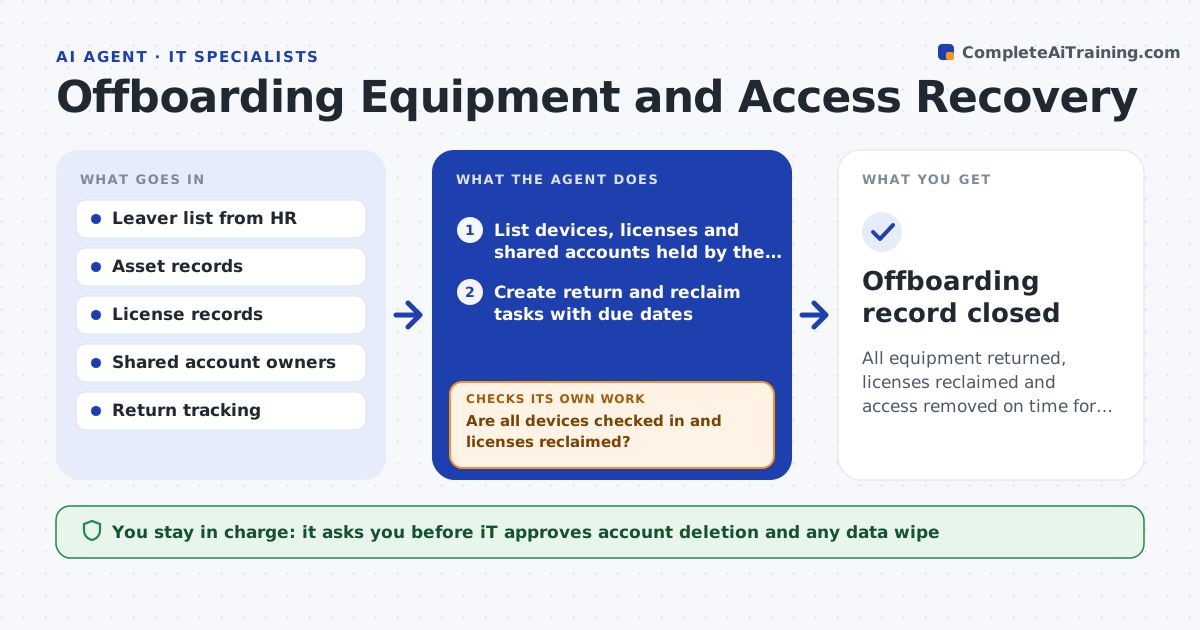
All equipment returned, licenses reclaimed and access removed on time for each leaver
What it does
Laptops, licenses and accounts of people who leave are not collected on time. On the leaver's last-day date, this agent lists their assigned devices, software licenses and shared accounts. It tracks return shipments, confirms that devices are checked in, and checks that each license has been reclaimed. If equipment is late, it chases the manager and the leaver with a clear reminder. It confirms that no active sessions remain. IT approves account deletion and any data wipe. Edge case: a shared account has the leaver as the only owner, so the agent finds a new owner before anything is removed.
How it works
Follow the arrows from top to bottom. The orange dashed arrow is the loop: when a check fails, the agent goes back and tries again.
Read the steps as a list
- Leaver's last day
- List devices, licenses and shared accounts held by the leaver
- Create return and reclaim tasks with due dates
- Track shipments and device check-ins
- Are all devices checked in and licenses reclaimed?If not: chase the manager and leaver and set a new date. Back to step 3.
- Find new owners for shared accounts and resources
- IT approves account deletion and any data wipeThe agent waits here for your OK.
- Disable accounts and wipe devices as approved
- Do old sessions and licenses show as removed?If not: repeat the removal and tell IT if anything remains. Back to step 8.
- Offboarding record closed
How it decides
An item is closed when the device is checked in and the license reclaimed. Late items trigger reminders and an escalation date.
- Chase at day 3, day 7 and day 14
- Reassign shared accounts before removal
- Never wipe a device before data is backed up or approved
- Reclaim each license right after the account is disabled
Make it yours
Every agent is a starting point. You choose these settings for your own situation.
- Reminder schedule (default: day 3, 7, 14)
- Items tracked
- Data retention period
- Who approves wipes
What keeps you in control
It always asks you first
- IT approves account deletion and any data wipe
Hard limits
- Never deletes data without approval
- Never leaves a shared account without an owner
It stops when
- Done: all items are closed and the record is saved
- Stop: HR cancels the departure
Set it up
We guide you through the set-up, step by step
Members get the full set-up guide for this agent. No technical skills needed: you copy, paste and upload.
- One set of instructions to paste into your AI, with the clicks for ChatGPT, Claude, Microsoft 365 Copilot, Gemini and Grok
- The agent then walks you through connecting your own data, one source at a time
- A downloadable copy with the flow chart, the rules and the full guide