AI agent for real estate brokers
Offer Comparison and Counter Prep Agent
A fair side-by-side of every offer with tested counter options, ready for the seller's decision
What it does
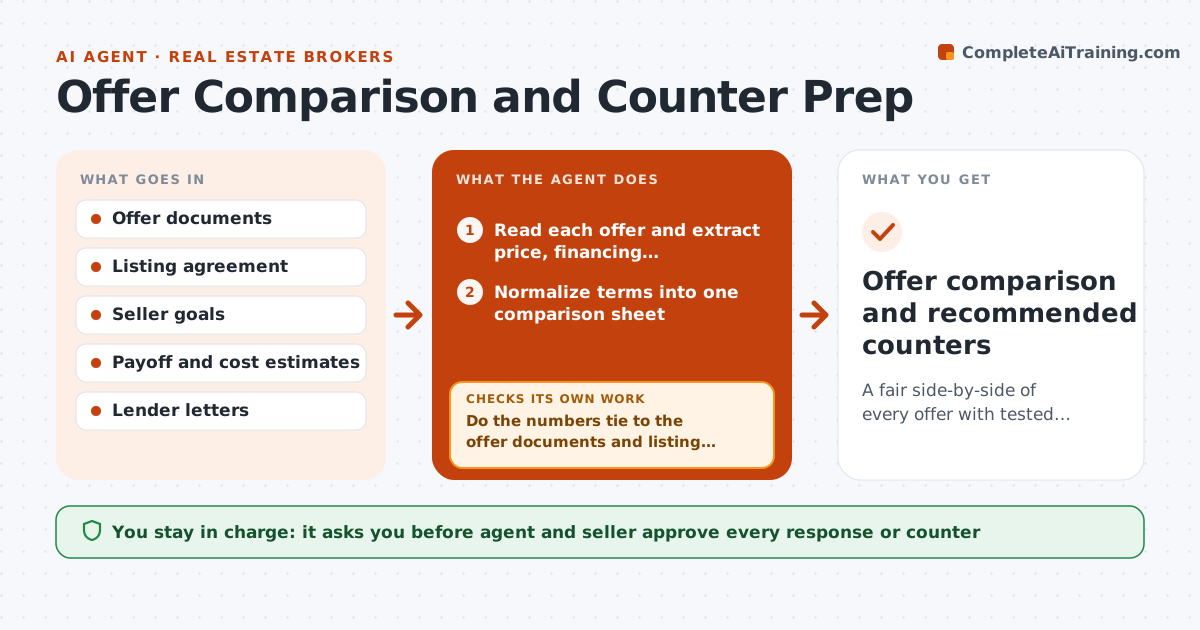
When three offers arrive on a house, the highest price is rarely the best deal. Financing, contingencies, closing dates and repair requests all change what the seller really nets. This agent reads each offer and puts the terms into one comparison sheet. It converts everything into a net to the seller after commissions, concessions and likely repair credits, and marks risk factors such as a weak lender letter or a short inspection window. It then tests counter options: asking for a higher price, a shorter contingency or a larger deposit, and shows the net and risk for each. It reruns whenever an offer changes. The agent and seller approve any response. Edge case: a lower cash offer nets more than a higher financed one with an appraisal risk.
How it works
Follow the arrows from top to bottom. The orange dashed arrow is the loop: when a check fails, the agent goes back and tries again.
Read the steps as a list
- New or changed offer received
- Read each offer and extract price, financing, contingencies, dates and credits
- Normalize terms into one comparison sheet
- Calculate estimated net to the seller for each offer
- Do the numbers tie to the offer documents and listing agreement?If not: find the missing term and recalculate. Back to step 3.
- Mark risks such as lender strength, appraisal gap and short timelines
- Test counter options and show net and risk for each
- Does a counter option improve net or risk without losing the offer?If not: adjust the counter and retest. Back to step 7.
- Agent and seller approve any responseThe agent waits here for your OK.
- Offer comparison and recommended counters
How it decides
Offers are ranked by estimated net to the seller adjusted for risk. A risk adjustment is applied for financing, appraisal, contingency and timing factors.
- Rank offers by risk-adjusted net, not by price
- Flag appraisal risk when a financed offer is above the likely value
- Prefer shorter contingencies when nets are within 1 percent
- Rerun the full sheet when any term changes
Make it yours
Every agent is a starting point. You choose these settings for your own situation.
- Risk adjustment values
- Commission and closing cost assumptions
- Counter options to test
- Fields in the comparison sheet
What keeps you in control
It always asks you first
- Agent and seller approve every response or counter
- Seller approves acceptance
Hard limits
- Never accept or reject an offer
- Do not share one buyer's terms with another
- Show assumptions
It stops when
- Done: an offer is accepted or all offers are declined
- Stop: the seller asks to pause or sell on other terms
Set it up
We guide you through the set-up, step by step
Members get the full set-up guide for this agent. No technical skills needed: you copy, paste and upload.
- One set of instructions to paste into your AI, with the clicks for ChatGPT, Claude, Microsoft 365 Copilot, Gemini and Grok
- The agent then walks you through connecting your own data, one source at a time
- A downloadable copy with the flow chart, the rules and the full guide