AI agent for hr consultants
Onboarding 90-Day Check-In Agent
Catch early signs that a new hire is struggling and respond while it can still help.
What it does
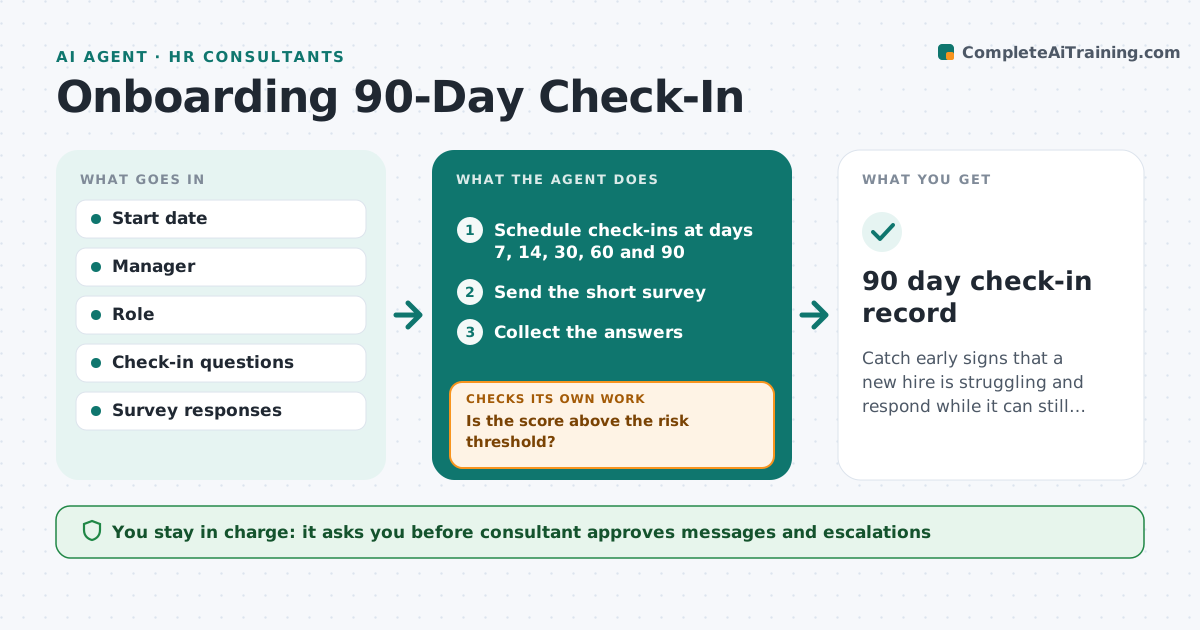
New hire support often drops after week two, and early attrition is noticed too late. The agent schedules check-ins at set points across the first 90 days, collects short survey answers, scores risk and alerts managers on low scores. It adapts the next check-in to what the hire said and tracks whether the issue is resolved. If a hire does not respond, it tries another route. The consultant approves messages and escalations. Edge case: a hire at day 30 reports unclear goals, so the next check-in asks about goal clarity and the manager gets a prompt to set goals.
How it works
Follow the arrows from top to bottom. The orange dashed arrow is the loop: when a check fails, the agent goes back and tries again.
Read the steps as a list
- New hire starts
- Schedule check-ins at days 7, 14, 30, 60 and 90
- Send the short survey
- Collect the answers
- Score the answers for risk
- Is the score above the risk threshold?If not: Alert the manager and plan a follow-up. Back to step 3.
- Consultant approves messages and escalationsThe agent waits here for your OK.
- Adapt the next check-in to the answers
- Did the issue improve at the next check-in?If not: Escalate to the consultant with the history. Back to step 3.
- 90 day check-in record
How it decides
It scores each response against thresholds. A low score or a drop from the last check-in triggers an alert to the manager and a tailored next question.
- A score under 3 of 5 triggers an alert
- A drop of 2 points from last time triggers an alert
- No answer after 2 days gets a second route
- The manager sees themes, not private comments
Make it yours
Every agent is a starting point. You choose these settings for your own situation.
- Check-in days
- Risk threshold (default 3 of 5)
- Survey questions
- Who receives alerts
What keeps you in control
It always asks you first
- Consultant approves messages and escalations
Hard limits
- Never shares an individual's comments with the manager
- Never sends messages without approval
It stops when
- Done: day 90 check-in completed
- Stop: hire leaves or declines check-ins
Set it up
We guide you through the set-up, step by step
Members get the full set-up guide for this agent. No technical skills needed: you copy, paste and upload.
- One set of instructions to paste into your AI, with the clicks for ChatGPT, Claude, Microsoft 365 Copilot, Gemini and Grok
- The agent then walks you through connecting your own data, one source at a time
- A downloadable copy with the flow chart, the rules and the full guide