AI agent for manufacturing engineers
Packaging Line Trial Agent
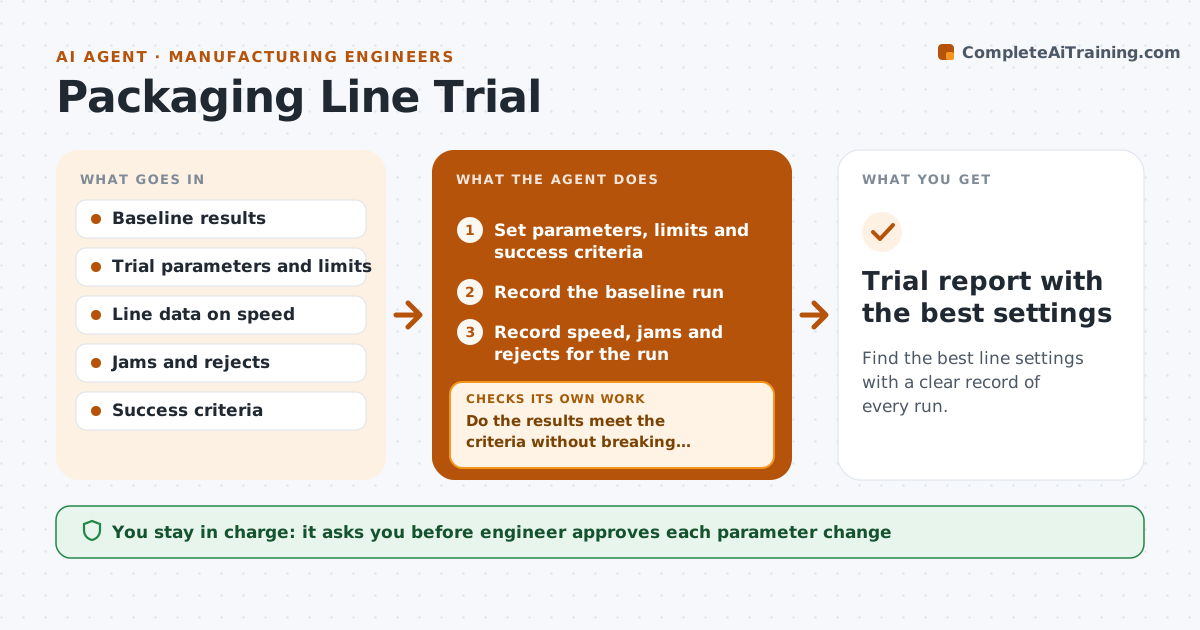
Find the best line settings with a clear record of every run.
What it does
A trial on the packaging line is often run on instinct: change a setting, see what happens, and no one remembers the numbers. This agent sets trial parameters before the run, such as speed, temperature and seal time, and writes down the criteria for success. During the trial it records speed, jams and rejects, and compares them with the baseline run. It proposes the next adjustment based on what moved the results. After each adjustment it compares the new run with all earlier ones and stops when the results stop improving. The engineer approves each change before it is made on the line. Edge case: an improvement in speed that raises rejects above the limit is rejected.
How it works
Follow the arrows from top to bottom. The orange dashed arrow is the loop: when a check fails, the agent goes back and tries again.
Read the steps as a list
- Trial is scheduled
- Set parameters, limits and success criteria
- Record the baseline run
- Engineer approves the first changeThe agent waits here for your OK.
- Record speed, jams and rejects for the run
- Compare with the baseline and earlier runs
- Do the results meet the criteria without breaking limits?If not: Propose a different adjustment based on what moved results. Back to step 4.
- Propose the next adjustment
- Are results still improving over the last two runs?If not: Stop the trial and pick the best run. Back to step 4.
- Trial report with the best settings
How it decides
It keeps a setting only if speed improves without breaking the reject limit, and stops when two runs in a row show no real gain.
- Reject any run with rejects above the limit
- Count an improvement only if it exceeds the normal run variation
- Change one parameter at a time
- Stop after two runs with less than 2 percent gain
Make it yours
Every agent is a starting point. You choose these settings for your own situation.
- Reject limit (default 2 percent)
- Minimum gain to continue (default 2 percent)
- Parameters to vary
- Runs per setting
What keeps you in control
It always asks you first
- Engineer approves each parameter change
Hard limits
- Never change line settings itself
- Never keep settings that break the reject limit
It stops when
- Done: best settings are found and documented
- Stop: a safety or quality limit is reached
Set it up
We guide you through the set-up, step by step
Members get the full set-up guide for this agent. No technical skills needed: you copy, paste and upload.
- One set of instructions to paste into your AI, with the clicks for ChatGPT, Claude, Microsoft 365 Copilot, Gemini and Grok
- The agent then walks you through connecting your own data, one source at a time
- A downloadable copy with the flow chart, the rules and the full guide