AI agent for newsletter writers
Paid Subscriber Churn Save Agent
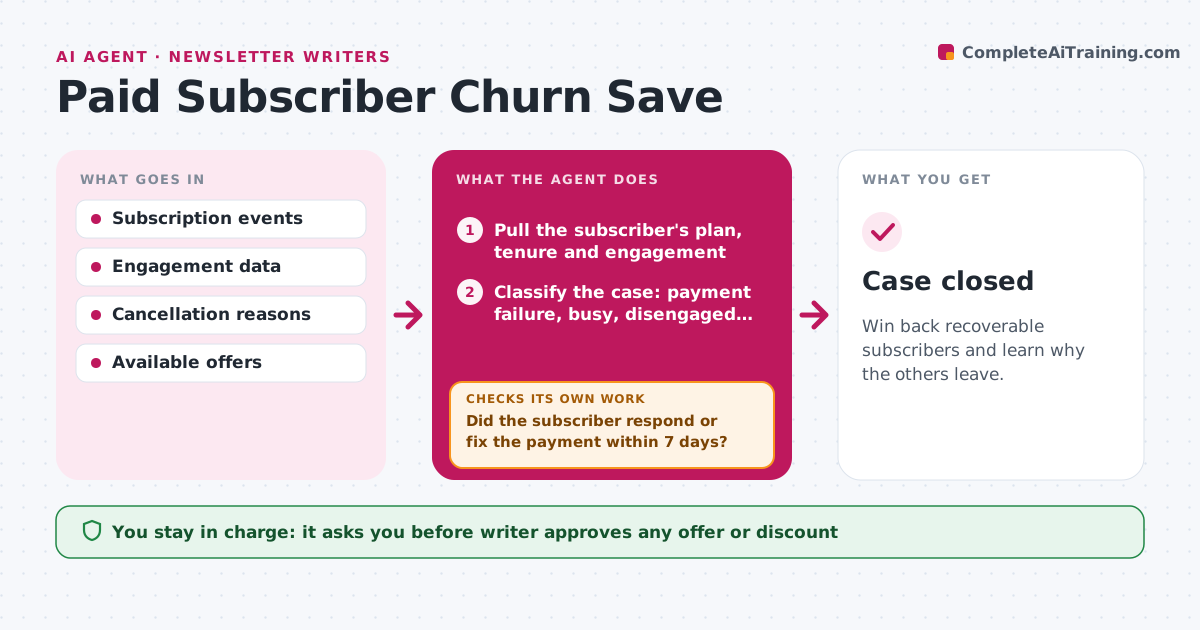
Win back recoverable subscribers and learn why the others leave.
What it does
When a paid subscriber leaves, it is usually either a failed card or a quiet loss of interest, and the writer finds out a month later. The agent watches cancellations and failed payments. For each case it checks the subscriber's recent engagement, such as opens, clicks and the last post read, and the reason given if any. It chooses a save path from the situation: a payment fix link for failed cards, a pause option for someone busy, a short survey for someone who stopped reading, or a thank-you with no offer when the case is clearly lost. After the approved message goes out, it watches whether the subscriber returns, updates the payment or stays canceled, and records the result. Edge case: a subscriber who cancels after a price rise. The writer approves any offer.
How it works
Follow the arrows from top to bottom. The orange dashed arrow is the loop: when a check fails, the agent goes back and tries again.
Read the steps as a list
- A cancellation or failed payment is detected
- Pull the subscriber's plan, tenure and engagement
- Classify the case: payment failure, busy, disengaged or price
- Choose a save path and draft the message
- Writer approves any offer and the messageThe agent waits here for your OK.
- Send the message and log the date
- Watch for a payment update, reactivation or survey reply
- Did the subscriber respond or fix the payment within 7 days?If not: try the next path once, such as a pause offer after a payment fix. Back to step 4.
- Record the outcome and the reason
- Add the reasons to the monthly summary
- Case closed
How it decides
Failed payment gets a payment fix. Active readers who cancel get a pause or a survey. Subscribers who disengaged for 60 days get a survey and no offer.
- Send a payment fix link immediately for failed cards
- Offer a pause to subscribers active in the last 30 days
- Send a survey and no discount to those inactive for 60 days or more
- Contact each subscriber at most 2 times
Make it yours
Every agent is a starting point. You choose these settings for your own situation.
- Offers available (pause, discount, none)
- Inactivity cutoff (default 60 days)
- Maximum contacts (default 2)
- Survey questions
- Message tone
What keeps you in control
It always asks you first
- Writer approves any offer or discount
- Writer approves each message template
Hard limits
- Never offer discounts without approval
- Contact each subscriber at most twice
It stops when
- Done: subscriber saved or case closed with a reason
- Stop: subscriber asks not to be contacted, close the case
Set it up
We guide you through the set-up, step by step
Members get the full set-up guide for this agent. No technical skills needed: you copy, paste and upload.
- One set of instructions to paste into your AI, with the clicks for ChatGPT, Claude, Microsoft 365 Copilot, Gemini and Grok
- The agent then walks you through connecting your own data, one source at a time
- A downloadable copy with the flow chart, the rules and the full guide