AI agent for speechwriters
Past Statements Consistency Agent
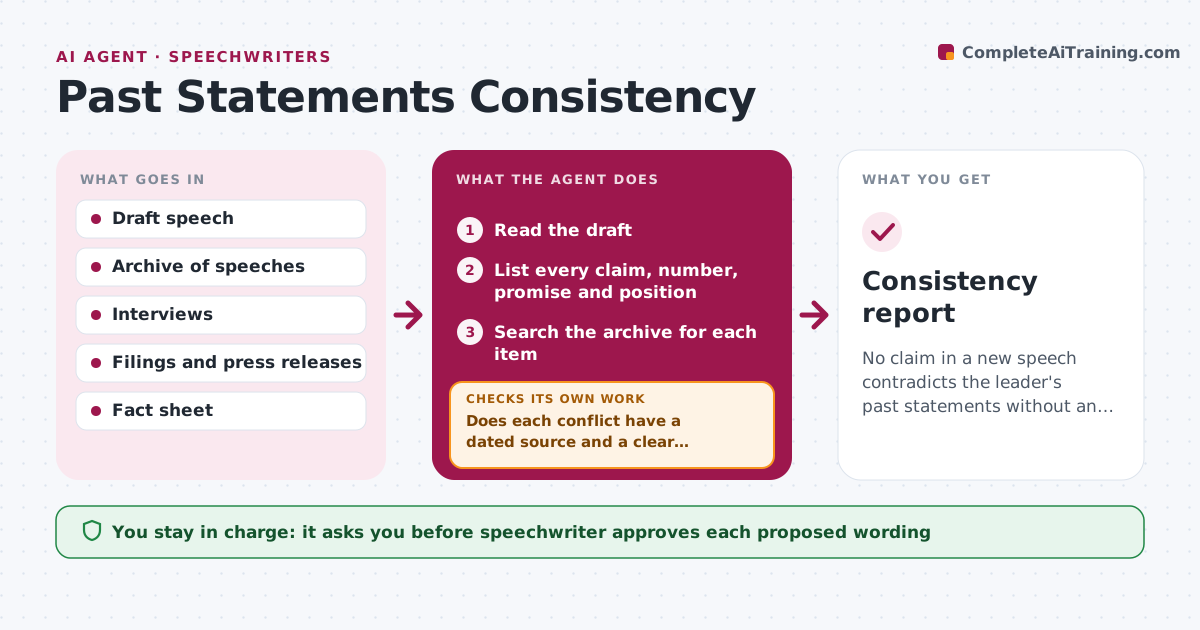
No claim in a new speech contradicts the leader's past statements without an explanation.
What it does
The CEO says 'we have never planned layoffs' and a journalist digs up last year's interview. This agent checks each draft against the record. It pulls every claim, promise, number and commitment from the draft, then searches an archive of past speeches, interviews, filings and press releases for each. It flags conflicts, such as a different figure, a reversed position or a promise with a missed date. For each flag it proposes aligned wording and rechecks the draft after your edits. You and legal approve any changed claim. Edge case: a number that changed because of a new quarter is shown with both sources, so you can explain the difference.
How it works
Follow the arrows from top to bottom. The orange dashed arrow is the loop: when a check fails, the agent goes back and tries again.
Read the steps as a list
- Draft ready for review
- Read the draft
- List every claim, number, promise and position
- Search the archive for each item
- Compare with past statements and mark conflicts
- Does each conflict have a dated source and a clear difference?If not: Search again with other terms and drop unverified conflicts. Back to step 3.
- Propose aligned wording or an explanation
- Speechwriter and legal approve any changed claimThe agent waits here for your OK.
- Recheck the edited draft
- Are all earlier conflicts now resolved?If not: Propose new wording for the remaining conflicts. Back to step 6.
- Consistency report
How it decides
A claim is flagged when a past statement on the same subject differs in number, direction or timing, ranked by risk to credibility.
- Check numbers, dates, commitments and positions
- Rank a reversed position as high risk
- Show both sources when numbers differ
- Send financial claims to legal
Make it yours
Every agent is a starting point. You choose these settings for your own situation.
- Archive sources
- Time span to search (default 3 years)
- Claim types checked
- Who approves
What keeps you in control
It always asks you first
- Speechwriter approves each proposed wording
- Legal approves any changed claim
Hard limits
- Never change claims itself
- Never use private archive material in public output
It stops when
- Done: no unresolved conflicts
- Stop: archive missing for the period
Set it up
We guide you through the set-up, step by step
Members get the full set-up guide for this agent. No technical skills needed: you copy, paste and upload.
- One set of instructions to paste into your AI, with the clicks for ChatGPT, Claude, Microsoft 365 Copilot, Gemini and Grok
- The agent then walks you through connecting your own data, one source at a time
- A downloadable copy with the flow chart, the rules and the full guide