AI agent for physicians
Pathology Result Follow-up Agent
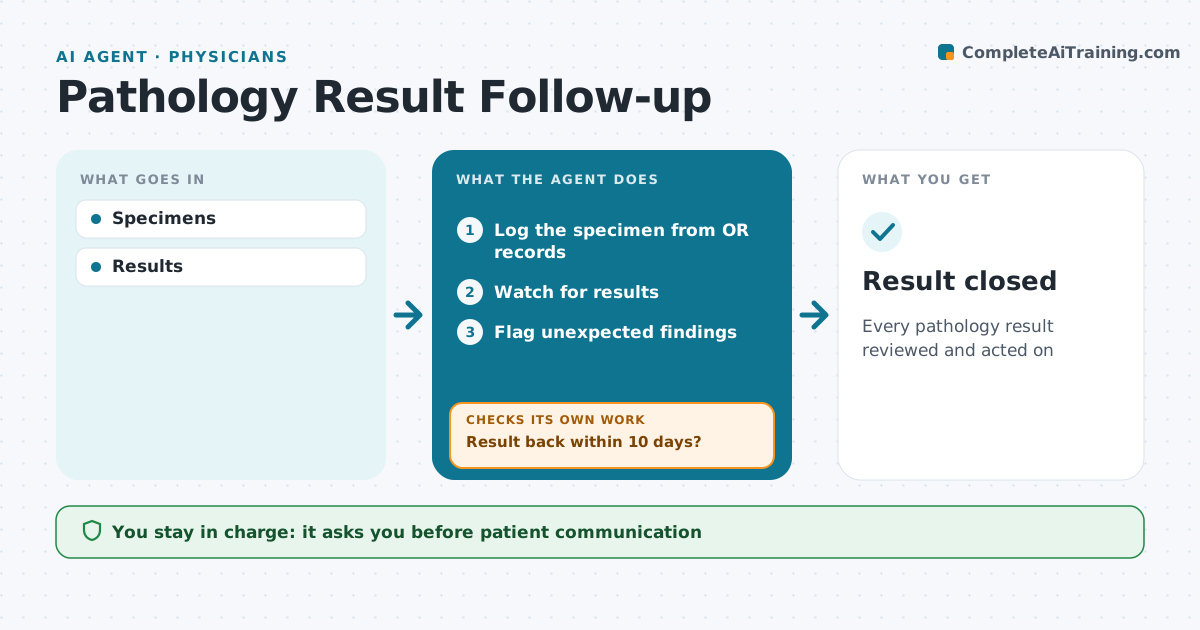
Every pathology result reviewed and acted on
What it does
Every specimen sent to pathology needs its result reviewed and acted on, including unexpected findings in routine specimens. This agent tracks specimens from OR records and watches for each result. If a result is not back within ten days, it contacts the lab to trace the specimen. When results arrive, it checks that the surgeon reviewed them. It flags unexpected findings, such as cancer in a routine gallbladder or appendix, and checks that the patient was told and any referral was made. If the action is not documented, it reminds the surgeon and keeps the item open. The surgeon handles all patient communication. Edge case: if the patient has moved care elsewhere, it asks the surgeon to send the result to the new provider and logs it.
How it works
Follow the arrows from top to bottom. The orange dashed arrow is the loop: when a check fails, the agent goes back and tries again.
Read the steps as a list
- Specimen sent
- Log the specimen from OR records
- Watch for results
- Result back within 10 days?If not: contact the lab to trace the specimen. Back to step 3.
- Flag unexpected findings
- Surgeon reviews and tells the patientThe agent waits here for your OK.
- Is the action documented?If not: remind the surgeon and keep the item open. Back to step 6.
- Result closed
How it decides
Unexpected results flagged.
- Unexpected findings urgent
- 10-day chase
- Patient told documented
Make it yours
Every agent is a starting point. You choose these settings for your own situation.
- Chase days
- Flags
- Reminders
- Format
What keeps you in control
It always asks you first
- Patient communication
Hard limits
- No patient contact by agent
It stops when
- Done: closed
- Stop: none
Set it up
We guide you through the set-up, step by step
Members get the full set-up guide for this agent. No technical skills needed: you copy, paste and upload.
- One set of instructions to paste into your AI, with the clicks for ChatGPT, Claude, Microsoft 365 Copilot, Gemini and Grok
- The agent then walks you through connecting your own data, one source at a time
- A downloadable copy with the flow chart, the rules and the full guide