AI agent for mobile app developers
Permission and Privacy Label Check Agent
Make the declared data use match what the app actually does
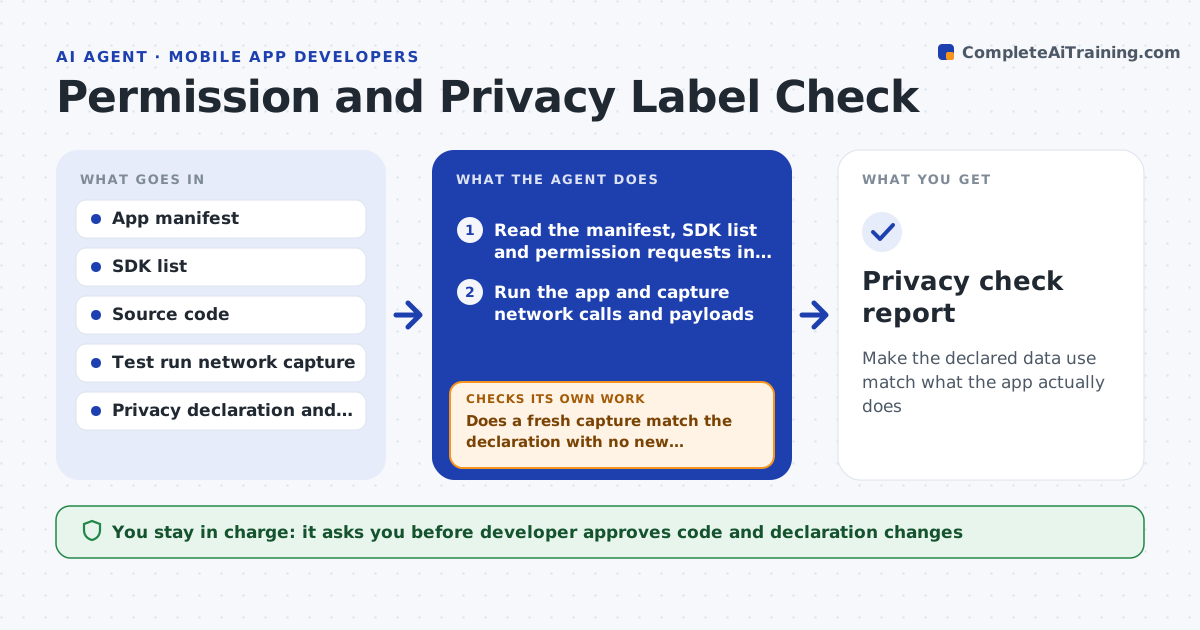
What it does
An app update adds an analytics SDK, and the privacy label still says no data is collected. This agent reads the app manifest, the list of SDKs and the code that requests permissions. It also watches the network calls of a test run to see which servers get data and what kind. It compares these with the privacy declaration and data safety form filed with the store. It lists differences: a permission without a declared use, an SDK that collects device identifiers, a server not in the policy. It proposes either a code change, such as removing the permission, or a declaration change. After each change it checks again. The developer approves. Edge case: an SDK collects data only when a setting is on, so the agent records the condition.
How it works
Follow the arrows from top to bottom. The orange dashed arrow is the loop: when a check fails, the agent goes back and tries again.
Read the steps as a list
- Release candidate or new SDK
- Read the manifest, SDK list and permission requests in code
- Run the app and capture network calls and payloads
- List data types collected and where they go
- Compare with the privacy declaration and policy
- List mismatches and propose code or declaration changes
- Developer approves which changes to makeThe agent waits here for your OK.
- Apply changes in a branch and rebuild
- Does a fresh capture match the declaration with no new differences?If not: list the remaining differences and propose another fix. Back to step 2.
- Privacy check report
How it decides
It treats any collected data type, permission or destination not covered by the declaration as a mismatch and prefers removing the behavior when it is not needed.
- Flag any permission with no matching feature
- Flag any SDK that sends a device identifier unless declared
- Prefer removing an unused permission over declaring it
- Record data collected only under a setting as conditional
Make it yours
Every agent is a starting point. You choose these settings for your own situation.
- Declaration format (Apple or Google)
- Test scenarios for the capture
- Servers considered first party
- SDKs on an approved list
- Who approves policy changes
What keeps you in control
It always asks you first
- Developer approves code and declaration changes
- Legal or privacy lead approves policy changes
Hard limits
- Never submit forms to the store
- Never edit the legal privacy policy text
It stops when
- Done: capture and declaration match
- Stop: a needed data use requires a policy change from legal
Set it up
We guide you through the set-up, step by step
Members get the full set-up guide for this agent. No technical skills needed: you copy, paste and upload.
- One set of instructions to paste into your AI, with the clicks for ChatGPT, Claude, Microsoft 365 Copilot, Gemini and Grok
- The agent then walks you through connecting your own data, one source at a time
- A downloadable copy with the flow chart, the rules and the full guide