AI agent for salesforce administrators
Permission Set Sprawl Cleanup Agent
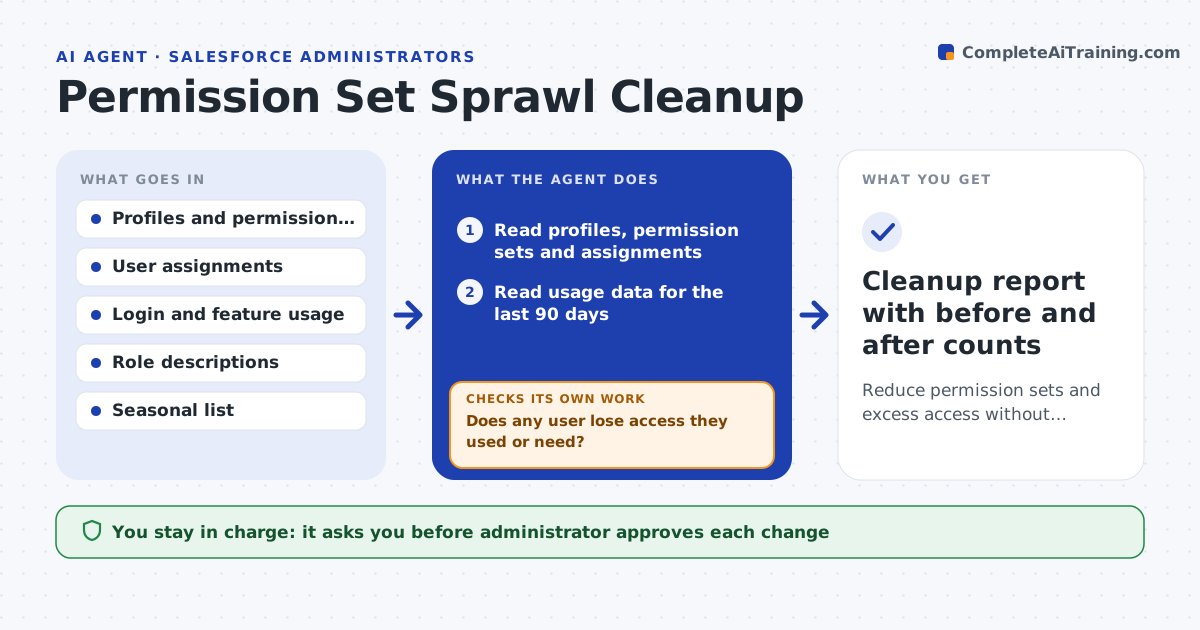
Reduce permission sets and excess access without anyone losing access they need
What it does
Over the years profiles and permission sets pile up, and users keep access from old roles. This agent reads all assignments and recent usage: which permissions each user actually used in the last 90 days. It finds overlapping sets, sets with no users and users who hold access they never use. It proposes a consolidation: merge these three sets, retire those two, remove these permissions from those users. Before anything changes it simulates each user's access before and after and lists the differences, so nobody loses access they need. It repeats the simulation after revisions. The administrator approves each change. Edge case: a permission is unused for 90 days but is needed for year-end close, so the agent marks it as seasonal.
How it works
Follow the arrows from top to bottom. The orange dashed arrow is the loop: when a check fails, the agent goes back and tries again.
Read the steps as a list
- Quarterly review
- Read profiles, permission sets and assignments
- Read usage data for the last 90 days
- Find overlapping sets, empty sets and unused access
- Propose merges, retirements and removals
- Simulate every user's access before and after
- Does any user lose access they used or need?If not: revise the proposal to keep that access, and simulate again. Back to step 4.
- Administrator approves each changeThe agent waits here for your OK.
- Apply changes in a sandbox, then production in small groups
- Do users in the first group report no lost access after a week?If not: restore the access and revise the proposal. Back to step 4.
- Cleanup report with before and after counts
How it decides
It proposes merging sets with high overlap and removing access unused for the period, and it blocks any change that removes access a user needs.
- Merge sets that overlap by more than 80%
- Keep seasonal permissions on the seasonal list
- Never remove access used in the last 90 days
- Apply to production in groups of 10% of users
Make it yours
Every agent is a starting point. You choose these settings for your own situation.
- Usage period (default 90 days)
- Overlap level to merge (default 80%)
- Seasonal permission list
- Rollout group size (default 10%)
- Review schedule
What keeps you in control
It always asks you first
- Administrator approves each change
- Security lead approves removal of admin-level access
Hard limits
- Never remove access without a before-and-after simulation
- Never touch admin-level permissions without the security lead
It stops when
- Done: the set count is lower and no user lost needed access
- Stop: roles are unclear and need an owner decision
Set it up
We guide you through the set-up, step by step
Members get the full set-up guide for this agent. No technical skills needed: you copy, paste and upload.
- One set of instructions to paste into your AI, with the clicks for ChatGPT, Claude, Microsoft 365 Copilot, Gemini and Grok
- The agent then walks you through connecting your own data, one source at a time
- A downloadable copy with the flow chart, the rules and the full guide