AI agent for architects
Permit Plan Review Comment Response Agent
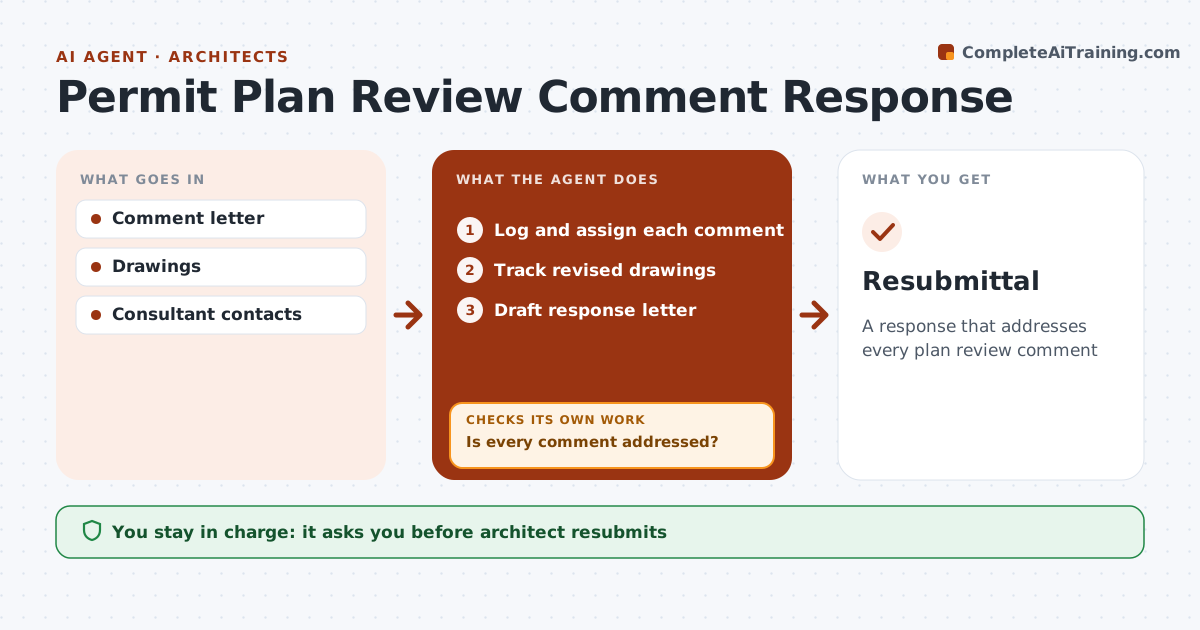
A response that addresses every plan review comment
What it does
Building departments send plan review comments that must each be answered and fixed in the drawings, and one missed comment means another review cycle. This agent logs each comment, assigns it to the architect or the right consultant, tracks drawing changes, and drafts the response letter citing sheet numbers. Every comment gets either a change or a reason. Before resubmittal, it checks the revised drawings to confirm each comment was actually addressed. Anything missing goes back to its owner, and the agent checks again after their fix. Comments the team disagrees with get a code-based explanation drafted for the architect to review. The architect approves the letter and resubmits; the agent never submits to the building department. Edge case: a reviewer comment the team believes is wrong gets a reasoned code citation rather than a silent change.
How it works
Follow the arrows from top to bottom. The orange dashed arrow is the loop: when a check fails, the agent goes back and tries again.
Read the steps as a list
- Comments received
- Log and assign each comment
- Track revised drawings
- Is every comment addressed?If not: return to the owner. Back to step 3.
- Draft response letter
- Architect approves and resubmitsThe agent waits here for your OK.
- Resubmittal
How it decides
Each comment needs a drawing change or a code-based reason.
- Change or reason
- Sheet numbers cited
- Disagreements explained
Make it yours
Every agent is a starting point. You choose these settings for your own situation.
- Assignment rules
- Letter format
- Due dates
- Consultants
What keeps you in control
It always asks you first
- Architect resubmits
Hard limits
- Never resubmits
- Never alters stamped sheets
It stops when
- Done: permit issued
- Stop: project canceled
Set it up
We guide you through the set-up, step by step
Members get the full set-up guide for this agent. No technical skills needed: you copy, paste and upload.
- One set of instructions to paste into your AI, with the clicks for ChatGPT, Claude, Microsoft 365 Copilot, Gemini and Grok
- The agent then walks you through connecting your own data, one source at a time
- A downloadable copy with the flow chart, the rules and the full guide