AI agent for data protection officers
Personal Data Breach Notification Agent
Breaches assessed and notified on time with accurate facts
What it does
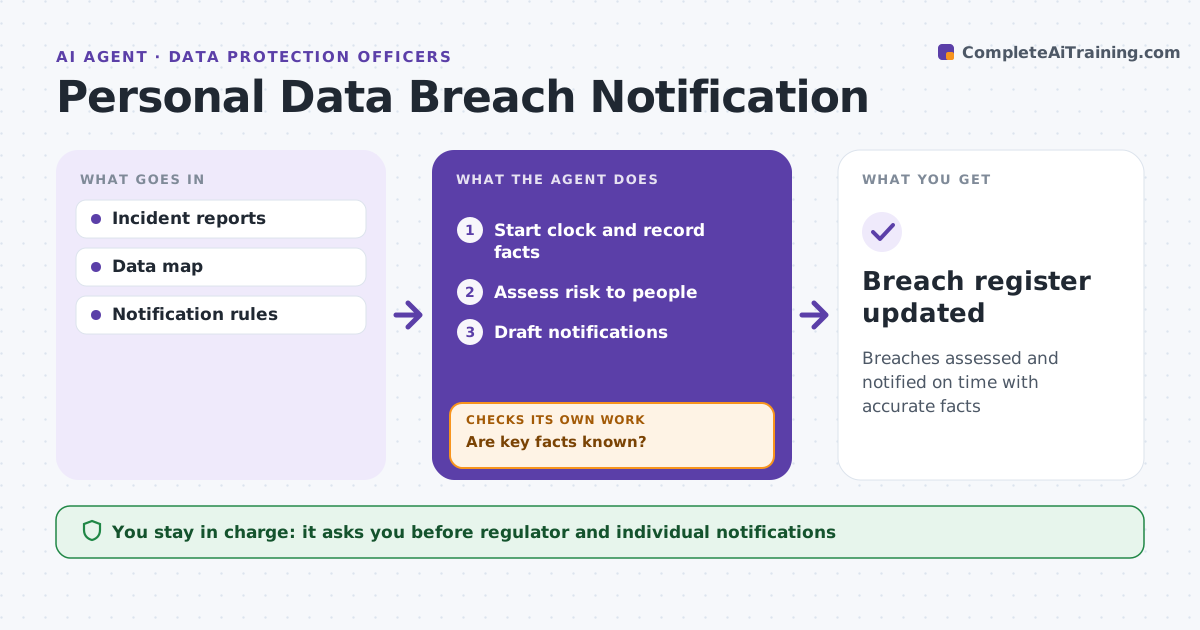
When personal data is exposed, the clock for regulator notice is often 72 hours, and facts arrive slowly. When a possible breach is reported, this agent starts the clock and builds the breach record: what happened, data types, number of people affected and containment steps. It assesses the risk to people, treating sensitive data as likely high risk and encrypted data with a safe key as lower risk. It checks the record for gaps such as an unknown number of people and asks the incident team for them. If the deadline approaches with gaps, it drafts a phased notification. It drafts regulator and individual notices and updates them as facts change. The DPO approves every notification. Edge case: the data was encrypted and the key was safe, so individual notice may not be needed.
How it works
Follow the arrows from top to bottom. The orange dashed arrow is the loop: when a check fails, the agent goes back and tries again.
Read the steps as a list
- Possible breach reported
- Start clock and record facts
- Assess risk to people
- Are key facts known?If not: ask the incident team and prepare phased notice if needed. Back to step 2.
- Draft notifications
- DPO approves notificationsThe agent waits here for your OK.
- Breach register updated
How it decides
It rates risk to people by data type, volume and protection, and applies notification rules.
- Regulator notice within 72 hours if risk
- Encrypted with safe key: lower risk
- Sensitive data: likely high risk
Make it yours
Every agent is a starting point. You choose these settings for your own situation.
- Notification rules by law
- Risk scale
- Templates
- Escalation contacts
What keeps you in control
It always asks you first
- Regulator and individual notifications
Hard limits
- Never sends notifications
- Never minimizes facts
It stops when
- Done: notified or documented not to notify
- Stop: legal privilege requested
Set it up
We guide you through the set-up, step by step
Members get the full set-up guide for this agent. No technical skills needed: you copy, paste and upload.
- One set of instructions to paste into your AI, with the clicks for ChatGPT, Claude, Microsoft 365 Copilot, Gemini and Grok
- The agent then walks you through connecting your own data, one source at a time
- A downloadable copy with the flow chart, the rules and the full guide