AI agent for audio engineers
Phase and Polarity Problem Hunter Agent
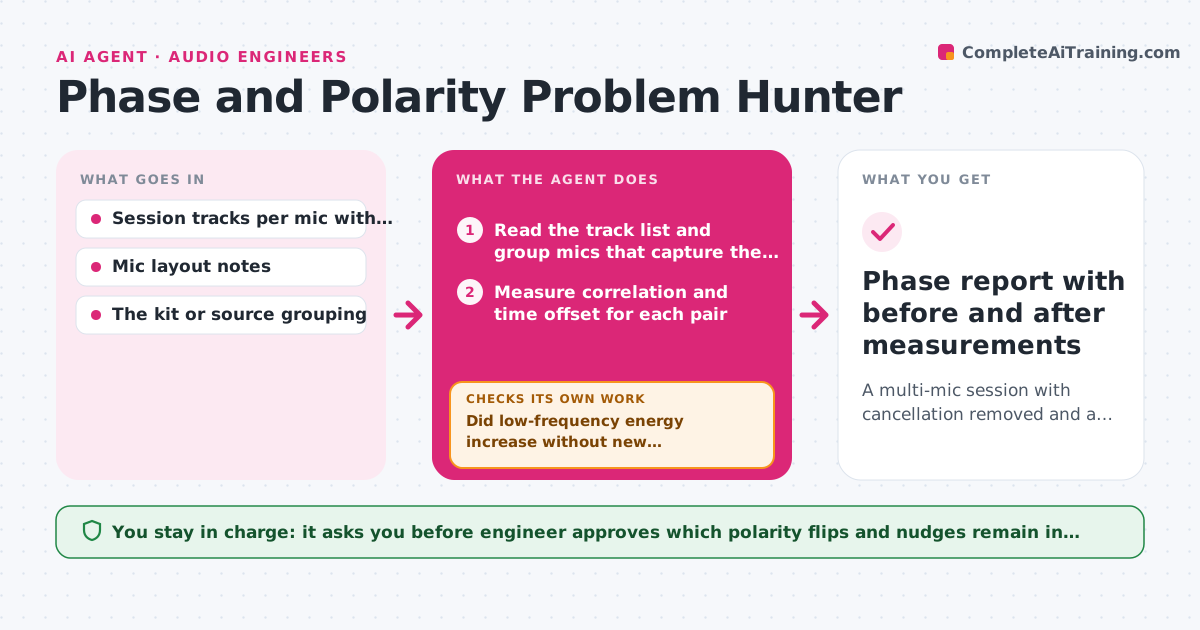
A multi-mic session with cancellation removed and a short list of approved polarity and timing fixes
What it does
A drum kit with ten mics can sound thin for reasons that are hard to hear, because several mics pick up the same source at slightly different times. This agent analyzes the multi-mic tracks pairwise for polarity and timing offset, working from the sources that overlap most, such as the snare top and bottom or the overheads and room. It lists suspect pairs with the measured offset in samples and the amount of cancellation, then proposes a polarity flip or a small time nudge for each. After each change is applied, it re-measures the summed signal and checks whether low-frequency energy came back and no new cancellation appeared elsewhere. If a fix made something worse, it undoes it and tries the next option. The engineer approves which changes stay. Edge case: a bottom-snare mic usually needs a flip, but the agent still measures before suggesting it.
How it works
Follow the arrows from top to bottom. The orange dashed arrow is the loop: when a check fails, the agent goes back and tries again.
Read the steps as a list
- Engineer requests a phase check
- Read the track list and group mics that capture the same source
- Measure correlation and time offset for each pair
- List suspect pairs with offset in samples and estimated cancellation
- Propose a polarity flip or time nudge for the worst pair
- Apply the change on a test copy and measure the summed signal
- Did low-frequency energy increase without new cancellation elsewhere?If not: Undo the change, try the other option for that pair and measure again. Back to step 5.
- Are all suspect pairs now above the correlation threshold?If not: Move to the next worst pair and repeat the proposal. Back to step 4.
- Engineer approves the changes that stay in the sessionThe agent waits here for your OK.
- Phase report with before and after measurements
How it decides
It compares pairs by cross-correlation, flags those with negative correlation or an offset above 10 samples, and accepts a fix only if the summed signal gains low-frequency level without losing elsewhere.
- Flag pairs with correlation below 0 or an offset above 10 samples
- Try polarity flip first, then time nudge, never both at once
- Accept a change only if summed low-frequency level rises by at least 1 dB
- Stop after 3 attempts on one pair and hand it to the engineer
Make it yours
Every agent is a starting point. You choose these settings for your own situation.
- Correlation threshold and offset limit
- Which tracks belong to which source group
- Maximum attempts per pair (default 3)
- Minimum improvement to accept a change (default 1 dB)
- How to name test copies
What keeps you in control
It always asks you first
- Engineer approves which polarity flips and nudges remain in the session
Hard limits
- Work on a copy of the session until changes are approved
- Never replace or delete original recordings
It stops when
- Done: All suspect pairs pass or are explained and the changes are approved
- Stop: A pair cannot be fixed within 3 attempts, so the agent reports it as a placement problem
Set it up
We guide you through the set-up, step by step
Members get the full set-up guide for this agent. No technical skills needed: you copy, paste and upload.
- One set of instructions to paste into your AI, with the clicks for ChatGPT, Claude, Microsoft 365 Copilot, Gemini and Grok
- The agent then walks you through connecting your own data, one source at a time
- A downloadable copy with the flow chart, the rules and the full guide