AI agent for cybersecurity analysts
Phishing Report Triage Agent
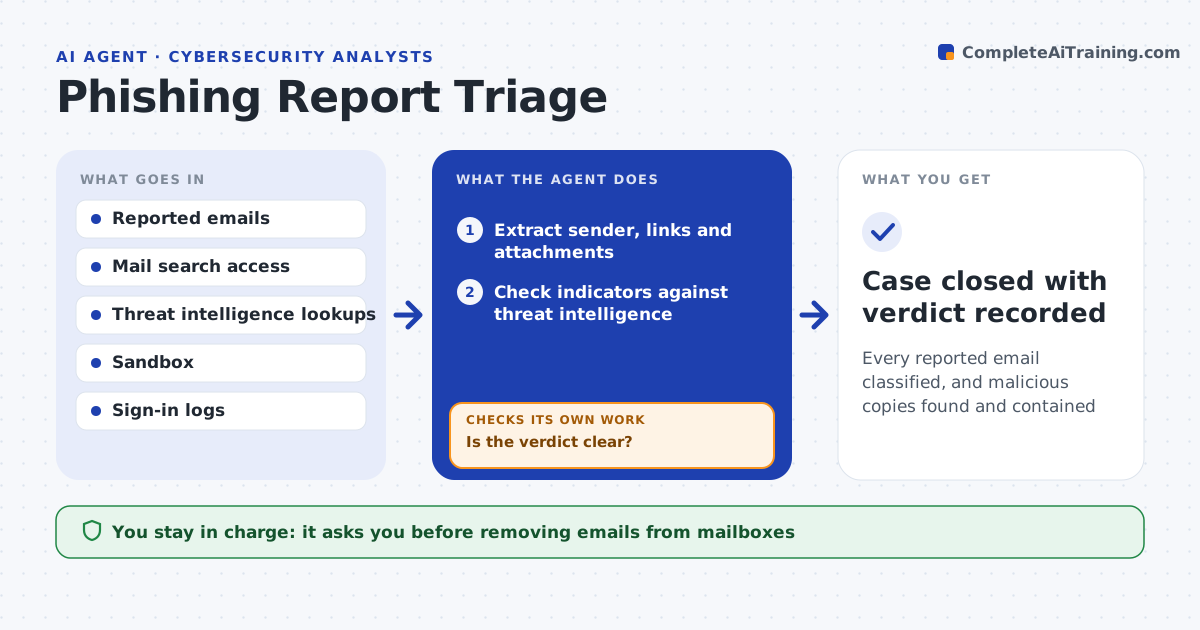
Every reported email classified, and malicious copies found and contained
What it does
Staff report suspicious emails every day, and real attacks wait in the queue behind harmless newsletters. This agent reads each report and checks the sender, links and attachments against threat intelligence and a safe sandbox. It decides whether the email is malicious, spam or safe. If the verdict is unclear, it runs deeper checks, such as opening the attachment in the sandbox or checking domain age, before deciding. For malicious mail it searches all mailboxes for copies and checks whether anyone clicked. It drafts the removal of copies and a reply to the reporter. You approve removing emails and resetting accounts. Edge case: a link that looks clean today but whose domain was registered yesterday is treated as suspicious.
How it works
Follow the arrows from top to bottom. The orange dashed arrow is the loop: when a check fails, the agent goes back and tries again.
Read the steps as a list
- User reports an email
- Extract sender, links and attachments
- Check indicators against threat intelligence
- Is the verdict clear?If not: open links and attachments in the sandbox and check domain age. Back to step 3.
- Search all mailboxes for copies and click logs
- Draft removal plan and reply to reporter
- Analyst approves removal and any account resetsThe agent waits here for your OK.
- Case closed with verdict recorded
How it decides
It weighs sender reputation, link and attachment results and domain age. A malicious verdict needs at least one confirmed bad indicator.
- Treat domains under 30 days old as suspicious
- Malicious requires a confirmed bad link, file or sender
- Check sign-ins for anyone who clicked a malicious link
Make it yours
Every agent is a starting point. You choose these settings for your own situation.
- Domain age that counts as suspicious
- Threat intelligence sources
- Reply template for reporters
- Auto-close rules for marketing mail
What keeps you in control
It always asks you first
- Removing emails from mailboxes
- Resetting passwords or blocking accounts
Hard limits
- Never removes mail or resets accounts without approval
- Opens attachments only in the sandbox
It stops when
- Done: verdict made and containment approved
- Stop: email sample is missing or corrupted
Set it up
We guide you through the set-up, step by step
Members get the full set-up guide for this agent. No technical skills needed: you copy, paste and upload.
- One set of instructions to paste into your AI, with the clicks for ChatGPT, Claude, Microsoft 365 Copilot, Gemini and Grok
- The agent then walks you through connecting your own data, one source at a time
- A downloadable copy with the flow chart, the rules and the full guide