AI agent for security engineers
Vulnerability Remediation Tracking Agent
Every important vulnerability fixed within policy deadlines and verified by rescan
What it does
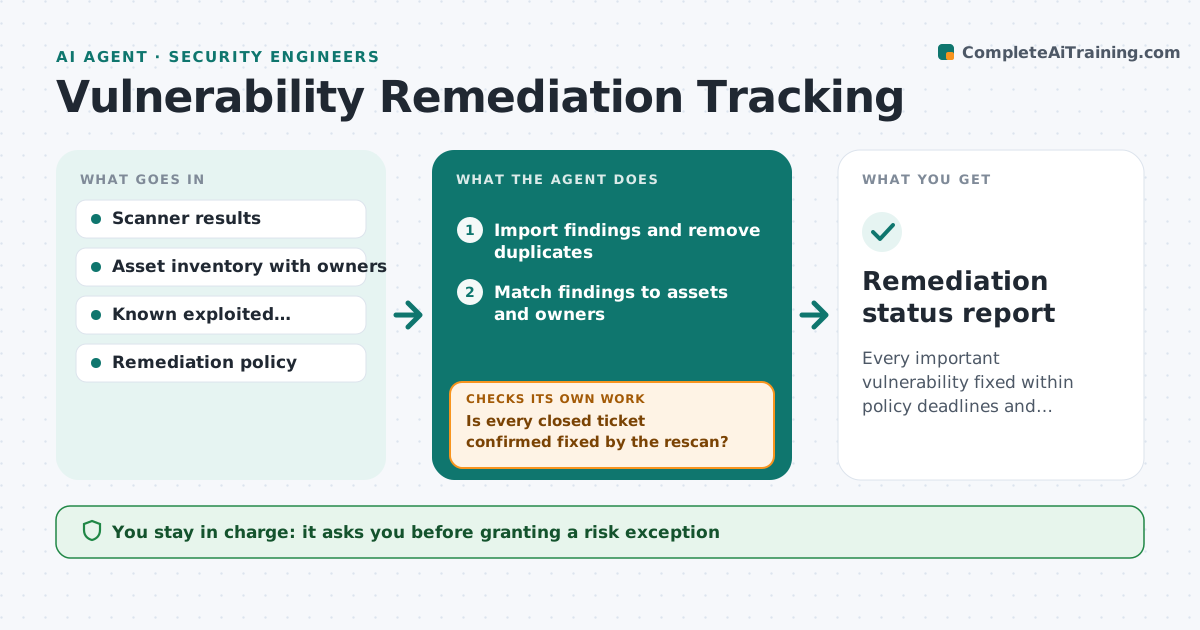
Vulnerability scans produce thousands of findings, and the important ones get lost or stay open past their deadline. After each scan this agent removes duplicates, matches each finding to an asset and its owner, and ranks it by severity, internet exposure and whether it is known to be exploited. It creates remediation tickets with due dates from your policy. When the next scan runs, it checks whether fixed items are really gone. If a ticket is closed but the finding is still there, it reopens the ticket with the new evidence and a note on the likely reason, such as a pending reboot. You approve risk exceptions and extended deadlines. Edge case: a finding on an asset with no known owner goes to a triage queue instead of being skipped.
How it works
Follow the arrows from top to bottom. The orange dashed arrow is the loop: when a check fails, the agent goes back and tries again.
Read the steps as a list
- Scheduled scan completes
- Import findings and remove duplicates
- Match findings to assets and owners
- Rank by severity, exposure and known exploitation
- Create or update remediation tickets with due dates
- Compare the next scan with closed tickets
- Is every closed ticket confirmed fixed by the rescan?If not: reopen the ticket with the new scan evidence. Back to step 5.
- Security lead approves risk exceptionsThe agent waits here for your OK.
- Remediation status report
How it decides
Priority comes from severity, internet exposure and known exploitation. Due dates follow the policy for that priority.
- Known exploited and internet-facing findings due in 7 days
- Reopen tickets when the rescan still shows the finding
- Send unowned assets to a triage queue
Make it yours
Every agent is a starting point. You choose these settings for your own situation.
- Due dates per priority
- Scanners and asset sources
- Rescan schedule
- Exception approver
What keeps you in control
It always asks you first
- Granting a risk exception
- Escalating overdue items to executives
Hard limits
- Never closes a ticket without rescan proof
- Does not patch systems itself
It stops when
- Done: all findings ticketed and closed tickets verified
- Stop: scanner results incomplete
Set it up
We guide you through the set-up, step by step
Members get the full set-up guide for this agent. No technical skills needed: you copy, paste and upload.
- One set of instructions to paste into your AI, with the clicks for ChatGPT, Claude, Microsoft 365 Copilot, Gemini and Grok
- The agent then walks you through connecting your own data, one source at a time
- A downloadable copy with the flow chart, the rules and the full guide