AI agent for manager of its
Cloud Security Group Review Agent
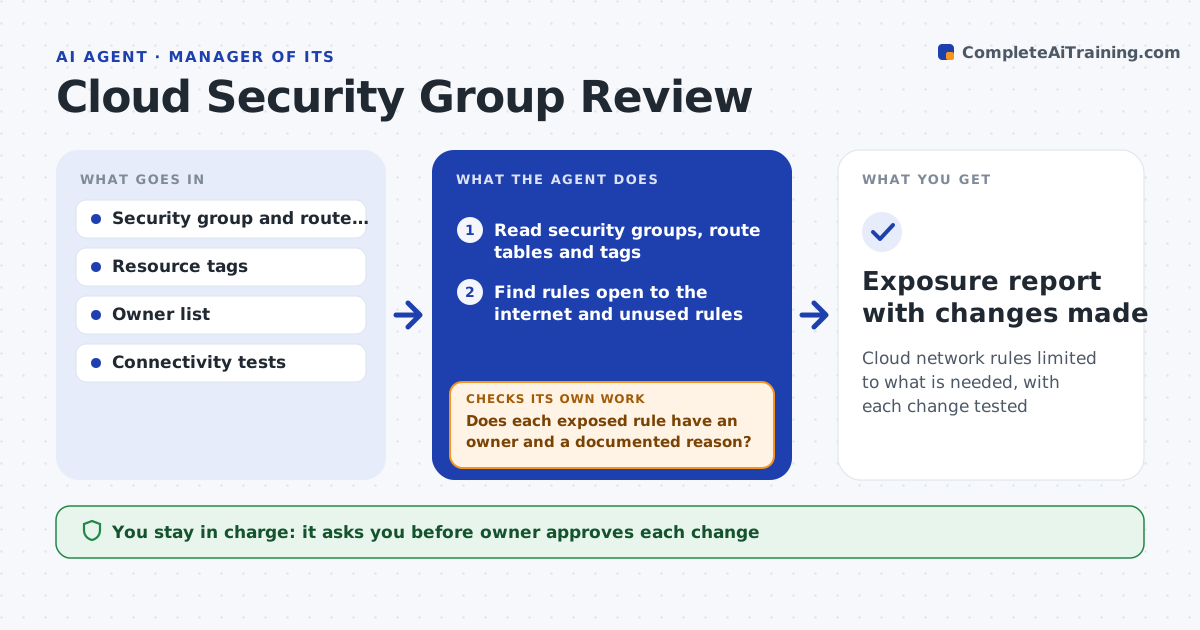
Cloud network rules limited to what is needed, with each change tested
What it does
Cloud rules sometimes open ports to the whole internet and stay that way for years. This agent reads security groups and route tables, then finds public exposure and unused rules. It checks resource tags to find the owner of each exposed item and proposes tightening, such as limiting a source range or closing an old port. After the owner approves a change, it tests connectivity from the allowed sources to make sure the service still works. If the test fails, it rolls back and tries a narrower change. Edge case: a database port is open to the internet, but the tag shows a vendor integration, so the agent asks for the vendor's address range.
How it works
Follow the arrows from top to bottom. The orange dashed arrow is the loop: when a check fails, the agent goes back and tries again.
Read the steps as a list
- Weekly security group scan
- Read security groups, route tables and tags
- Find rules open to the internet and unused rules
- Find each owner from the resource tags
- Does each exposed rule have an owner and a documented reason?If not: ask the owner or escalate to the security team. Back to step 3.
- Propose a narrower rule for each risky item
- Owner approves each changeThe agent waits here for your OK.
- Apply the change and test connectivity from the allowed sources
- Does the service still work for the allowed users?If not: roll back and propose a narrower change. Back to step 6.
- Exposure report with changes made
How it decides
A rule is risky when it allows a sensitive port from anywhere or has no recent traffic. Tightening must keep the known sources working.
- Flag any sensitive port open to all addresses
- Flag rules with no traffic for 60 days
- Require an owner tag for every exposed rule
- Roll back on any failed connectivity test
Make it yours
Every agent is a starting point. You choose these settings for your own situation.
- Sensitive ports list
- Unused rule days (default: 60)
- Scan frequency
- Cloud accounts in scope
What keeps you in control
It always asks you first
- Owner approves each change
Hard limits
- Never changes a rule without the owner's approval
- Never opens a new port
It stops when
- Done: no unapproved public exposure remains
- Stop: owner cannot be found, so the item goes to security
Set it up
We guide you through the set-up, step by step
Members get the full set-up guide for this agent. No technical skills needed: you copy, paste and upload.
- One set of instructions to paste into your AI, with the clicks for ChatGPT, Claude, Microsoft 365 Copilot, Gemini and Grok
- The agent then walks you through connecting your own data, one source at a time
- A downloadable copy with the flow chart, the rules and the full guide