AI agent for audio engineers
Picture Change Conform Agent
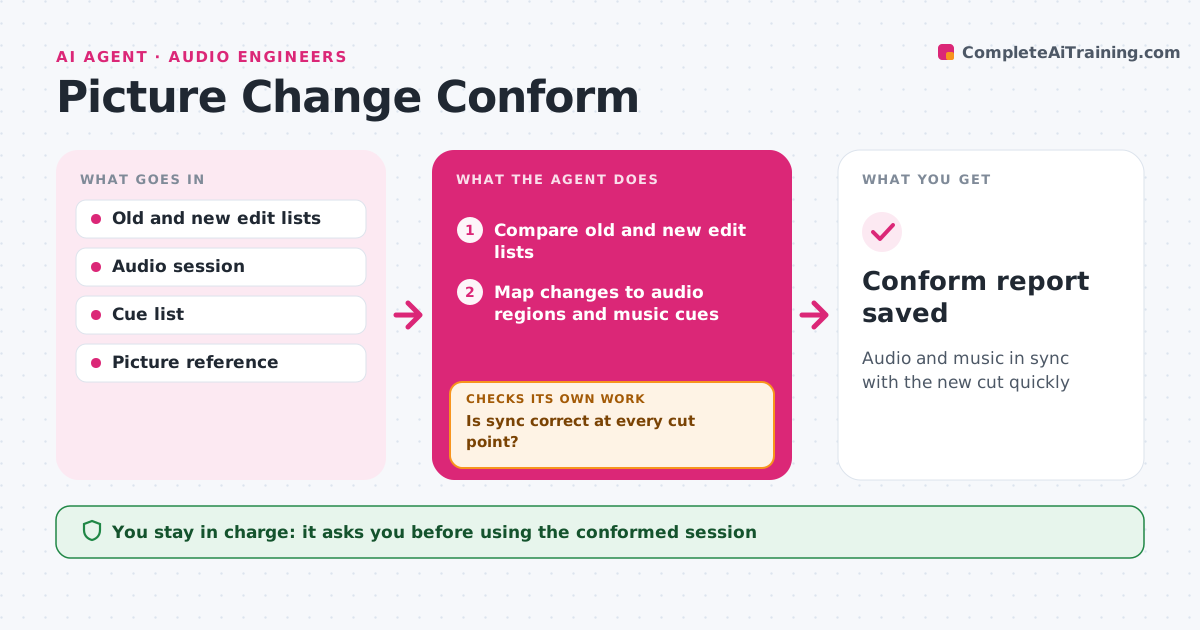
Audio and music in sync with the new cut quickly
What it does
When the picture edit changes, every audio region and music cue must move with it, and doing this by hand is slow and error-prone. When a new cut arrives with its change list, this agent compares the old and new edit decision lists and finds every added, removed or moved section. It maps the changes to the audio session and music cues and builds a conform plan: which regions to move and which cues to extend, trim or rewrite. It applies the moves in a copy of the session, never the original. Then it checks sync at every cut point against the new picture. Cues where a simple move does not work are listed for the composer or editor. The engineer or composer approves the conformed session. Edge case: a cut inside a sustained musical note is flagged as needing a musical edit.
How it works
Follow the arrows from top to bottom. The orange dashed arrow is the loop: when a check fails, the agent goes back and tries again.
Read the steps as a list
- New picture cut arrives
- Compare old and new edit lists
- Map changes to audio regions and music cues
- Build the conform plan per region and cue
- Apply moves in a copy of the session
- Is sync correct at every cut point?If not: nudge the drifting regions and recheck. Back to step 5.
- Can every cue be conformed with a simple move?If not: list cues needing a musical edit for the composer. Back to step 4.
- Engineer or composer approves the conformed sessionThe agent waits here for your OK.
- Conform report saved
How it decides
It applies straight moves automatically in a copy and sends cuts inside musical phrases to a person.
- Work in a copy of the session
- Cuts inside sustained notes need a musical edit
- Sync tolerance of one frame
Make it yours
Every agent is a starting point. You choose these settings for your own situation.
- Sync tolerance
- Session naming
- Cue handling rules
- Report format
What keeps you in control
It always asks you first
- Using the conformed session
Hard limits
- Never overwrites the original session
- Never edits music content
It stops when
- Done: session conformed
- Stop: edit list missing
Set it up
We guide you through the set-up, step by step
Members get the full set-up guide for this agent. No technical skills needed: you copy, paste and upload.
- One set of instructions to paste into your AI, with the clicks for ChatGPT, Claude, Microsoft 365 Copilot, Gemini and Grok
- The agent then walks you through connecting your own data, one source at a time
- A downloadable copy with the flow chart, the rules and the full guide