AI agent for elearning developers
Pilot Feedback Loop Agent
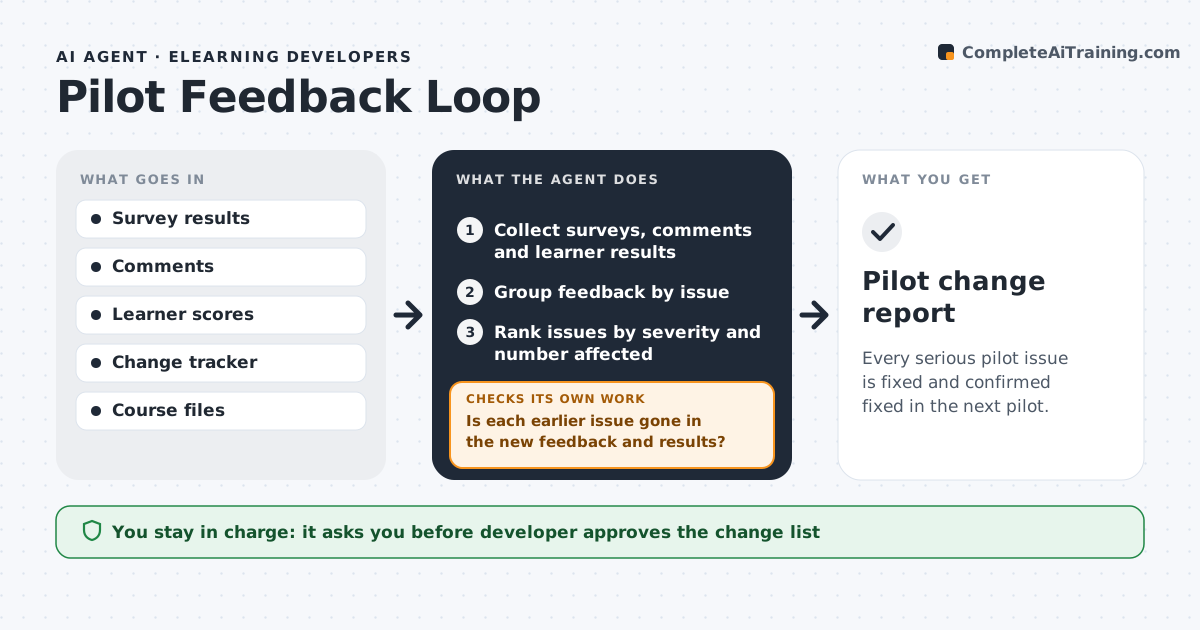
Every serious pilot issue is fixed and confirmed fixed in the next pilot.
What it does
Pilot groups give feedback in surveys, comments and meetings, and it often stays in a folder. The agent collects pilot feedback and learner results in one place, groups comments by issue, ranks them by severity and the number of people affected, and proposes a change for each. It builds a change list with owners and dates and tracks each item through implementation. In the next pilot it checks the results and comments against the earlier issues to see whether each one is gone. Items that persist return to the list with a new proposal. The developer approves the change list and each release. Edge case: one loud comment from a single learner is weighed lower than a quiet issue reported by 12 people.
How it works
Follow the arrows from top to bottom. The orange dashed arrow is the loop: when a check fails, the agent goes back and tries again.
Read the steps as a list
- Pilot session ends
- Collect surveys, comments and learner results
- Group feedback by issue
- Rank issues by severity and number affected
- Propose a change for each issue
- Developer approves the change listThe agent waits here for your OK.
- Add the changes to the tracker with owners and dates
- Run the next pilot and collect new feedback
- Is each earlier issue gone in the new feedback and results?If not: Return the issue to the list with a new proposal and the new evidence. Back to step 3.
- Update the change status
- Pilot change report
How it decides
It ranks issues by severity and the number of learners reporting, and judges a fix by whether the issue disappears in the next pilot.
- Issue reported by 20% or more of learners is high severity
- A blocking issue is fixed before the next pilot
- One-off comments go to a watch list
- An issue is closed after it vanishes in one full pilot
Make it yours
Every agent is a starting point. You choose these settings for your own situation.
- Severity threshold
- Pilot size
- Feedback sources
- Owners and dates
- Close rule
What keeps you in control
It always asks you first
- Developer approves the change list
- Developer approves the final release
Hard limits
- Never change the course without approval
- Never share individual comments by name
- Never close an issue without evidence
It stops when
- Done: all high-severity issues are closed
- Stop: the pilot is cancelled
Set it up
We guide you through the set-up, step by step
Members get the full set-up guide for this agent. No technical skills needed: you copy, paste and upload.
- One set of instructions to paste into your AI, with the clicks for ChatGPT, Claude, Microsoft 365 Copilot, Gemini and Grok
- The agent then walks you through connecting your own data, one source at a time
- A downloadable copy with the flow chart, the rules and the full guide