AI agent for scriptwriters
Pilot Script Rewrite Pass Tracker Agent
A rewrite where each note is checked scene by scene and the draft is ready for the producer with a clear note-by-note report
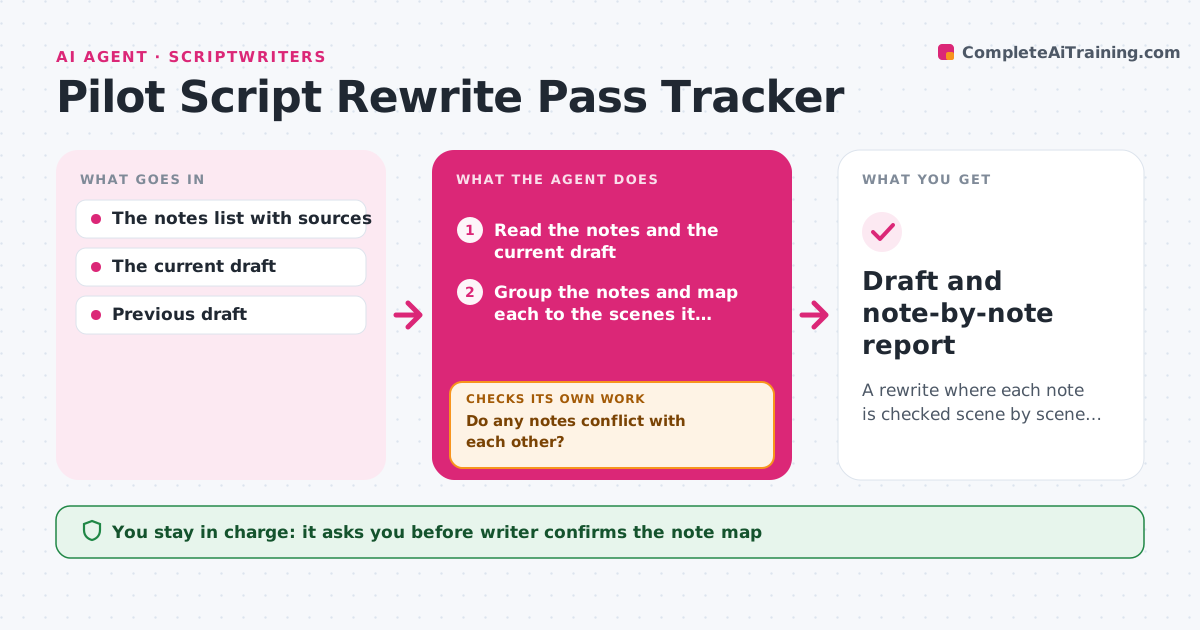
What it does
A producer sends 30 notes on a pilot, and the writer addresses the big ones but fixes only some of the scenes each note touches. This agent takes the list of notes and maps each to the scenes it affects, such as a note about Jo's motivation touching scenes 3, 9, 17 and 28. After each rewrite, it rereads the script and checks whether each note is addressed in every affected scene, marking it done, partly done or missed. Unaddressed notes loop back to the writer with the exact scenes and a short reminder of the note. It also looks for notes that conflict with each other and asks the writer which to follow. The writer approves the draft before it goes to the producer. Edge case: a note addressed by cutting a scene is marked done only if the cut is intended.
How it works
Follow the arrows from top to bottom. The orange dashed arrow is the loop: when a check fails, the agent goes back and tries again.
Read the steps as a list
- Notes received on the pilot
- Read the notes and the current draft
- Group the notes and map each to the scenes it affects
- Do any notes conflict with each other?If not: Ask the writer which note to follow and update the map. Back to step 3.
- Writer confirms the note map and starts the rewriteThe agent waits here for your OK.
- Read the revised draft and compare with the previous one
- Mark each note done, partly done or missed per scene
- Is every note done in every affected scene?If not: List the scenes and note reminders for the writer and compare again after the next pass. Back to step 6.
- Writer approves the draft before it goes to the producerThe agent waits here for your OK.
- Draft and note-by-note report
How it decides
A note is done only when every affected scene shows a visible change that addresses it. Scenes without change are listed as missed.
- Mark a note done only if every affected scene changed in response
- Treat a scene cut as addressed only when the writer confirms it
- Escalate conflicting notes to the writer
- Compare the new draft with the previous draft, not memory
Make it yours
Every agent is a starting point. You choose these settings for your own situation.
- Note source labels
- Scene numbering format
- How declined notes are recorded
- Report format
- Number of passes tracked
What keeps you in control
It always asks you first
- Writer confirms the note map
- Writer approves the draft before it is sent
Hard limits
- Never edit the script
- Never send the draft to the producer
It stops when
- Done: All notes are addressed in every affected scene or deliberately declined
- Stop: A note cannot be mapped to scenes, so the agent asks the writer to clarify
Set it up
We guide you through the set-up, step by step
Members get the full set-up guide for this agent. No technical skills needed: you copy, paste and upload.
- One set of instructions to paste into your AI, with the clicks for ChatGPT, Claude, Microsoft 365 Copilot, Gemini and Grok
- The agent then walks you through connecting your own data, one source at a time
- A downloadable copy with the flow chart, the rules and the full guide