AI agent for internal communications managers
Policy Change Rollout Agent
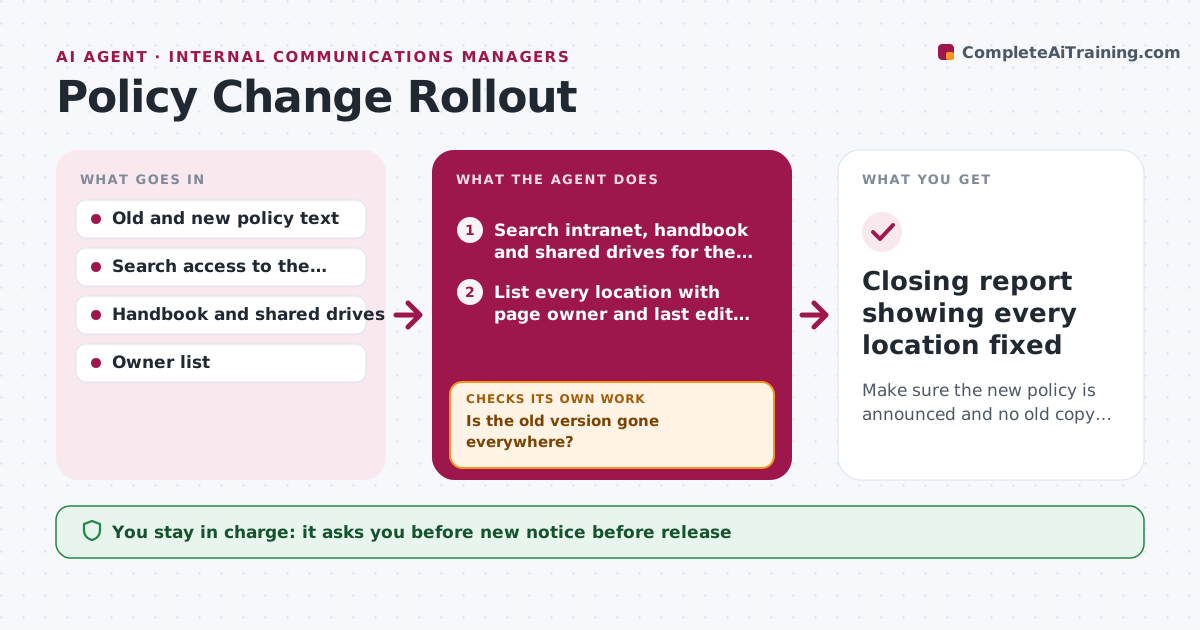
Make sure the new policy is announced and no old copy stays live.
What it does
When a policy changes, the new notice is the easy part. The hard part is that the old policy lives on in intranet pages, the employee handbook, onboarding decks and shared drives. This agent searches all of those places for the old policy's title, key phrases and file names, and lists every location with its owner. It drafts the new notice and a replacement note for each copy. After owners update their pages, it searches again to confirm the old text is gone. Missed locations go back to the owner with a reminder. Edge case: a PDF in an old training folder still holds the previous leave limit, and the agent catches it on the second search.
How it works
Follow the arrows from top to bottom. The orange dashed arrow is the loop: when a check fails, the agent goes back and tries again.
Read the steps as a list
- Policy owner marks the policy as updated
- Search intranet, handbook and shared drives for the old version
- List every location with page owner and last edit date
- Draft the new notice and replacement text for each location
- Policy owner approves the notice and the retirement of old pagesThe agent waits here for your OK.
- Send the notice and send update requests to page owners
- Wait for the owner deadline
- Search again for old policy text
- Is the old version gone everywhere?If not: Send a reminder to the owners of the remaining locations and escalate after the second miss. Back to step 4.
- Closing report showing every location fixed
How it decides
It matches old policy by title and distinctive phrases, not just file name. A location counts as fixed only when the rerun search finds no old text.
- Search for distinctive phrases and the old effective date, not only the title
- Owners get one reminder, then the policy owner is told
- PDFs and slide decks are included in the search
- A location is closed only after a second search finds nothing
Make it yours
Every agent is a starting point. You choose these settings for your own situation.
- Locations to search
- Owner reminder deadline (default 5 days)
- Phrases that identify the old policy
- Escalation contact
- Which formats to include
What keeps you in control
It always asks you first
- New notice before release
- Retiring or archiving any page
Hard limits
- Never edits or deletes pages itself
- Never sends the notice before approval
- Lists every place it did not have access to
It stops when
- Done: no old copies found on the recheck
- Stop: owner unresponsive after two reminders; escalated
Set it up
We guide you through the set-up, step by step
Members get the full set-up guide for this agent. No technical skills needed: you copy, paste and upload.
- One set of instructions to paste into your AI, with the clicks for ChatGPT, Claude, Microsoft 365 Copilot, Gemini and Grok
- The agent then walks you through connecting your own data, one source at a time
- A downloadable copy with the flow chart, the rules and the full guide