AI agent for biomedical engineers
Post-Market Surveillance Review Agent
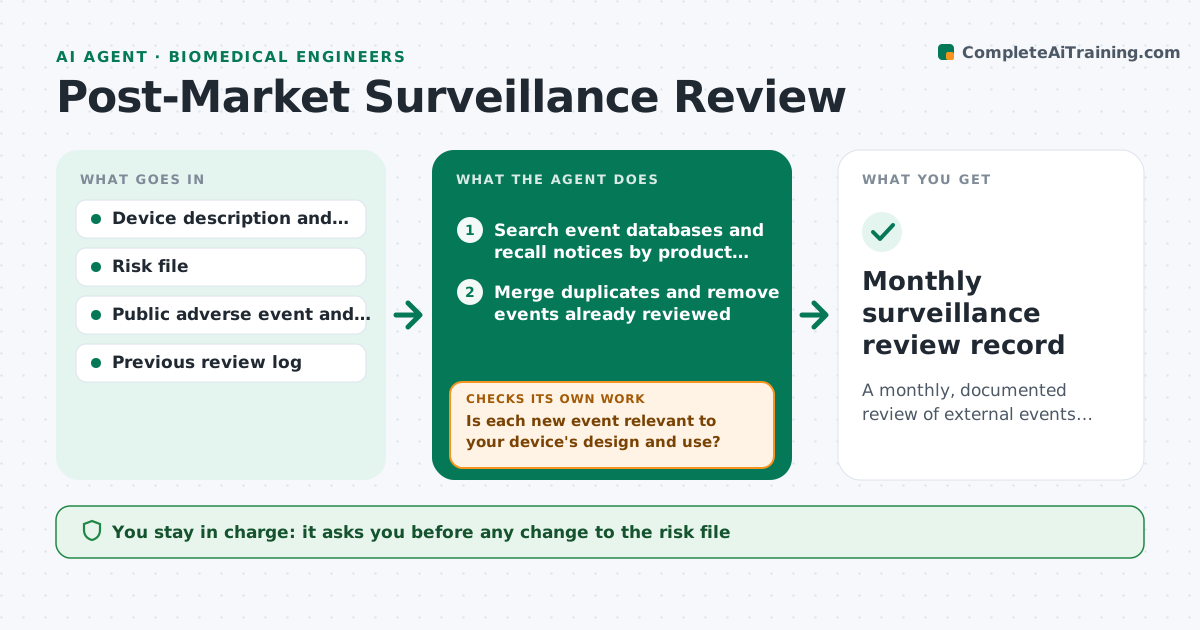
A monthly, documented review of external events with relevant new hazards turned into drafted risk file updates.
What it does
Public adverse event reports and recall notices about similar devices are a free source of risk information, but nobody reviews them on a schedule. Each month this agent searches the databases and recall notices for devices like yours. It compares the events to your risk file and flags hazards, causes or harms not yet listed. It rechecks flagged items for context, such as whether the event involved a feature your device lacks, and drops those that do not apply. For those that do, it drafts risk file updates and notes for the next review. You approve any change. Edge case: duplicate reports of the same event are merged before counting.
How it works
Follow the arrows from top to bottom. The orange dashed arrow is the loop: when a check fails, the agent goes back and tries again.
Read the steps as a list
- Monthly review
- Search event databases and recall notices by product code and keywords
- Merge duplicates and remove events already reviewed
- Compare each event to the hazards in the risk file
- Is each new event relevant to your device's design and use?If not: read the full report for context and drop it with a note if not relevant. Back to step 3.
- Rate the possible impact on the risk file
- Draft risk file updates and a trend note
- Is the trend consistent with the previous six months?If not: recheck the counts and search again with wider terms. Back to step 4.
- Engineer approves any risk file changeThe agent waits here for your OK.
- Monthly surveillance review record
How it decides
An event matters when it describes a hazard, cause or harm that is not in the risk file and that could occur with your device's design or use.
- New harm not in the risk file: draft a new hazard entry
- Same failure in 3 or more events: flag as a pattern
- Recall of a similar device for a feature yours has: urgent flag
- Event involves a feature your device lacks: drop with a note
Make it yours
Every agent is a starting point. You choose these settings for your own situation.
- Product codes and keywords
- Databases to search
- Pattern threshold (default 3 events)
- Review month day
- Review log format
What keeps you in control
It always asks you first
- Any change to the risk file
- Any reporting decision
Hard limits
- Never file or submit any report
- Never change the risk file without approval
It stops when
- Done: review logged
- Stop: source database unavailable, retry later
Set it up
We guide you through the set-up, step by step
Members get the full set-up guide for this agent. No technical skills needed: you copy, paste and upload.
- One set of instructions to paste into your AI, with the clicks for ChatGPT, Claude, Microsoft 365 Copilot, Gemini and Grok
- The agent then walks you through connecting your own data, one source at a time
- A downloadable copy with the flow chart, the rules and the full guide