AI agent for mediators
Post-Mediation Follow-Up Agent
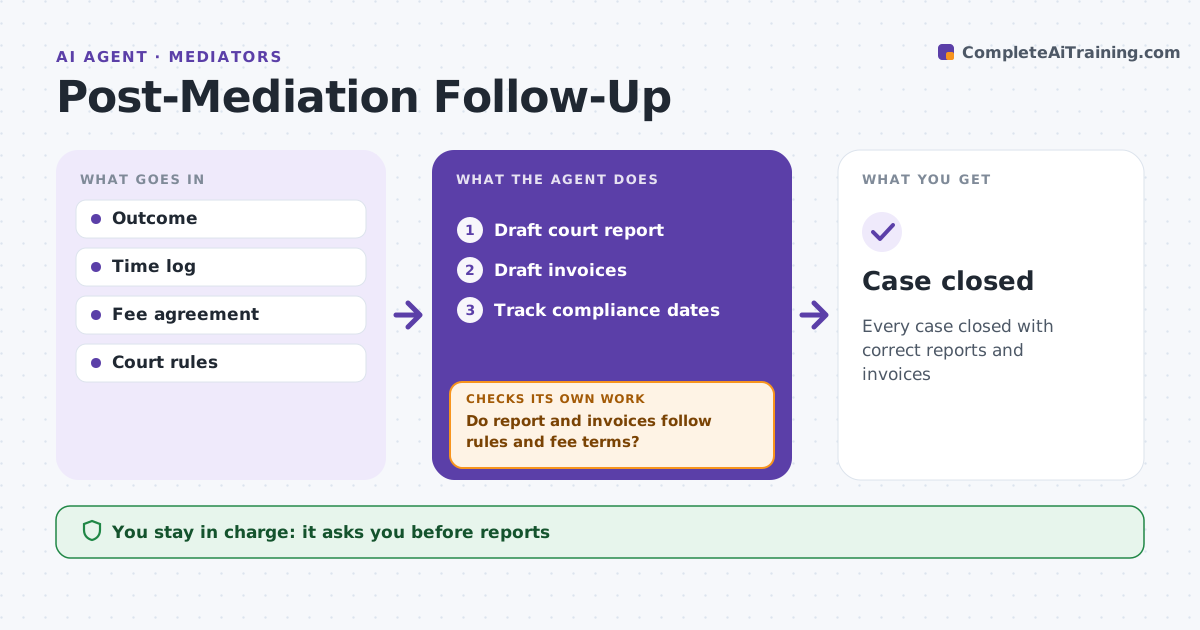
Every case closed with correct reports and invoices
What it does
After a mediation, the close-out work of court reports, invoices and follow-ups is easy to get wrong. When a mediation ends, this agent drafts the report to the court where needed, stating only the outcome, such as settled or impasse, with no confidential details. It drafts invoices from the time log and the fee agreement, applying the agreed split. It checks the court report contains only allowed information and checks invoices against the fee terms, fixing anything that does not match. The mediator approves all outgoing items. It then tracks compliance dates in the agreement and sends reminders if the mediator agreed to do so, plus a reminder for invoices unpaid after 30 days. Edge case: one party pays the full fee by agreement, so the agent bills only that party.
How it works
Follow the arrows from top to bottom. The orange dashed arrow is the loop: when a check fails, the agent goes back and tries again.
Read the steps as a list
- Mediation ends
- Draft court report
- Draft invoices
- Do report and invoices follow rules and fee terms?If not: correct and recheck. Back to step 2.
- Mediator approvesThe agent waits here for your OK.
- Track compliance dates
- Case closed
How it decides
It applies court reporting rules and fee terms.
- Court report: outcome only
- Fee split per agreement
- Unpaid after 30 days: reminder
Make it yours
Every agent is a starting point. You choose these settings for your own situation.
- Report templates
- Fee terms
- Reminder schedule
- Court rules
What keeps you in control
It always asks you first
- Reports
- Invoices
Hard limits
- Never discloses confidential content
- Never sends without approval
It stops when
- Done: closed
- Stop: dispute over fees
Set it up
We guide you through the set-up, step by step
Members get the full set-up guide for this agent. No technical skills needed: you copy, paste and upload.
- One set of instructions to paste into your AI, with the clicks for ChatGPT, Claude, Microsoft 365 Copilot, Gemini and Grok
- The agent then walks you through connecting your own data, one source at a time
- A downloadable copy with the flow chart, the rules and the full guide