AI agent for preschool teachers
Potty Training Home-School Alignment Agent
Give each child in toilet learning one shared home and school routine that measurably reduces accidents within a few weeks
What it does
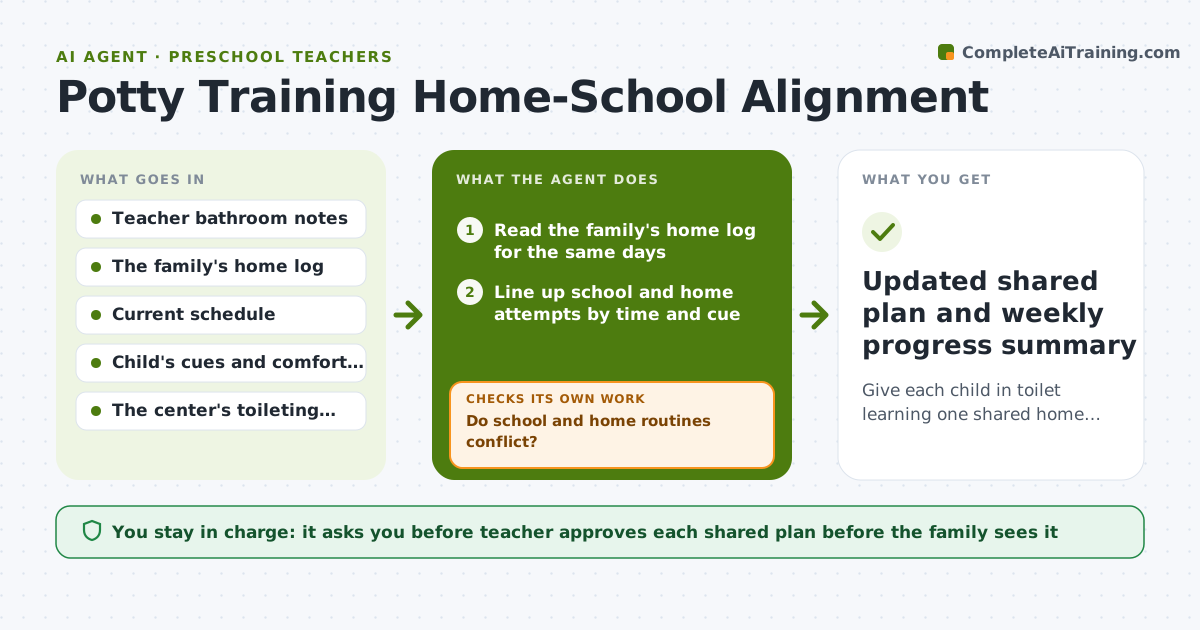
A child may stay dry at school and have accidents at home because the cues, timing and words differ. This agent starts each day by logging the teacher's quick notes on bathroom attempts, successes and accidents. It then reads the family's home log and lines the two up by time of day. It looks for the times, cues and prompts that lead to success and where the two routines conflict. When they conflict, it drafts one shared plan with a single set of words and a single schedule. After a week of new data it checks whether accidents dropped and loops back to adjust the plan if not. It never sends anything to a family on its own. The teacher approves each plan and message. Edge case: if the family logs only evenings, it asks for two weekday morning entries before judging.
How it works
Follow the arrows from top to bottom. The orange dashed arrow is the loop: when a check fails, the agent goes back and tries again.
Read the steps as a list
- Teacher enters the day's bathroom notes
- Read the family's home log for the same days
- Line up school and home attempts by time and cue
- Find the times and cues linked to successes
- Do school and home routines conflict?If not: Re-read the home log for missing entries and ask the teacher to confirm the school times. Back to step 3.
- Draft one shared plan with the same words and schedule
- Teacher approves the plan and the family messageThe agent waits here for your OK.
- Log a week of new attempts and accidents
- Did accidents drop compared with the prior week?If not: Change one variable, such as timing or prompt wording, and note it in the plan. Back to step 4.
- Updated shared plan and weekly progress summary
How it decides
It compares success rates by time of day and cue across both settings and keeps the routine with the higher success rate. If the weekly accident count does not fall, it changes one variable at a time and tests again.
- Treat a time slot as working when at least 3 of 4 attempts succeed over a week
- Treat routines as conflicting when prompt times differ by more than 30 minutes
- Do not judge a plan until at least 5 days of data exist in both settings
- Pause the plan and flag the teacher if accidents rise for two weeks in a row
Make it yours
Every agent is a starting point. You choose these settings for your own situation.
- Success threshold per time slot (default 3 of 4 attempts)
- Review cycle for the plan (default 7 days)
- Words and cues used with the child (default the family's own words)
- Family message tone and language (default warm and brief, English)
What keeps you in control
It always asks you first
- Teacher approves each shared plan before the family sees it
- Teacher approves every message sent to the family
Hard limits
- Never diagnose a medical or developmental issue
- Never send a message to a family without teacher approval
- Use only the child's first name and initials in logs
It stops when
- Done: Child is dry at school and home for 10 school days in a row
- Stop: Family asks to pause or a pediatric concern is raised, then hand to the teacher
Set it up
We guide you through the set-up, step by step
Members get the full set-up guide for this agent. No technical skills needed: you copy, paste and upload.
- One set of instructions to paste into your AI, with the clicks for ChatGPT, Claude, Microsoft 365 Copilot, Gemini and Grok
- The agent then walks you through connecting your own data, one source at a time
- A downloadable copy with the flow chart, the rules and the full guide