AI agent for musicians
Practice Plan Progress Agent
Steady progress on the passages and songs that matter next
What it does
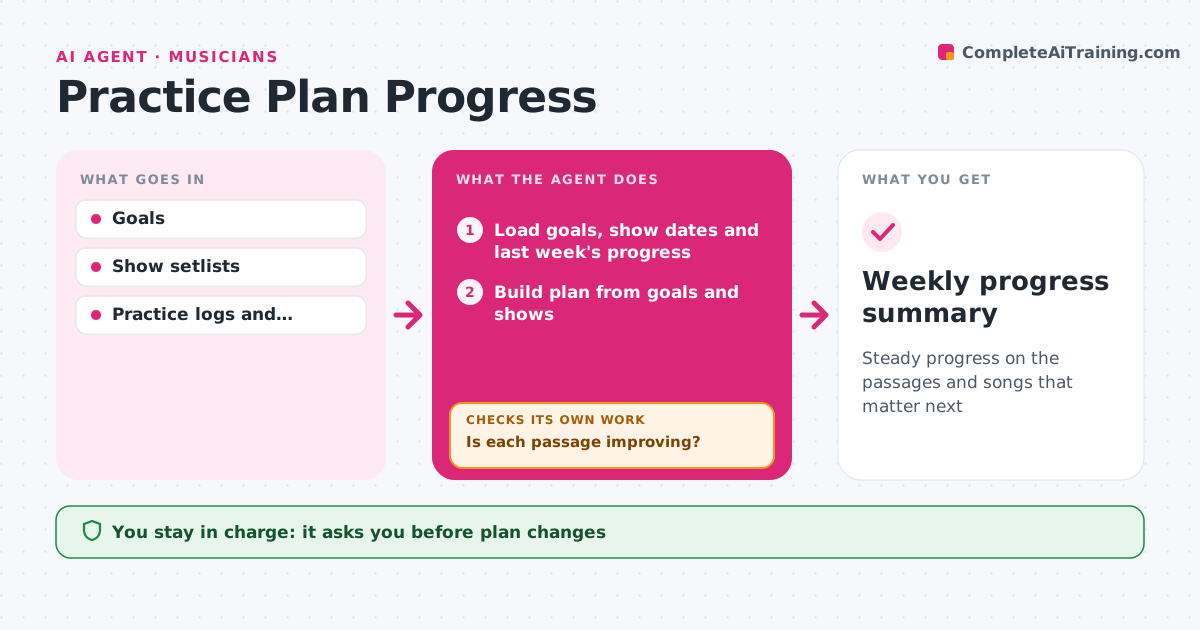
Musicians often practice the same way for weeks without noticing a passage is not improving. This agent builds a weekly practice plan from goals and upcoming shows: songs to learn, passages to fix and technique work. During practice the musician logs tempos reached or records short clips. The agent checks recordings for timing against a click, and for pitch where possible, and tracks tempo progress per passage. Passages that do not improve after several sessions get a different approach, like slower practice or smaller chunks. It adjusts the plan each week and rechecks progress. The musician sets the goals and approves plan changes. Edge case: if a show date moves closer, it reprioritizes the songs for that show.
How it works
Follow the arrows from top to bottom. The orange dashed arrow is the loop: when a check fails, the agent goes back and tries again.
Read the steps as a list
- New practice week
- Load goals, show dates and last week's progress
- Build plan from goals and shows
- Log tempos and analyze short recordings
- Track progress per passage
- Is each passage improving?If not: switch to slower practice or smaller chunks. Back to step 3.
- Are songs for the nearest show on track?If not: move those songs to the top of the plan. Back to step 3.
- Musician approves plan changesThe agent waits here for your OK.
- Weekly progress summary
How it decides
It prioritizes by show date and by passages with the slowest progress.
- Show songs come first
- Three sessions without progress triggers a new approach
- Increase tempo by small steps
Make it yours
Every agent is a starting point. You choose these settings for your own situation.
- Weekly practice hours
- Tempo step size
- Goals
- Session length
What keeps you in control
It always asks you first
- Plan changes
Hard limits
- Recordings stay on the musician's device
- Never shares progress
It stops when
- Done: goals met
- Stop: musician pauses practice
Set it up
We guide you through the set-up, step by step
Members get the full set-up guide for this agent. No technical skills needed: you copy, paste and upload.
- One set of instructions to paste into your AI, with the clicks for ChatGPT, Claude, Microsoft 365 Copilot, Gemini and Grok
- The agent then walks you through connecting your own data, one source at a time
- A downloadable copy with the flow chart, the rules and the full guide