AI agent for legal secretaries
Pre-Bill Review Agent
Bills that meet client guidelines before sending
What it does
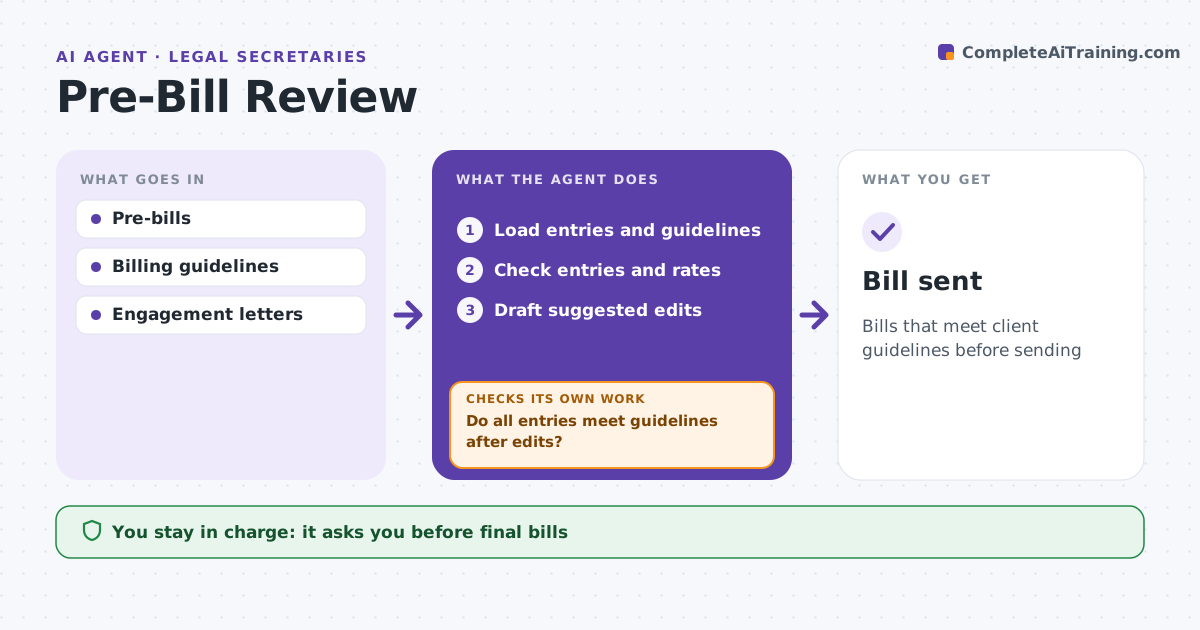
Client billing guidelines are strict, and bills that break them get cut or rejected, costing the firm money and goodwill. Before monthly bills go out, this agent reviews each pre-bill. It checks time entries against the client's guidelines: no block billing, correct task codes, rate caps, banned tasks such as clerical work, and staffing limits. It checks that rates match the engagement letter and fixes any above it. Block-billed entries are marked for splitting, clerical tasks for removal or write-off, and vague entries get clearer suggested wording for the timekeeper. Timekeepers edit their entries, and the agent rechecks until every entry meets the guidelines, returning any that still fail. The billing attorney approves the final bill and every write-off. Edge case: a client caps billable travel hours, so the agent reduces travel time to the cap and shows the difference.
How it works
Follow the arrows from top to bottom. The orange dashed arrow is the loop: when a check fails, the agent goes back and tries again.
Read the steps as a list
- Pre-bills ready
- Load entries and guidelines
- Check entries and rates
- Draft suggested edits
- Do all entries meet guidelines after edits?If not: return entries to timekeepers. Back to step 3.
- Billing attorney approvesThe agent waits here for your OK.
- Bill sent
How it decides
It applies each client's guidelines and flags any entry that breaks them.
- Block billing: split
- Rate over engagement rate: fix
- Clerical task: remove or write off
Make it yours
Every agent is a starting point. You choose these settings for your own situation.
- Guidelines
- Flag rules
- Suggestion style
- Timing
What keeps you in control
It always asks you first
- Final bills
- Write-offs
Hard limits
- Never sends bills
- Never changes time without approval
It stops when
- Done: bill approved
- Stop: guidelines missing
Set it up
We guide you through the set-up, step by step
Members get the full set-up guide for this agent. No technical skills needed: you copy, paste and upload.
- One set of instructions to paste into your AI, with the clicks for ChatGPT, Claude, Microsoft 365 Copilot, Gemini and Grok
- The agent then walks you through connecting your own data, one source at a time
- A downloadable copy with the flow chart, the rules and the full guide