AI agent for public relations specialists
Press Kit Freshness Audit Agent
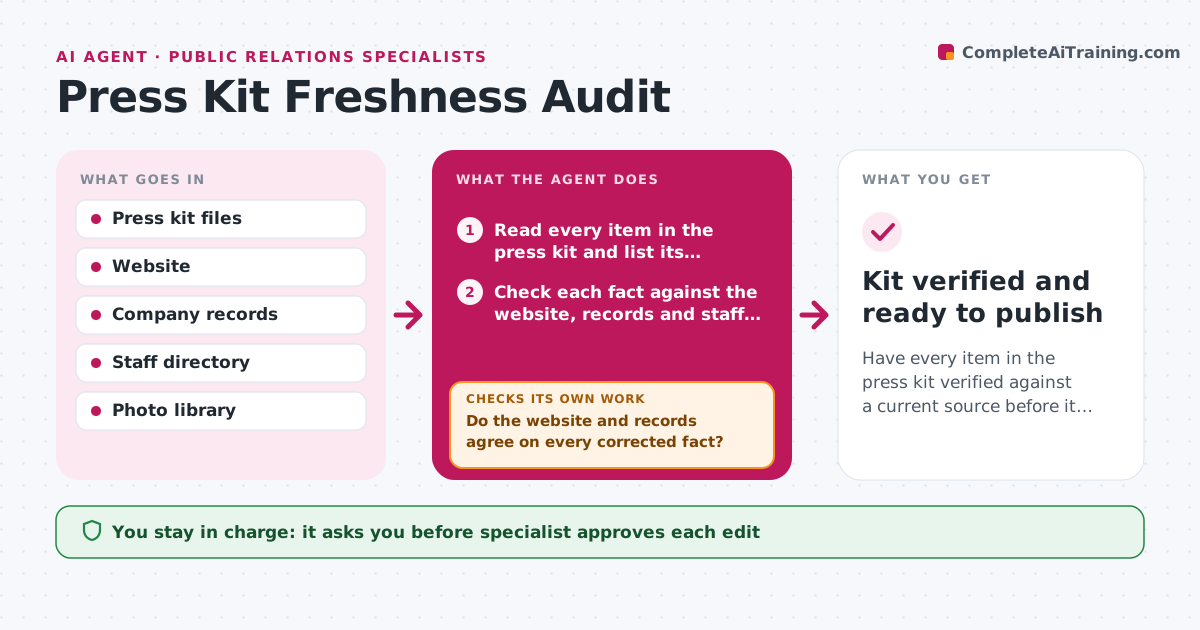
Have every item in the press kit verified against a current source before it is published.
What it does
Journalists download the press kit and quote it, so a wrong title or old headcount ends up in print. The agent reads every item in the kit: the company boilerplate, leadership bios, figures, product descriptions, fact sheet and photos. It checks each fact against the website, company records and the staff directory, and flags what is outdated or conflicting, such as a former executive still listed or old product names. It looks at photo dates and who is pictured. For each flagged item it drafts a corrected version with the source. After the specialist edits, it rereads the kit and checks everything again, since an edit may have introduced a new inconsistency. It repeats until every item is verified. Edge case: the website and the records disagree. The agent asks the owner. The specialist approves publication.
How it works
Follow the arrows from top to bottom. The orange dashed arrow is the loop: when a check fails, the agent goes back and tries again.
Read the steps as a list
- Audit begins
- Read every item in the press kit and list its facts
- Check each fact against the website, records and staff directory
- Flag outdated, conflicting or unsourced items
- Check photo dates and the people shown in them
- Draft corrections with the source for each
- Do the website and records agree on every corrected fact?If not: ask the fact owner to confirm the correct version. Back to step 3.
- Specialist approves the editsThe agent waits here for your OK.
- Reload the edited kit and read it again
- Does every item in the new version verify?If not: flag the remaining items and draft further corrections. Back to step 3.
- Kit verified and ready to publish
How it decides
An item is verified when it matches a current source. Items with no source, or sources that conflict, are held until an owner confirms the correct version.
- Mark a fact outdated if the source date is older than 12 months and changed
- Hold facts with conflicting sources until an owner confirms
- Replace photos showing people who have left
- Check all items again after every set of edits
Make it yours
Every agent is a starting point. You choose these settings for your own situation.
- Items to include in the kit
- Age limit for facts (default 12 months)
- Sources of truth
- Audit schedule
- Owners for fact questions
What keeps you in control
It always asks you first
- Specialist approves each edit
- Specialist approves publishing the kit
Hard limits
- Never publish the kit itself
- Cite a source for each change
It stops when
- Done: all items verified and kit published
- Stop: no owner can confirm a key figure, remove the figure and tell the specialist
Set it up
We guide you through the set-up, step by step
Members get the full set-up guide for this agent. No technical skills needed: you copy, paste and upload.
- One set of instructions to paste into your AI, with the clicks for ChatGPT, Claude, Microsoft 365 Copilot, Gemini and Grok
- The agent then walks you through connecting your own data, one source at a time
- A downloadable copy with the flow chart, the rules and the full guide