AI agent for brand managers
Product Launch Readiness Tracker Agent
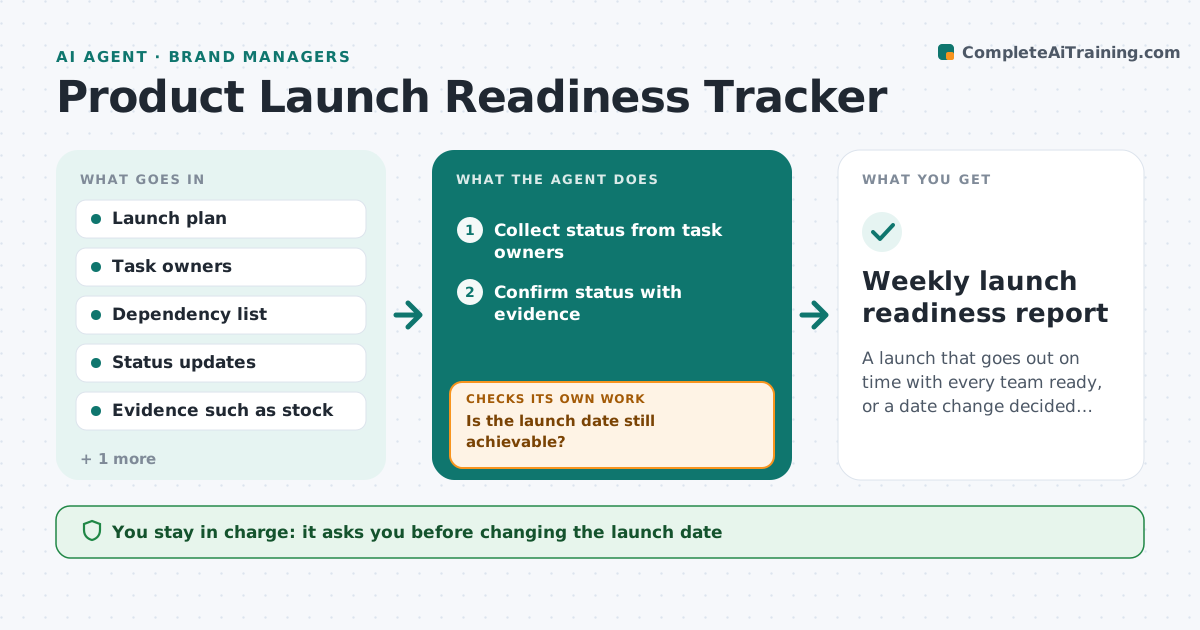
A launch that goes out on time with every team ready, or a date change decided early
What it does
A launch depends on many teams finishing on time: packaging, stock, pricing, sales training, ads and support scripts. This agent keeps the launch plan with tasks, owners, dependencies and dates. Each week it asks owners for status and checks answers against evidence, such as stock received or assets approved. It recalculates the critical path. If a task slips, it shows which later tasks and the launch date are affected and drafts recovery options with costs. A regulatory approval with no fixed date is treated as a risk on the critical path. It drafts a weekly readiness report with go or no-go signals. The launch manager decides on date changes and trade-offs.
How it works
Follow the arrows from top to bottom. The orange dashed arrow is the loop: when a check fails, the agent goes back and tries again.
Read the steps as a list
- Weekly launch check
- Collect status from task owners
- Confirm status with evidence
- Recalculate the critical path
- Is the launch date still achievable?If not: draft recovery options and ask owners for new dates. Back to step 2.
- Draft readiness report
- Manager decides on date changesThe agent waits here for your OK.
- Weekly launch readiness report
How it decides
It marks a task done only with evidence and flags the launch at risk when the critical path has no slack left.
- Status without evidence counts as not done
- Critical path tasks get daily checks when slack is under a week
- Open regulatory approvals are always flagged
Make it yours
Every agent is a starting point. You choose these settings for your own situation.
- Check frequency by phase
- Evidence required per task type
- Report format
- Who receives the report
What keeps you in control
It always asks you first
- Changing the launch date
- Cutting scope
Hard limits
- Never changes launch dates
- Never commits spend
It stops when
- Done: launch completed
- Stop: launch cancelled or postponed by the manager
Set it up
We guide you through the set-up, step by step
Members get the full set-up guide for this agent. No technical skills needed: you copy, paste and upload.
- One set of instructions to paste into your AI, with the clicks for ChatGPT, Claude, Microsoft 365 Copilot, Gemini and Grok
- The agent then walks you through connecting your own data, one source at a time
- A downloadable copy with the flow chart, the rules and the full guide