AI agent for logistics coordinators
Proof of Delivery Chase Agent
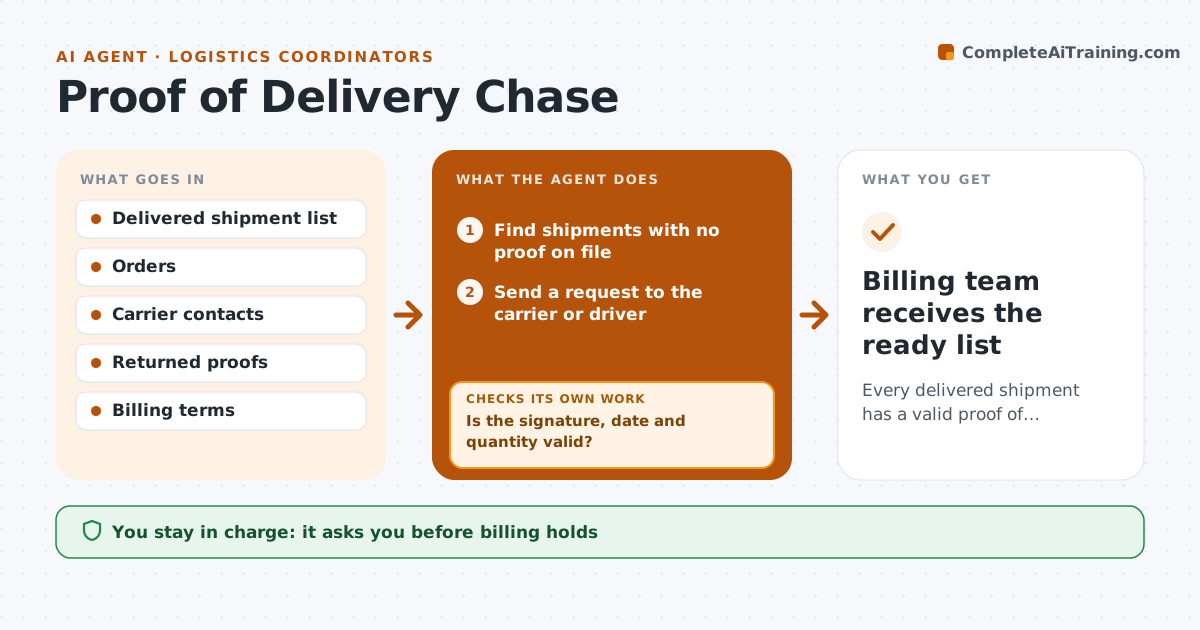
Every delivered shipment has a valid proof of delivery so invoicing is not delayed
What it does
Invoices wait because the signed proof of delivery is missing. This agent lists delivered shipments with no proof and asks the carrier or driver. When a proof returns, it checks signature, date and quantity against the order and rejects poor copies. It follows up on a schedule and escalates up the carrier contact ladder when time runs out. It tells the billing team which shipments are ready to invoice. The coordinator approves billing holds. Edge case: the signed quantity is lower than the order, so the agent treats it as a shortage claim and not as proof.
How it works
Follow the arrows from top to bottom. The orange dashed arrow is the loop: when a check fails, the agent goes back and tries again.
Read the steps as a list
- Daily list of delivered shipments
- Find shipments with no proof on file
- Send a request to the carrier or driver
- Read the proofs that came back
- Is the signature, date and quantity valid?If not: reject it with the reason and request a corrected copy. Back to step 3.
- Mark valid shipments ready to bill
- Is any request overdue by more than 3 days?If not: escalate to the next carrier contact and notify the coordinator. Back to step 3.
- Coordinator approves any billing holdThe agent waits here for your OK.
- Billing team receives the ready list
How it decides
A proof is accepted only with a legible signature, a matching date and the right quantity. Otherwise it is rejected and requested again.
- Reject proofs with a missing signature or unreadable date
- Treat a quantity mismatch as a claim, not proof
- Escalate after 3 days with no reply
- Move to the next contact each 2 days
Make it yours
Every agent is a starting point. You choose these settings for your own situation.
- Escalation days (default 3)
- Contact ladder per carrier
- Rules for valid proof
- Customers with different rules
What keeps you in control
It always asks you first
- Billing holds
Hard limits
- Never invoice without a valid proof
- Never alter a proof
It stops when
- Done: proof valid and shipment released to billing
- Stop: shipment was never delivered
Set it up
We guide you through the set-up, step by step
Members get the full set-up guide for this agent. No technical skills needed: you copy, paste and upload.
- One set of instructions to paste into your AI, with the clicks for ChatGPT, Claude, Microsoft 365 Copilot, Gemini and Grok
- The agent then walks you through connecting your own data, one source at a time
- A downloadable copy with the flow chart, the rules and the full guide