AI agent for biochemists
Protein Purification Run Review Agent
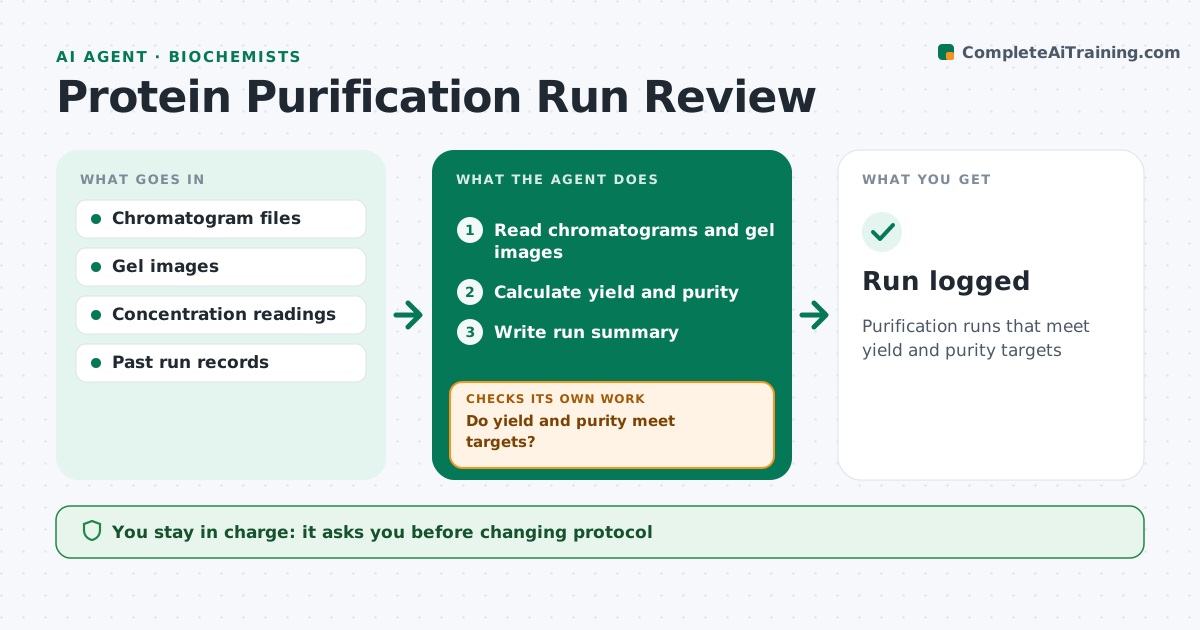
Purification runs that meet yield and purity targets
What it does
Each protein purification produces chromatograms, gel images and concentration readings, and judging a run by eye is slow and uneven. After each run, this agent reads these results and calculates yield and purity. It compares them with the targets and with past runs of the same protein. It looks at peak shapes for signs of aggregation and at the gel for contaminant bands. If yield or purity falls below target, it suggests a next step drawn from past runs that worked, such as an extra column or a changed buffer, and explains why. It writes a run summary. The biochemist decides what to do next; the agent only advises. Each run is logged so trends across batches are visible. Edge case: a peak that elutes earlier than usual is flagged as possible aggregation, even when yield looks fine.
How it works
Follow the arrows from top to bottom. The orange dashed arrow is the loop: when a check fails, the agent goes back and tries again.
Read the steps as a list
- Purification run finished
- Read chromatograms and gel images
- Calculate yield and purity
- Do yield and purity meet targets?If not: suggest next steps from past runs. Back to step 3.
- Write run summary
- Biochemist decides next stepThe agent waits here for your OK.
- Run logged
How it decides
It compares yield and purity with targets and past runs and suggests next steps from what worked before.
- Flag early-eluting peaks
- Compare with past runs
- Suggest steps that worked before
Make it yours
Every agent is a starting point. You choose these settings for your own situation.
- Yield and purity targets
- Past runs to compare
- Report format
- Notebook connection
What keeps you in control
It always asks you first
- Changing protocol
Hard limits
- Never changes protocols itself
It stops when
- Done: run logged
- Stop: data missing
Set it up
We guide you through the set-up, step by step
Members get the full set-up guide for this agent. No technical skills needed: you copy, paste and upload.
- One set of instructions to paste into your AI, with the clicks for ChatGPT, Claude, Microsoft 365 Copilot, Gemini and Grok
- The agent then walks you through connecting your own data, one source at a time
- A downloadable copy with the flow chart, the rules and the full guide