AI agent for training instructors
Protocol Change Rollout Agent
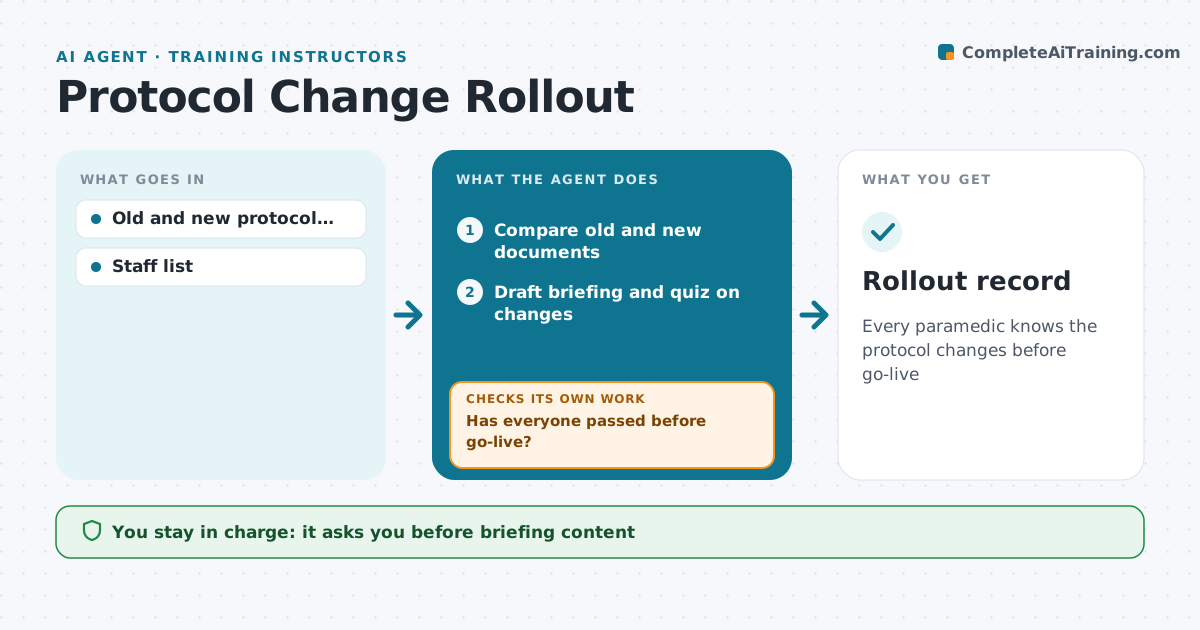
Every paramedic knows the protocol changes before go-live
What it does
When the medical director releases a new protocol version, crews need to learn exactly what changed before it goes live. This agent compares the old and new protocol documents and lists every change in dose, indication or step. It drafts a short briefing and a quiz on those changes, which the educator approves. It sends them to each paramedic and tracks who has read and passed. People who have not finished get reminders, and names still open close to go-live are reported to the educator. It also reports quiz items many people missed, so the educator can cover them in training. The educator approves the content and confirms go-live readiness. Edge case: if a change affects a drug stocked on the units, it alerts supply so stock matches on the go-live date.
How it works
Follow the arrows from top to bottom. The orange dashed arrow is the loop: when a check fails, the agent goes back and tries again.
Read the steps as a list
- New protocol released
- Compare old and new documents
- Draft briefing and quiz on changes
- Educator or medical director approvesThe agent waits here for your OK.
- Send to staff and track completion
- Has everyone passed before go-live?If not: remind and report names to the educator. Back to step 5.
- Rollout record
How it decides
Changes in doses and indications are ranked highest. Staff must pass the quiz before go-live.
- Dose changes listed first
- Pass mark 80%
- Stock changes go to supply
Make it yours
Every agent is a starting point. You choose these settings for your own situation.
- Pass mark
- Reminder schedule
- Staff groups
- Quiz length
What keeps you in control
It always asks you first
- Briefing content
- Go-live readiness
Hard limits
- The agent never changes protocol text
- Clinical content approved by the director
It stops when
- Done: all passed
- Stop: go-live delayed by director
Set it up
We guide you through the set-up, step by step
Members get the full set-up guide for this agent. No technical skills needed: you copy, paste and upload.
- One set of instructions to paste into your AI, with the clicks for ChatGPT, Claude, Microsoft 365 Copilot, Gemini and Grok
- The agent then walks you through connecting your own data, one source at a time
- A downloadable copy with the flow chart, the rules and the full guide