AI agent for industrial designers
Prototype Cost and Tooling Estimate Agent
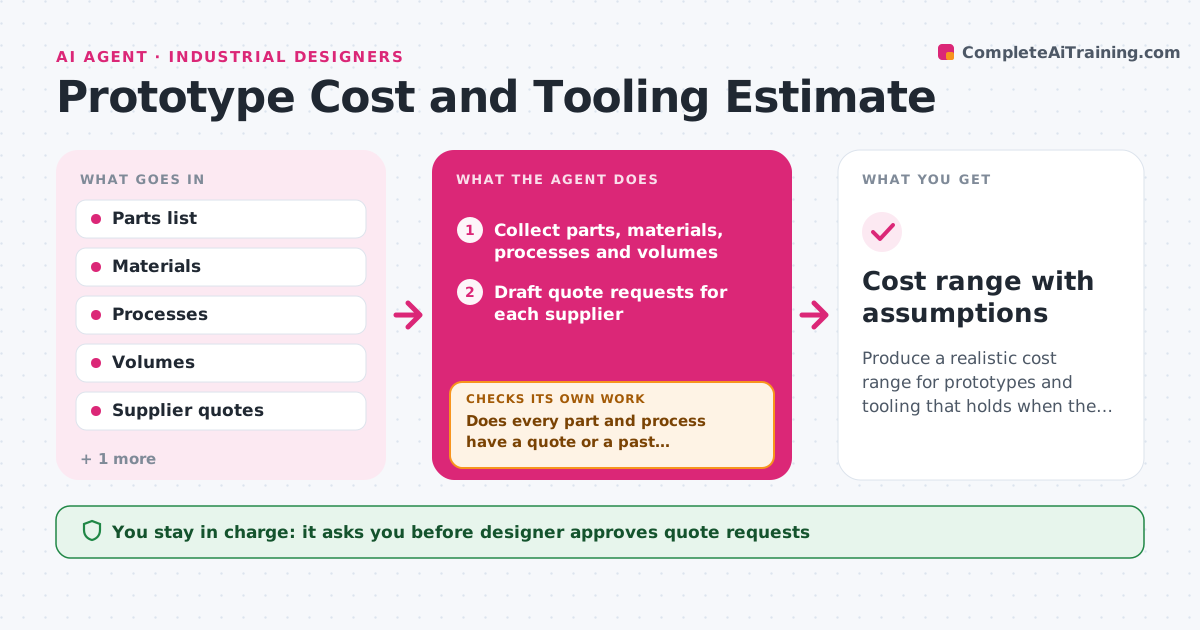
Produce a realistic cost range for prototypes and tooling that holds when the design changes.
What it does
A designer tells the client that tooling will cost $20,000, and the supplier quotes $48,000 after the design has been approved. This agent collects the parts list, materials, finishing and process choices, such as injection molding, CNC or 3D printing, and the expected volumes. It requests quotes from suppliers and compares them with costs from past projects of similar size and complexity. It flags missing items, such as inserts, textures or testing, and builds a range with a low, expected and high figure. When the design changes, it recalculates the range and shows what moved. It checks that every part and process has either a quote or a past reference. The designer approves the estimate before it goes to the client. Edge case: a quote is valid for only 14 days, so the agent notes the expiry.
How it works
Follow the arrows from top to bottom. The orange dashed arrow is the loop: when a check fails, the agent goes back and tries again.
Read the steps as a list
- Design reaches prototype or tooling stage
- Collect parts, materials, processes and volumes
- Draft quote requests for each supplier
- Designer approves requests before they are sentThe agent waits here for your OK.
- Send requests and record the quotes received
- Compare with costs from similar past projects
- Does every part and process have a quote or a past reference?If not: list the missing items and request more quotes. Back to step 3.
- Build low, expected and high estimates
- Do quotes and past costs agree within 25%?If not: ask suppliers to confirm the scope and rerun the comparison. Back to step 6.
- Designer approves the estimate sent to the clientThe agent waits here for your OK.
- Cost range with assumptions
How it decides
It uses supplier quotes where available and past projects scaled by size and complexity otherwise. The range widens when items lack a quote.
- Use a quote over a past project when both exist
- Add 15% contingency for items without a quote
- Flag any quote more than 25% away from past cost
- Record the expiry date for every quote
Make it yours
Every agent is a starting point. You choose these settings for your own situation.
- Contingency (default 15%)
- Suppliers to request
- Gap that flags a quote (default 25%)
- Volume scenarios
- Estimate format
What keeps you in control
It always asks you first
- Designer approves quote requests
- Designer approves the estimate before it goes to the client
Hard limits
- Never send quote requests or estimates without approval
- Never commit to a supplier or order
It stops when
- Done: all items have a quote or reference and the estimate is approved
- Stop: a key supplier does not reply, so the designer decides
Set it up
We guide you through the set-up, step by step
Members get the full set-up guide for this agent. No technical skills needed: you copy, paste and upload.
- One set of instructions to paste into your AI, with the clicks for ChatGPT, Claude, Microsoft 365 Copilot, Gemini and Grok
- The agent then walks you through connecting your own data, one source at a time
- A downloadable copy with the flow chart, the rules and the full guide