AI agent for public health officers
Public Health Data Release Disclosure Check Agent
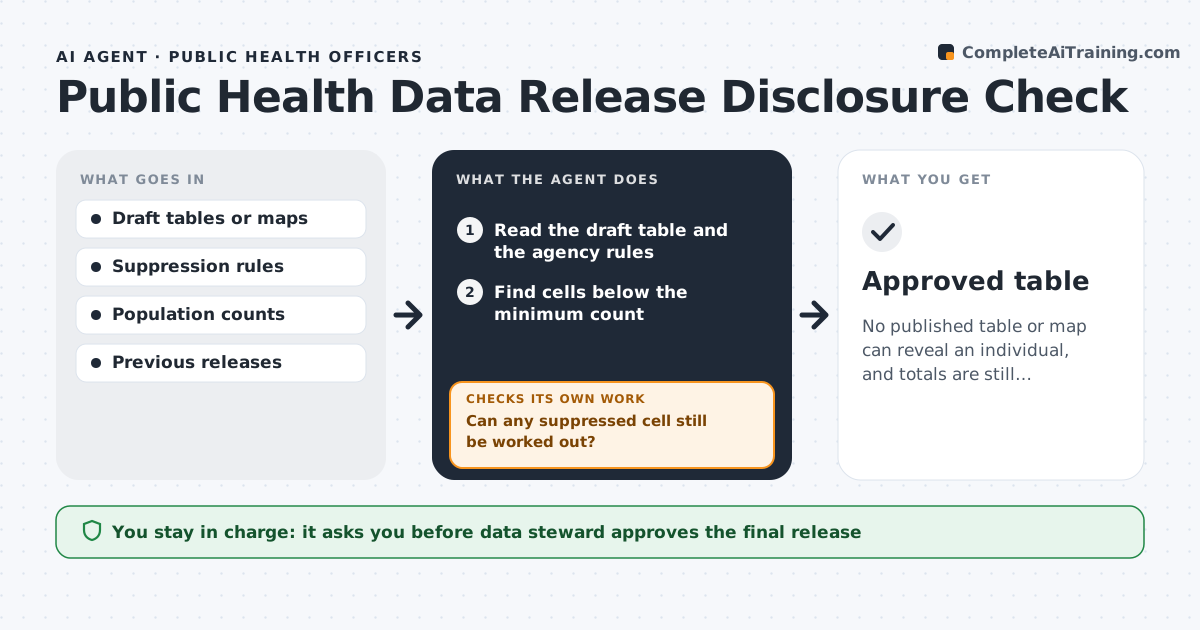
No published table or map can reveal an individual, and totals are still correct after suppression.
What it does
A public table or map with small counts can identify a person, but suppression is often checked by eye. Before a table is published, the agent scans every cell for counts below the agency's threshold, finds complementary gaps where a hidden value can be worked out from totals, and checks combinations that reveal a person, such as a rare age in a small town. It applies the agency's rules, suppresses or groups values, and re-scans after each fix. It also compares totals before and after. A data steward approves the final release. Edge case: a total row that lets a reader subtract to reveal a suppressed cell.
How it works
Follow the arrows from top to bottom. The orange dashed arrow is the loop: when a check fails, the agent goes back and tries again.
Read the steps as a list
- Table ready for release
- Read the draft table and the agency rules
- Find cells below the minimum count
- Find cells that can be worked out from totals
- Apply suppression or grouping
- Can any suppressed cell still be worked out?If not: Suppress one more cell or group categories and rescan. Back to step 3.
- Compare totals before and after
- Do the totals and rules still agree?If not: Rebuild the table and rerun the checks. Back to step 3.
- Prepare a change log of what was suppressed
- Data steward approves the releaseThe agent waits here for your OK.
- Approved table
How it decides
It suppresses cells under the minimum count, then looks for subtraction paths and suppresses the smallest extra cell needed to close them.
- Suppress counts under 5
- Always check rows and columns for subtraction
- Check combined geography and age for rare groups
- Keep the original table in a restricted folder
Make it yours
Every agent is a starting point. You choose these settings for your own situation.
- Minimum count (default 5)
- Grouping rules for age and place
- Tables covered
- Where change logs are kept
What keeps you in control
It always asks you first
- Data steward approves the final release
Hard limits
- Never publish a table itself
- Keep the unsuppressed data restricted
It stops when
- Done: table approved with no disclosure path
- Stop: the data cannot be made safe without removing a variable
Set it up
We guide you through the set-up, step by step
Members get the full set-up guide for this agent. No technical skills needed: you copy, paste and upload.
- One set of instructions to paste into your AI, with the clicks for ChatGPT, Claude, Microsoft 365 Copilot, Gemini and Grok
- The agent then walks you through connecting your own data, one source at a time
- A downloadable copy with the flow chart, the rules and the full guide