AI agent for authors
Publishing Metadata and Retailer Listing Agent
Retailer listings that meet each platform's rules and are checked before the author publishes
What it does
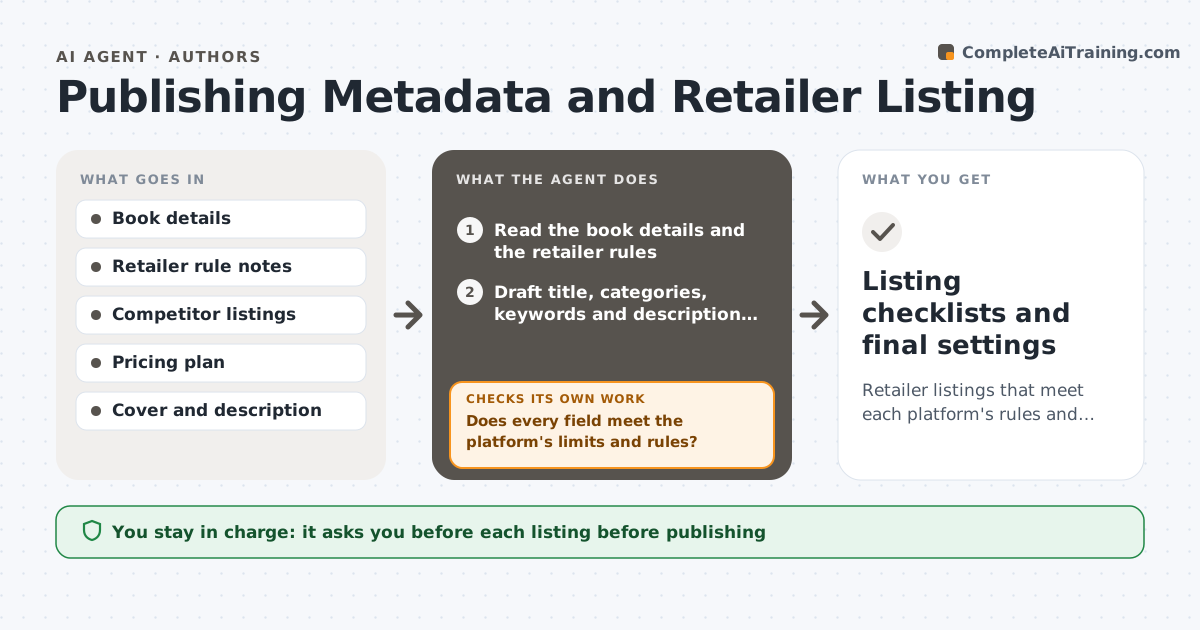
Listings go live with the wrong category, weak keywords or a price setting that breaks a promotion. This agent prepares the title, subtitle, categories, keywords, description and price for each retailer, using the book's details. It checks each against the platform's rules, such as character limits, banned words and category requirements, and compares them to similar listings. If an item fails, it fixes it and rechecks. It also checks that the price matches across territories and currencies. The author approves each listing before publishing. Edge case: one platform allows seven keywords and another five, so the agent builds two keyword sets from the same research.
How it works
Follow the arrows from top to bottom. The orange dashed arrow is the loop: when a check fails, the agent goes back and tries again.
Read the steps as a list
- Launch prepared or listing changed
- Read the book details and the retailer rules
- Draft title, categories, keywords and description for each retailer
- Compare with similar listings in the category
- Does every field meet the platform's limits and rules?If not: fix the field and recheck against the rules. Back to step 3.
- Set price and territory options from the plan
- Do prices, currencies and dates match across retailers?If not: correct the settings and list the changes. Back to step 6.
- Build the review sheet for each listing
- Author approves each listingThe agent waits here for your OK.
- Recheck listings after the author publishes
- Listing checklists and final settings
How it decides
A listing passes only when each field meets the platform rules and the price and territory settings match the plan.
- Reject any field over the platform's character limit
- Use only categories that match the book's content
- Keep list prices consistent across territories
- Remove trademarked terms from keywords
Make it yours
Every agent is a starting point. You choose these settings for your own situation.
- Retailers and their rules
- Keyword sets
- Pricing plan
- Territories
What keeps you in control
It always asks you first
- Each listing before publishing
- Any price change
Hard limits
- Never publishes a listing
- Never copies competitor text
It stops when
- Done: all listings pass and author approves
- Stop: retailer rules are unknown
Set it up
We guide you through the set-up, step by step
Members get the full set-up guide for this agent. No technical skills needed: you copy, paste and upload.
- One set of instructions to paste into your AI, with the clicks for ChatGPT, Claude, Microsoft 365 Copilot, Gemini and Grok
- The agent then walks you through connecting your own data, one source at a time
- A downloadable copy with the flow chart, the rules and the full guide