AI agent for headteachers
Pupil Premium and Funding Impact Review Agent
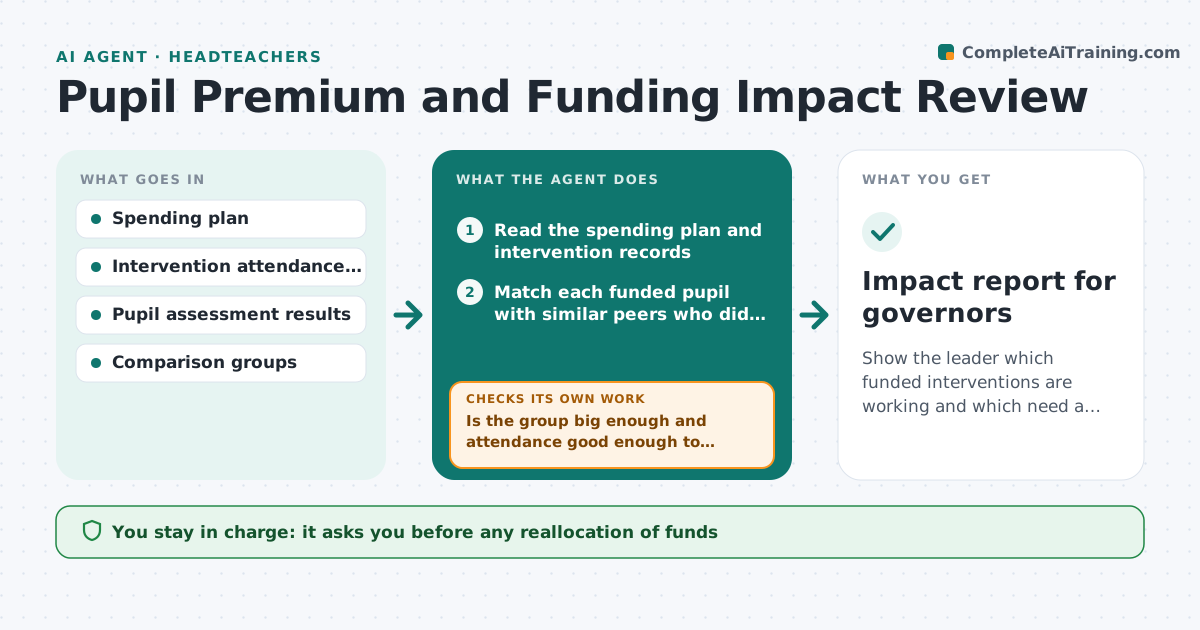
Show the leader which funded interventions are working and which need a change.
What it does
Schools get extra funding for disadvantaged pupils and spend it on tutoring, reading programs and support staff. Governors and inspectors ask what difference it made, and the answer is often an anecdote. This agent reads the spending plan, the intervention records and pupil results at each assessment point. It compares pupils who received each intervention with similar pupils who did not, and with their own earlier results. It flags interventions where gains are no better than the comparison and suggests a change, such as shorter sessions or a different group. It reruns after each assessment. It never moves money. Edge case: when a group is under ten pupils, it reports a range and warns that the result is weak evidence.
How it works
Follow the arrows from top to bottom. The orange dashed arrow is the loop: when a check fails, the agent goes back and tries again.
Read the steps as a list
- Assessment results are loaded
- Read the spending plan and intervention records
- Match each funded pupil with similar peers who did not take part
- Compare gains for each intervention
- Is the group big enough and attendance good enough to trust the result?If not: Mark the result as weak evidence and ask for more attendance data. Back to step 3.
- Flag interventions below the target gain
- Draft suggested changes with the cost impact
- Leader approves any reallocationThe agent waits here for your OK.
- Rerun after the next assessment point
- Did the changed intervention improve the gain?If not: Revise the suggestion or propose to end the intervention. Back to step 4.
- Impact report for governors
How it decides
Compares progress of funded pupils with matched peers; an intervention that shows less than the target gain after one full cycle is flagged for review.
- Groups under 10 pupils are reported as weak evidence
- Attendance under 70% of sessions makes the result unreliable
- An intervention below the target gain for two cycles is proposed for change
- Costs are compared per pupil, not per group
Make it yours
Every agent is a starting point. You choose these settings for your own situation.
- Target gain per intervention
- Minimum group size (default 10)
- Minimum attendance for a fair result (default 70%)
- Assessment points
- Comparison method
What keeps you in control
It always asks you first
- Any reallocation of funds
- The report before it goes to governors
- Any change to which pupils are in a group
Hard limits
- Never move funds or select pupils itself
- Never name pupils in governor reports
It stops when
- Done: report approved
- Stop: data incomplete for the term
- Stop: funding rules change
Set it up
We guide you through the set-up, step by step
Members get the full set-up guide for this agent. No technical skills needed: you copy, paste and upload.
- One set of instructions to paste into your AI, with the clicks for ChatGPT, Claude, Microsoft 365 Copilot, Gemini and Grok
- The agent then walks you through connecting your own data, one source at a time
- A downloadable copy with the flow chart, the rules and the full guide