AI agent for tax advisors
Quarterly Estimated Tax Payment Agent
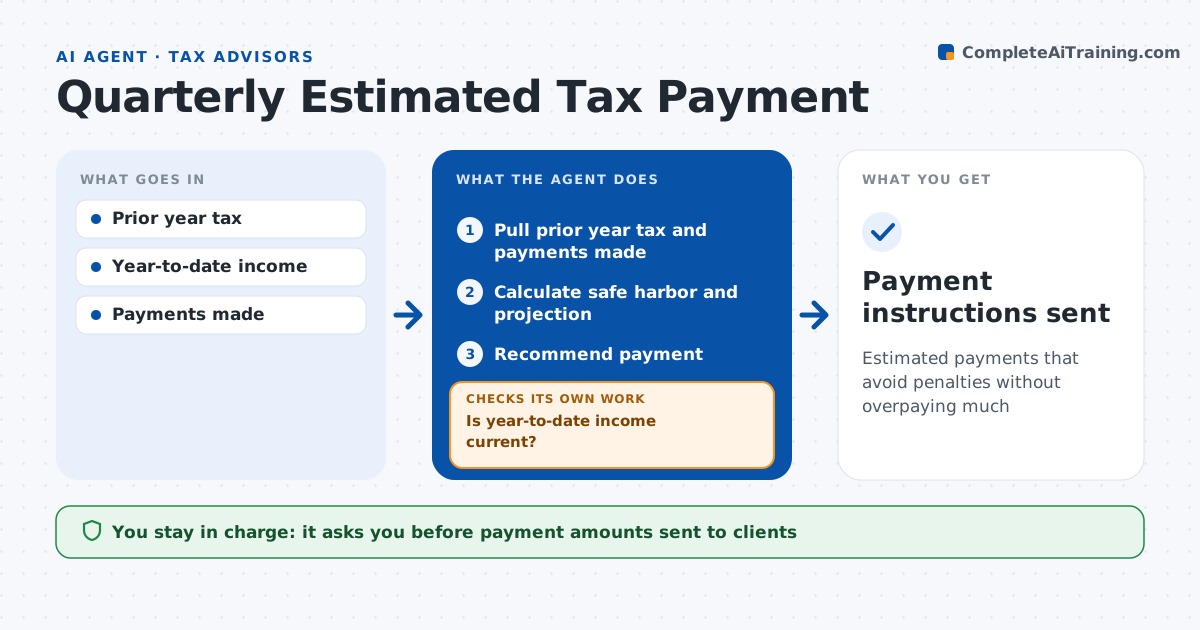
Estimated payments that avoid penalties without overpaying much
What it does
Clients with uneven income often underpay estimated taxes and face penalties, or overpay and tie up cash. Before each quarterly due date, this agent updates estimated tax for each client. It uses year-to-date income from the client, last year's tax for safe harbor, and known changes such as a business sale. It calculates both the safe harbor payment, using 110 percent when prior year AGI was over 150,000 dollars, and the projected actual tax, then recommends an amount. It compares year-to-date payments with records and flags shortfalls. It checks that income data is current; if it is stale, it asks the client for an update and recalculates. It drafts payment instructions. The advisor approves every amount before it is sent to the client. Edge case: a client had a large capital gain in May, so the agent tests the annualized method to avoid an early penalty.
How it works
Follow the arrows from top to bottom. The orange dashed arrow is the loop: when a check fails, the agent goes back and tries again.
Read the steps as a list
- Due date three weeks out
- Pull prior year tax and payments made
- Is year-to-date income current?If not: request client update and reload. Back to step 2.
- Calculate safe harbor and projection
- Recommend payment
- Advisor approves amountThe agent waits here for your OK.
- Payment instructions sent
How it decides
It compares safe harbor and projected tax and recommends the lower amount that avoids penalties.
- Prior year AGI over $150,000: 110% safe harbor
- Uneven income: test annualized method
- Payments short on records: flag
Make it yours
Every agent is a starting point. You choose these settings for your own situation.
- Safe harbor rules
- Lead time
- Clients in scope
- Instruction format
What keeps you in control
It always asks you first
- Payment amounts sent to clients
Hard limits
- Never makes payments
- Never files returns
It stops when
- Done: instructions sent
- Stop: client does not reply
Set it up
We guide you through the set-up, step by step
Members get the full set-up guide for this agent. No technical skills needed: you copy, paste and upload.
- One set of instructions to paste into your AI, with the clicks for ChatGPT, Claude, Microsoft 365 Copilot, Gemini and Grok
- The agent then walks you through connecting your own data, one source at a time
- A downloadable copy with the flow chart, the rules and the full guide