AI agent for community managers
Quiet Member Re-Engagement Agent
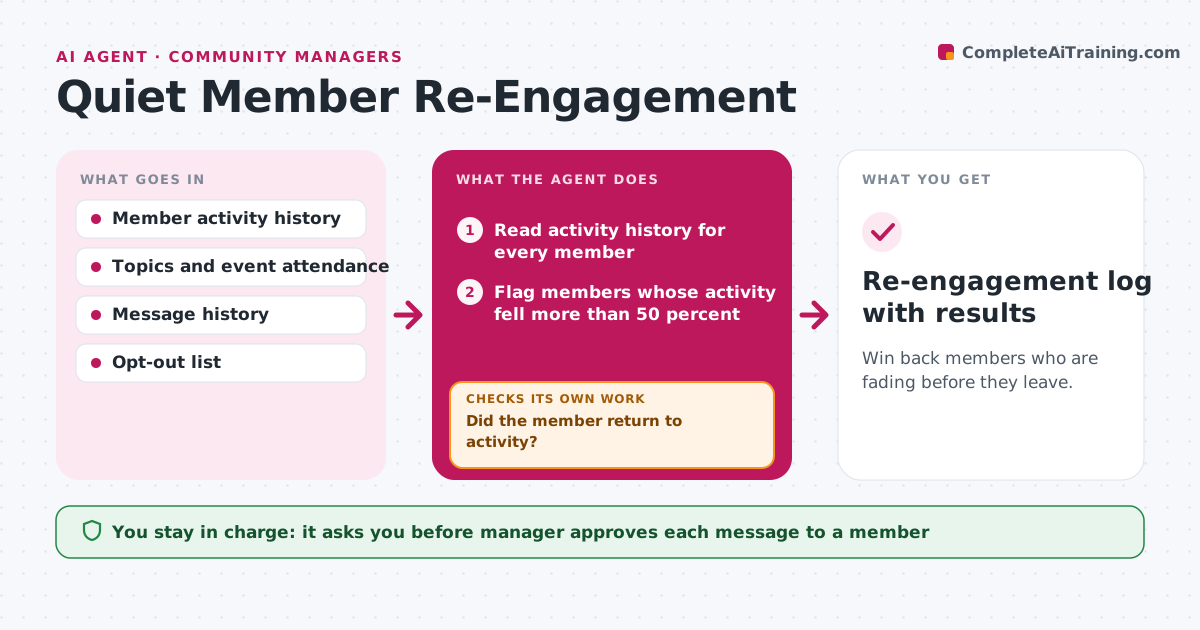
Win back members who are fading before they leave.
What it does
Members rarely announce they are leaving; they just show up less. This agent tracks participation per member, finds those whose activity has dropped sharply, and works out a likely reason from their history, such as a topic they cared about going quiet or an event they used to join. It picks a nudge that fits, for example a thread on their topic or an invitation to an event. It checks whether they came back within two weeks. If not, it tries a different nudge before closing the case. The manager approves each message. Edge case: members who asked for fewer messages are never contacted.
How it works
Follow the arrows from top to bottom. The orange dashed arrow is the loop: when a check fails, the agent goes back and tries again.
Read the steps as a list
- Weekly run
- Read activity history for every member
- Flag members whose activity fell more than 50 percent
- Infer interests from past posts and events
- Remove members who opted out of messages
- Pick a nudge that fits their interests
- Manager approves each messageThe agent waits here for your OK.
- Check activity after 14 days
- Did the member return to activity?If not: choose a different nudge once, then close the case. Back to step 5.
- Re-engagement log with results
How it decides
It flags a member whose activity drops by more than half versus their own average and picks a nudge matching their past interests.
- Flag a drop of more than 50 percent against the member's 90-day average
- Never contact members on the opt-out list
- Use only one nudge per 14 days
- Close the case after two nudges without a return
Make it yours
Every agent is a starting point. You choose these settings for your own situation.
- Drop threshold (default 50 percent)
- Wait before checking (default 14 days)
- Nudge types
- Opt-out list source
What keeps you in control
It always asks you first
- Manager approves each message to a member
Hard limits
- Never messages members without approval
- Does not mention that the member's activity was tracked
It stops when
- Done: member returns or the case is closed after two nudges
- Stop: the member asks to leave or opts out
Set it up
We guide you through the set-up, step by step
Members get the full set-up guide for this agent. No technical skills needed: you copy, paste and upload.
- One set of instructions to paste into your AI, with the clicks for ChatGPT, Claude, Microsoft 365 Copilot, Gemini and Grok
- The agent then walks you through connecting your own data, one source at a time
- A downloadable copy with the flow chart, the rules and the full guide