AI agent for mortgage brokers
Rate Lock Expiration Monitor Agent
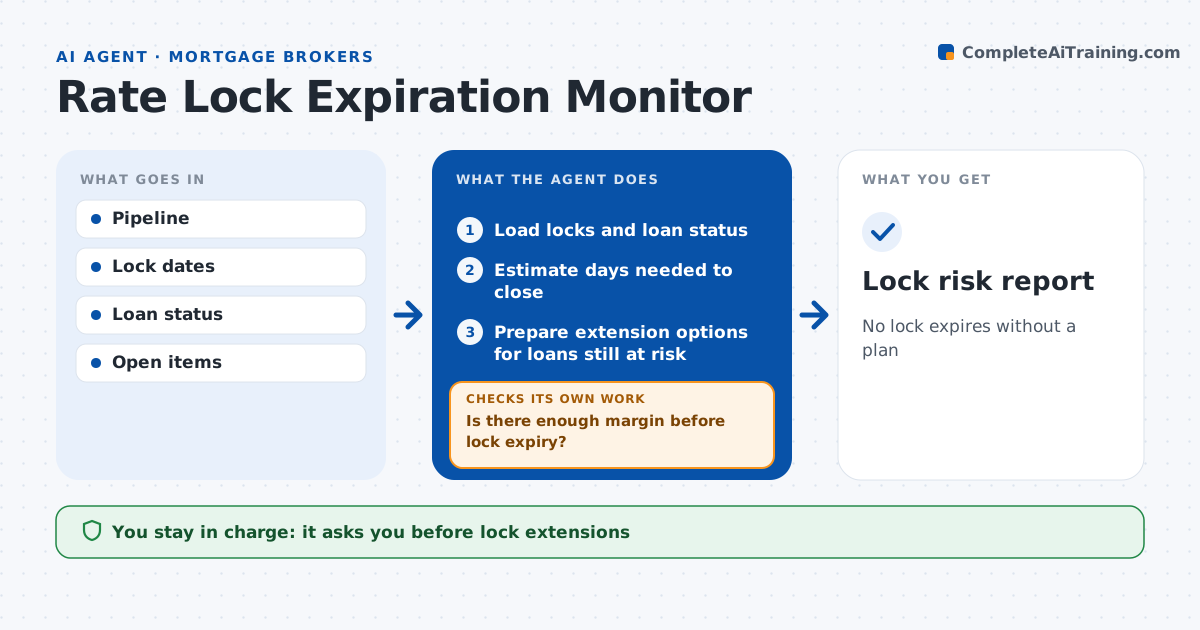
No lock expires without a plan
What it does
An expired rate lock can cost the borrower money or the lender margin, and delays often surface too late. Each day this agent lists locked loans and compares lock expiry to the expected closing date and open items. For each loan, it estimates the days needed to close based on what is still pending, such as the appraisal, title or conditions, and compares that to days left on the lock. Loans with under five days of margin are at risk. It lists what is holding each one up and drafts nudges to the parties. It recalculates after every update. If the gap remains, it prepares extension options with costs for 7 and 15 days. The loan officer decides on extensions and talks to the borrower. Edge case: an appraisal is delayed, so the agent counts expected appraisal days before rating the risk.
How it works
Follow the arrows from top to bottom. The orange dashed arrow is the loop: when a check fails, the agent goes back and tries again.
Read the steps as a list
- Daily pipeline check
- Load locks and loan status
- Estimate days needed to close
- Is there enough margin before lock expiry?If not: list blockers, nudge parties and recalculate. Back to step 3.
- Prepare extension options for loans still at risk
- Loan officer decides extensionThe agent waits here for your OK.
- Lock risk report
How it decides
It compares expected days to close with days left on the lock and flags loans with less margin than set.
- Margin under 5 days: at risk
- Appraisal not received with under 10 days: high risk
- Extension cost shown per 7 and 15 days
Make it yours
Every agent is a starting point. You choose these settings for your own situation.
- Risk margin
- Days per open item type
- Report time
- Extension options shown
What keeps you in control
It always asks you first
- Lock extensions
- Messages to borrowers
Hard limits
- Never requests extensions itself
- Never changes pricing
It stops when
- Done: report shared
- Stop: pipeline data unavailable
Set it up
We guide you through the set-up, step by step
Members get the full set-up guide for this agent. No technical skills needed: you copy, paste and upload.
- One set of instructions to paste into your AI, with the clicks for ChatGPT, Claude, Microsoft 365 Copilot, Gemini and Grok
- The agent then walks you through connecting your own data, one source at a time
- A downloadable copy with the flow chart, the rules and the full guide