AI agent for audio engineers
Recording Session Prep Agent
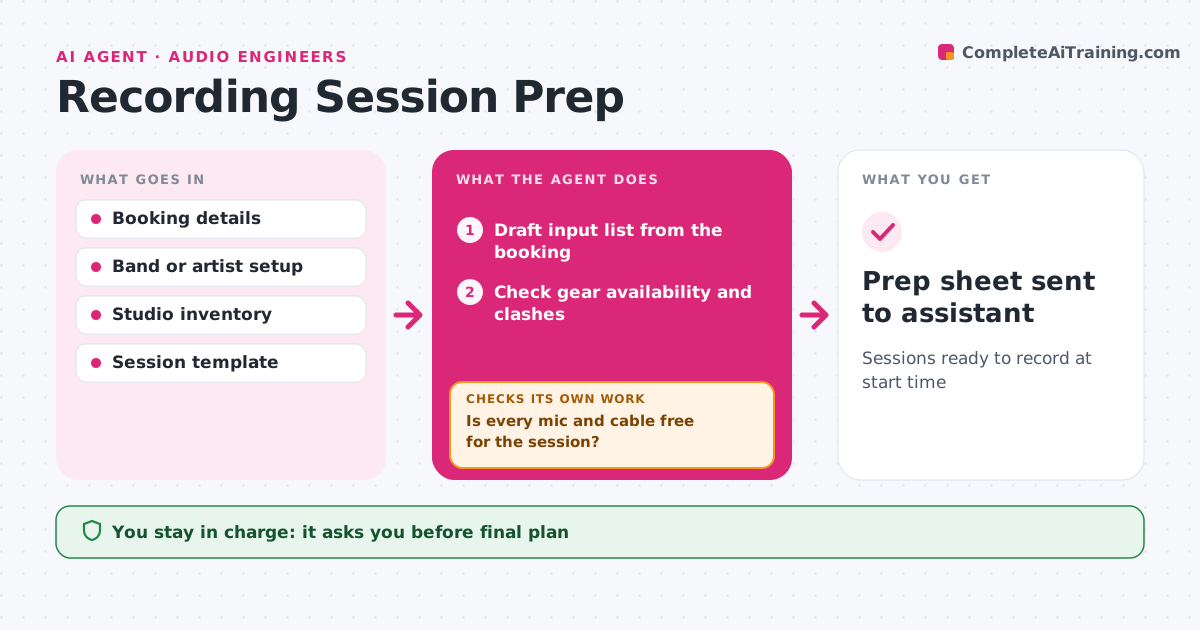
Sessions ready to record at start time
What it does
A recording session that starts with missing mics or a wrong template wastes paid studio time. Two days before a session, this agent drafts an input list from the booking details: each source, mic, preamp, input number and stand. It checks studio inventory for mic and cable availability and for clashes with other sessions using the same gear. It builds the session template in the recording software with tracks named, routed and colored, and sets up headphone mix sends. Then it checks the template against the input list. Mismatches are fixed and checked again. The engineer approves the plan, and the agent sends a prep sheet to the studio assistant. Edge case: a mic booked for another room at the same time is swapped for the nearest equivalent.
How it works
Follow the arrows from top to bottom. The orange dashed arrow is the loop: when a check fails, the agent goes back and tries again.
Read the steps as a list
- Session two days away
- Draft input list from the booking
- Check gear availability and clashes
- Is every mic and cable free for the session?If not: swap in the nearest equivalent and update the list. Back to step 2.
- Build session template and headphone sends
- Does the template match the input list and gear plan?If not: fix names, routing or sends and check again. Back to step 5.
- Engineer approves the planThe agent waits here for your OK.
- Prep sheet sent to assistant
How it decides
It assigns gear by source type and availability, and swaps to equivalents when gear is double-booked.
- Swap double-booked mics for nearest equivalent
- Name tracks to the studio standard
- One headphone mix per performer when possible
Make it yours
Every agent is a starting point. You choose these settings for your own situation.
- Template
- Naming standard
- Prep lead time
- Gear priorities
What keeps you in control
It always asks you first
- Final plan
Hard limits
- Never changes bookings
- Never moves gear between rooms itself
It stops when
- Done: prep sheet sent
- Stop: booking cancelled
Set it up
We guide you through the set-up, step by step
Members get the full set-up guide for this agent. No technical skills needed: you copy, paste and upload.
- One set of instructions to paste into your AI, with the clicks for ChatGPT, Claude, Microsoft 365 Copilot, Gemini and Grok
- The agent then walks you through connecting your own data, one source at a time
- A downloadable copy with the flow chart, the rules and the full guide