AI agent for business intelligence analysts
Recurring Report Build Agent
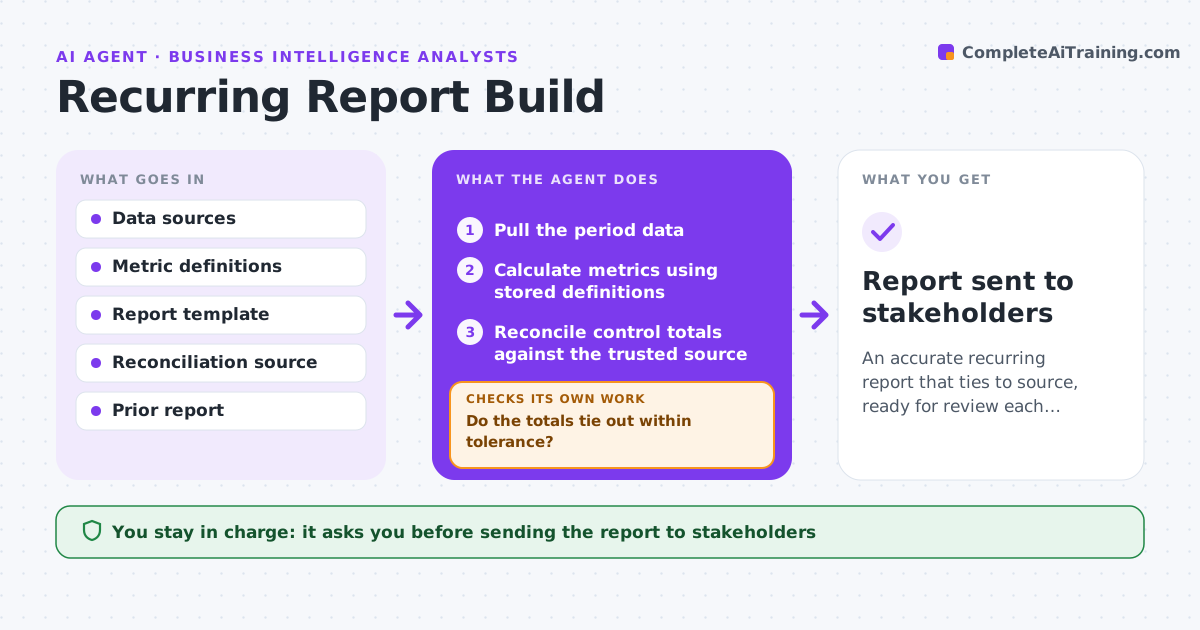
An accurate recurring report that ties to source, ready for review each period
What it does
Weekly and monthly reports are often rebuilt by hand, which is slow and invites copy-paste errors. This agent pulls the data for the period, applies the report's agreed logic and metric definitions, and builds the tables and charts. It then reconciles key totals against a trusted source, such as the finance ledger or last period plus known changes. If a total does not tie out, it traces the difference to the row level and reports it rather than publishing a wrong number. Once totals tie, it drafts commentary on what changed and why. You approve the report before it is sent to stakeholders. Edge case: a metric whose definition changed mid-period is calculated both ways, and the change is explained in a footnote.
How it works
Follow the arrows from top to bottom. The orange dashed arrow is the loop: when a check fails, the agent goes back and tries again.
Read the steps as a list
- Reporting period closes
- Pull the period data
- Calculate metrics using stored definitions
- Reconcile control totals against the trusted source
- Do the totals tie out within tolerance?If not: trace the difference to the row level and correct or report it. Back to step 2.
- Build tables, charts and commentary
- Analyst approves the reportThe agent waits here for your OK.
- Report sent to stakeholders
How it decides
It uses the stored metric definitions and will not finalize a report whose control totals do not tie to the trusted source within tolerance.
- Hold the report if totals do not tie out
- Explain any mid-period definition change
- Carry forward the agreed template exactly
Make it yours
Every agent is a starting point. You choose these settings for your own situation.
- Metrics and definitions
- Reconciliation source and tolerance
- Report template and recipients
- Schedule
What keeps you in control
It always asks you first
- Sending the report to stakeholders
Hard limits
- Never publishes numbers that do not tie out
- Does not change metric definitions on its own
It stops when
- Done: report ties out and is approved
- Stop: a data source is unavailable
Set it up
We guide you through the set-up, step by step
Members get the full set-up guide for this agent. No technical skills needed: you copy, paste and upload.
- One set of instructions to paste into your AI, with the clicks for ChatGPT, Claude, Microsoft 365 Copilot, Gemini and Grok
- The agent then walks you through connecting your own data, one source at a time
- A downloadable copy with the flow chart, the rules and the full guide