AI agent for physicists
Referee Report Response Tracker Agent
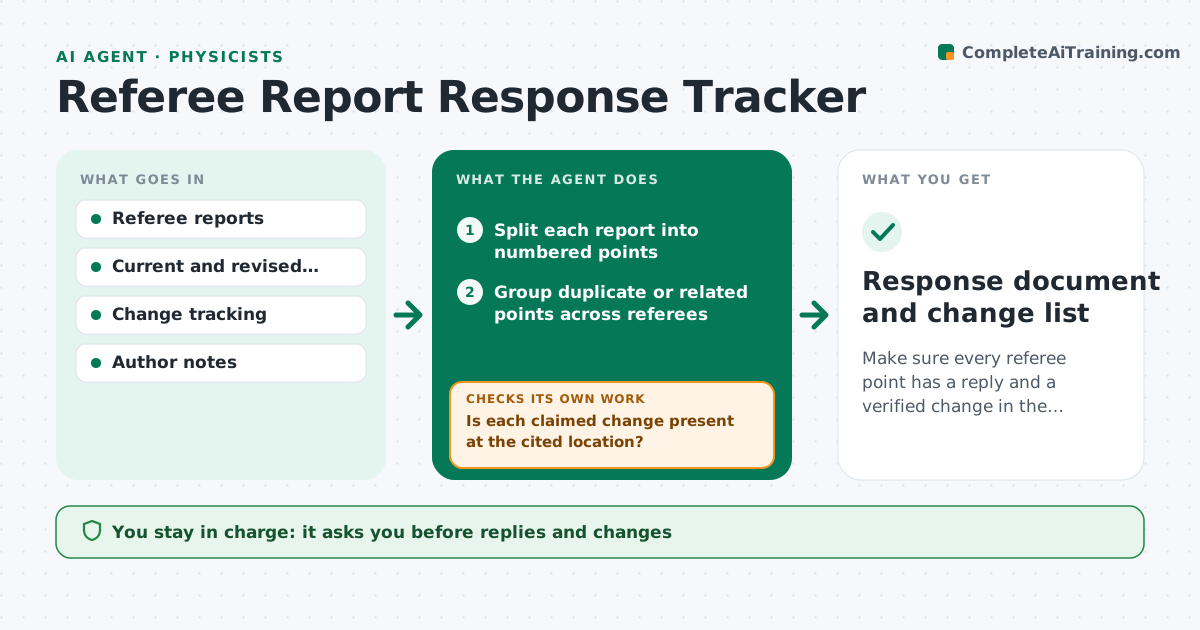
Make sure every referee point has a reply and a verified change in the revised paper.
What it does
Referee reports for a physics paper can contain dozens of separate requests, some buried in long paragraphs, and a response that misses one invites another round. This agent splits each referee report into numbered points. It maps each point to the places in the paper where the change was or should be made, and to the revised text. It checks coverage: every point has an answer and every claimed change appears in the revised manuscript with the stated page or line. It drafts a response table with the point, the reply and the location of the change. After each edit, it rechecks and lists open points. It never sends the response. The physicist approves it. Edge case: a point that two referees raise differently gets one answer cross-referenced.
How it works
Follow the arrows from top to bottom. The orange dashed arrow is the loop: when a check fails, the agent goes back and tries again.
Read the steps as a list
- Referee reports received
- Split each report into numbered points
- Group duplicate or related points across referees
- Map each point to the paper sections affected
- Draft the response table with proposed replies
- Physicist edits replies and the paperThe agent waits here for your OK.
- Read the revised manuscript and find each claimed change
- Is each claimed change present at the cited location?If not: mark the point open and list what is missing. Back to step 6.
- Does every point have a reply?If not: draft a reply for the open points. Back to step 4.
- Physicist approves the final responseThe agent waits here for your OK.
- Response document and change list
How it decides
It marks a point covered only when the reply is written and the claimed change is found at the cited location in the revised text.
- Number every point, including minor remarks
- Count a point covered only if the change is found in the text
- Cross-reference points that overlap between referees
- List points the authors choose not to address with a reason
Make it yours
Every agent is a starting point. You choose these settings for your own situation.
- Response format
- Journal rules
- Point numbering style
- Revision rounds tracked
- Who reviews drafts
What keeps you in control
It always asks you first
- Replies and changes
- The final submission
Hard limits
- Never send the response
- Never claim a change that is not in the manuscript
It stops when
- Done: all points covered and approved
- Stop: a requested analysis is still running
Set it up
We guide you through the set-up, step by step
Members get the full set-up guide for this agent. No technical skills needed: you copy, paste and upload.
- One set of instructions to paste into your AI, with the clicks for ChatGPT, Claude, Microsoft 365 Copilot, Gemini and Grok
- The agent then walks you through connecting your own data, one source at a time
- A downloadable copy with the flow chart, the rules and the full guide