AI agent for hvac technicians
Refrigerant Tracking and Leak Repair Agent
Every refrigerant event is logged correctly and every over-threshold leak is repaired and verified inside its deadline
What it does
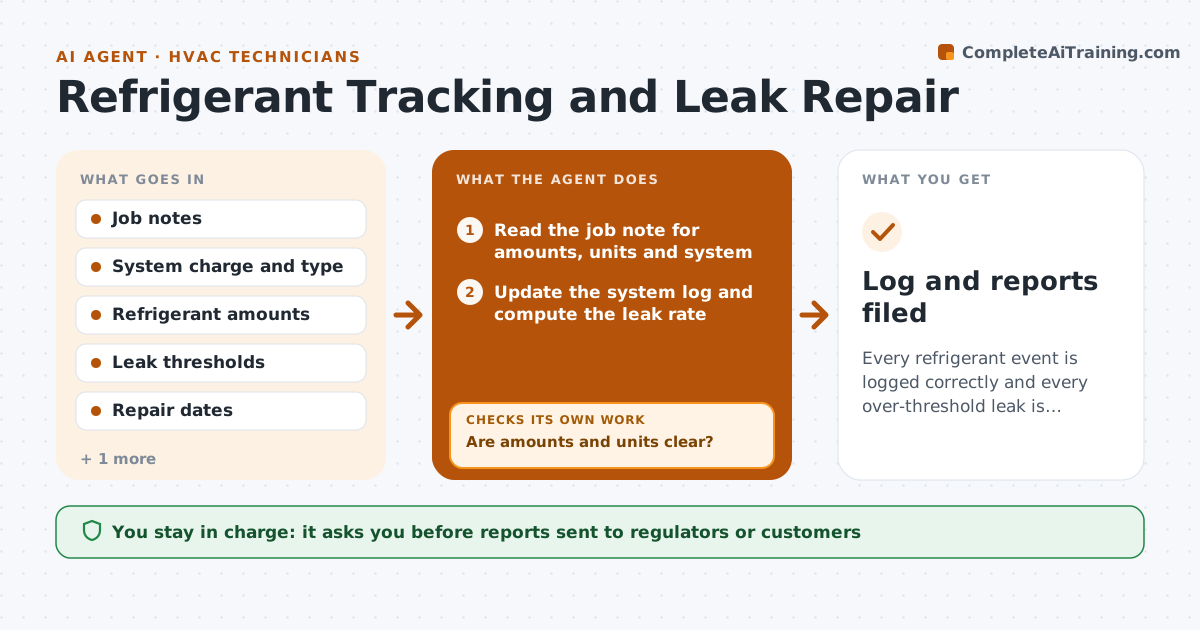
Refrigerant rules are strict, and paper logs fail audits. This agent records refrigerant added or recovered for each system from the technician's job notes. It calculates the leak rate from the system charge and flags systems over the legal threshold. For each flagged system it opens a repair task with the deadline, tracks the repair and schedules the follow-up leak test. If the retest fails, the job reopens and the deadline clock is checked again. It keeps an audit-ready log and builds the reports. The owner approves the reports. Edge case: a technician records the added amount in ounces on one job and pounds on another, so the agent converts and confirms before calculating.
How it works
Follow the arrows from top to bottom. The orange dashed arrow is the loop: when a check fails, the agent goes back and tries again.
Read the steps as a list
- A service job with refrigerant is completed
- Read the job note for amounts, units and system
- Are amounts and units clear?If not: ask the technician to confirm the amount and unit, then reread the note. Back to step 2.
- Update the system log and compute the leak rate
- Flag systems above the legal threshold and set the repair deadline
- Create the repair task and schedule the leak test
- Did the follow-up leak test pass?If not: reopen the job, add a repair visit and recheck the deadline. Back to step 5.
- Prepare the monthly and audit reports
- Owner approves the reportsThe agent waits here for your OK.
- Log and reports filed
How it decides
Leak rate equals refrigerant added over the year divided by the full charge. Systems above the legal threshold get a repair deadline, and a repair is closed only after a passing retest.
- Convert all amounts to one unit before any calculation
- Flag a system when the yearly leak rate passes the legal threshold for its type
- Set the repair deadline from the date the leak is found
- Close a repair only after a passing test
Make it yours
Every agent is a starting point. You choose these settings for your own situation.
- Leak thresholds by system type
- Repair deadline days
- Report format
- Units used
What keeps you in control
It always asks you first
- Reports sent to regulators or customers
Hard limits
- Never state a legal threshold it has not been given
- Never edit a recorded amount
It stops when
- Done: leaks repaired, tested and reported
- Stop: system charge is unknown
Set it up
We guide you through the set-up, step by step
Members get the full set-up guide for this agent. No technical skills needed: you copy, paste and upload.
- One set of instructions to paste into your AI, with the clicks for ChatGPT, Claude, Microsoft 365 Copilot, Gemini and Grok
- The agent then walks you through connecting your own data, one source at a time
- A downloadable copy with the flow chart, the rules and the full guide