AI agent for senior vice presidents
Regulatory or Legal Exposure Briefing Agent
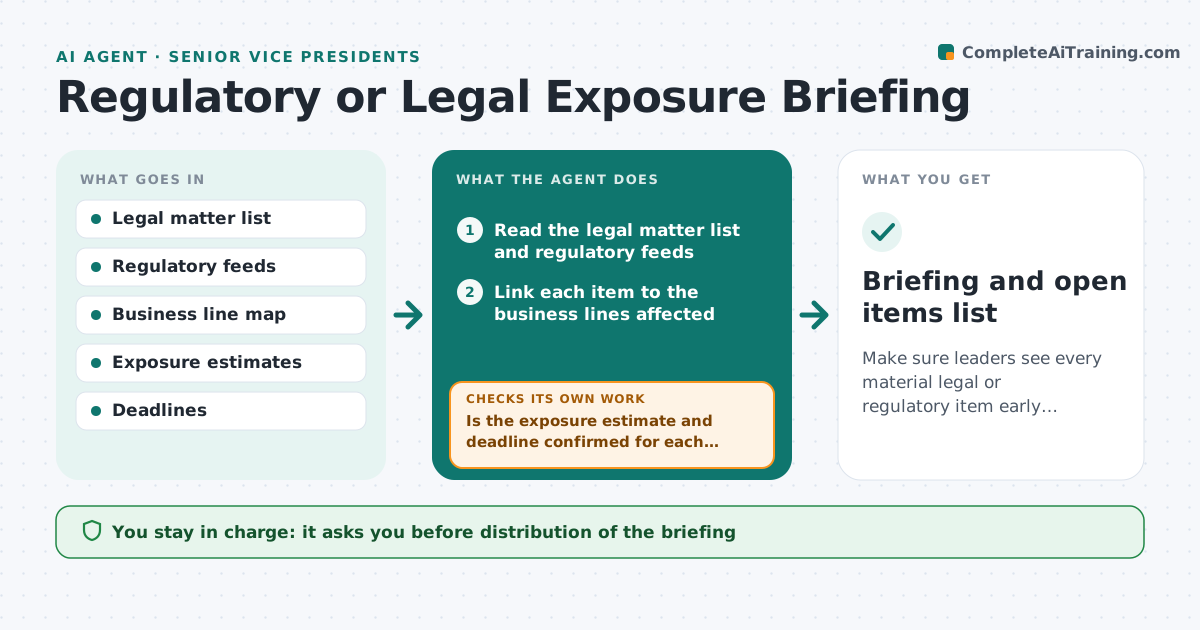
Make sure leaders see every material legal or regulatory item early enough to act.
What it does
Leaders learn about a new regulation or a dispute when a deadline is close or a letter arrives. The legal team knows, but the message does not reach the right business line in time. This agent reads the legal team's matter list and regulatory feeds. It links each item to the business lines affected, ranks them by exposure and deadline, and drafts a short briefing with what is new, what it could cost and what decision is needed. It then follows each item until it is closed, updating the briefing when status changes. The executive approves who receives it. Edge case: a matter marked privileged is shown only as a headline and a pointer to legal counsel.
How it works
Follow the arrows from top to bottom. The orange dashed arrow is the loop: when a check fails, the agent goes back and tries again.
Read the steps as a list
- Weekly briefing cycle begins
- Read the legal matter list and regulatory feeds
- Link each item to the business lines affected
- Rank by exposure and deadline
- Is the exposure estimate and deadline confirmed for each top item?If not: Ask the legal team for the figures and rerun the ranking. Back to step 3.
- Draft the briefing with what changed and what decision is needed
- Executive approves the distribution list and the briefingThe agent waits here for your OK.
- Send and track open items
- Did any item change status or deadline?If not: Update the briefing and alert the affected leaders. Back to step 2.
- Briefing and open items list
How it decides
Ranks items by estimated exposure and days to deadline, and alerts at once when exposure is above the set level or the deadline is within 30 days.
- Exposure above the set limit triggers an alert
- Deadline within 30 days moves the item to the top
- Privileged items are shown as headlines only
- Closed items stay in the briefing for one more cycle
Make it yours
Every agent is a starting point. You choose these settings for your own situation.
- Exposure alert level
- Feeds to read
- Business lines to map
- Distribution list
- Briefing day (default Monday)
What keeps you in control
It always asks you first
- Distribution of the briefing
- Any legal interpretation shown to leaders
- Any action taken in response
Hard limits
- Never give legal advice
- Never share privileged content
It stops when
- Done: item closed and reported
- Stop: legal counsel takes over
- Stop: item is outside the business
Set it up
We guide you through the set-up, step by step
Members get the full set-up guide for this agent. No technical skills needed: you copy, paste and upload.
- One set of instructions to paste into your AI, with the clicks for ChatGPT, Claude, Microsoft 365 Copilot, Gemini and Grok
- The agent then walks you through connecting your own data, one source at a time
- A downloadable copy with the flow chart, the rules and the full guide