AI agent for medical writers
Regulatory Submission Assembly Agent
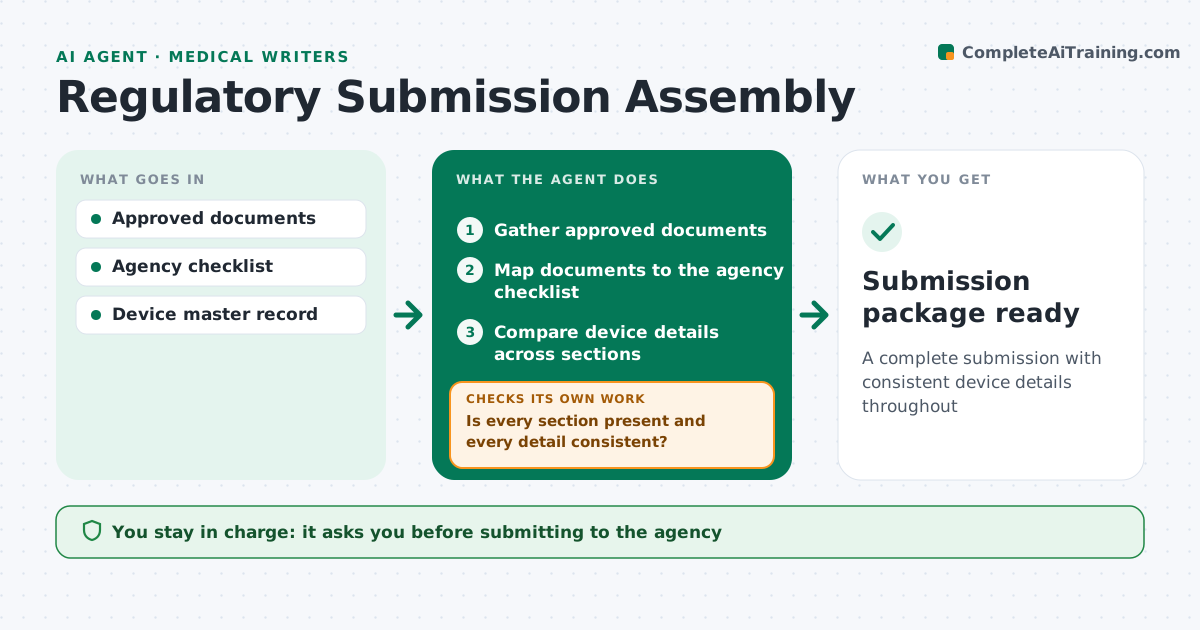
A complete submission with consistent device details throughout
What it does
A device submission pulls together dozens of documents written by different people, and small inconsistencies trigger agency questions that cost months. This agent gathers only approved document versions and maps them to the agency checklist. It compares key details across all sections: device name, model numbers, specifications, intended use and indications, and test standards. Model numbers are checked against the device master record. It lists missing sections and every inconsistency with the page where it appears. After owners fix them, it rechecks the whole package. It then checks that every document is still the latest approved version, since fixes can create new revisions. The regulatory lead approves before anything is submitted. Edge case: a test report naming an older model number is flagged with a question about whether the tested device is still representative.
How it works
Follow the arrows from top to bottom. The orange dashed arrow is the loop: when a check fails, the agent goes back and tries again.
Read the steps as a list
- Submission assembly starts
- Gather approved documents
- Map documents to the agency checklist
- Compare device details across sections
- Is every section present and every detail consistent?If not: list gaps and inconsistencies for owners to fix. Back to step 3.
- Check each document is the latest approved version
- Are all documents current and signed?If not: ask owners to approve the new revisions. Back to step 6.
- Regulatory lead approves the packageThe agent waits here for your OK.
- Submission package ready
How it decides
It flags checklist items without an approved document and any key detail that differs from the device master record.
- Use only approved document versions
- Flag model numbers not in the device master record
- Ask whether older test articles are representative
Make it yours
Every agent is a starting point. You choose these settings for your own situation.
- Agency checklist version
- Details to compare
- Report format
- Document sources
What keeps you in control
It always asks you first
- Submitting to the agency
Hard limits
- Never submits
- Never edits approved documents
It stops when
- Done: package approved
- Stop: required documents not yet approved; report
Set it up
We guide you through the set-up, step by step
Members get the full set-up guide for this agent. No technical skills needed: you copy, paste and upload.
- One set of instructions to paste into your AI, with the clicks for ChatGPT, Claude, Microsoft 365 Copilot, Gemini and Grok
- The agent then walks you through connecting your own data, one source at a time
- A downloadable copy with the flow chart, the rules and the full guide