AI agent for chief of staffs
Remarks Request Triage Agent
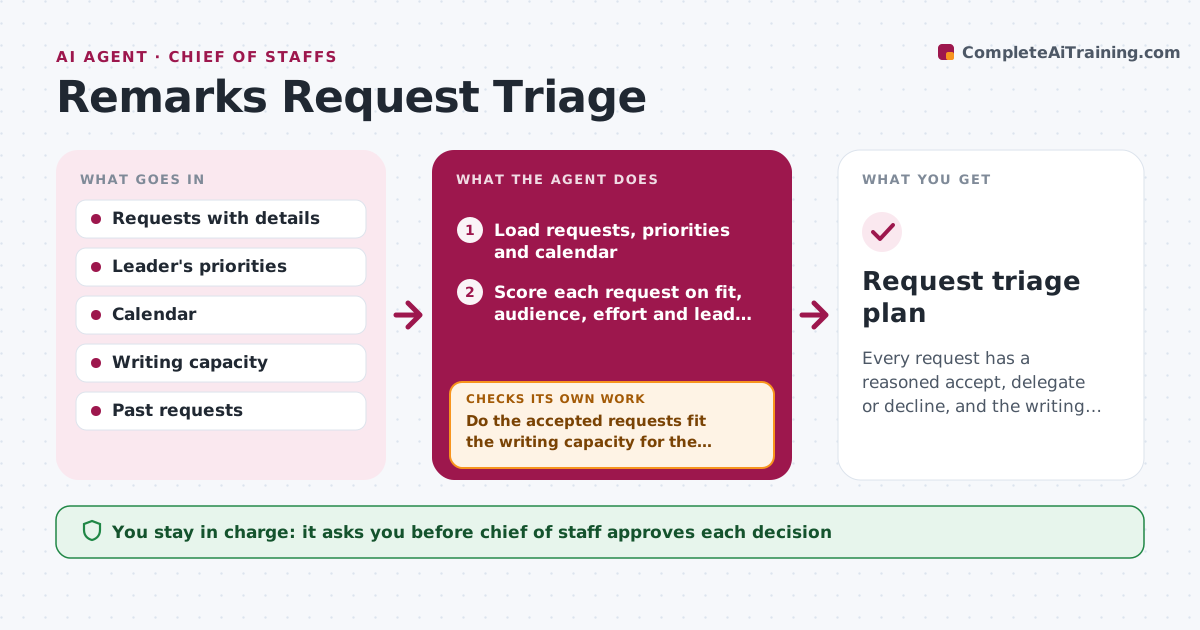
Every request has a reasoned accept, delegate or decline, and the writing days fit the plan.
What it does
Fifteen requests for remarks sit in your inbox this month, and you can write for three. Decisions go to whoever pushes hardest. This agent scores each request on audience, strategic fit, effort and lead time against the leader's calendar and priorities. It proposes accept, delegate or decline for each, with a one line reason, and drafts a plan with writing days. As the calendar changes or new requests come in, it rechecks the plan and updates the proposals. The chief of staff approves each decision. Edge case: a low fit request that a board member made is flagged as political and sent to you with the context, not auto-declined.
How it works
Follow the arrows from top to bottom. The orange dashed arrow is the loop: when a check fails, the agent goes back and tries again.
Read the steps as a list
- Weekly run or new request
- Load requests, priorities and calendar
- Score each request on fit, audience, effort and lead time
- Propose accept, delegate or decline
- Do the accepted requests fit the writing capacity for the month?If not: Reassign the lowest scored requests to delegate or decline. Back to step 3.
- Draft the writing plan and reply messages
- Chief of staff approves each decisionThe agent waits here for your OK.
- Update the plan when the calendar changes
- Is every accepted request still feasible against lead time?If not: Rescore and propose a new decision. Back to step 3.
- Request triage plan
How it decides
It scores requests on strategic fit and audience first, then effort and lead time, and marks anything past capacity for delegate or decline.
- Score strategic fit and audience at 60% of the total
- Accept only up to capacity (default 3 speeches a month)
- Delegate requests with low fit and short notice to others
- Flag requests from board members or key partners for review
Make it yours
Every agent is a starting point. You choose these settings for your own situation.
- Scoring weights
- Monthly capacity (default 3)
- Priority topics
- Flag list of key partners
What keeps you in control
It always asks you first
- Chief of staff approves each decision
- Chief of staff approves reply messages
Hard limits
- Never reply to a requester itself
- Never decline political or board requests without review
It stops when
- Done: all requests decided and planned
- Stop: priorities unknown or out of date
Set it up
We guide you through the set-up, step by step
Members get the full set-up guide for this agent. No technical skills needed: you copy, paste and upload.
- One set of instructions to paste into your AI, with the clicks for ChatGPT, Claude, Microsoft 365 Copilot, Gemini and Grok
- The agent then walks you through connecting your own data, one source at a time
- A downloadable copy with the flow chart, the rules and the full guide