AI agent for underwriters
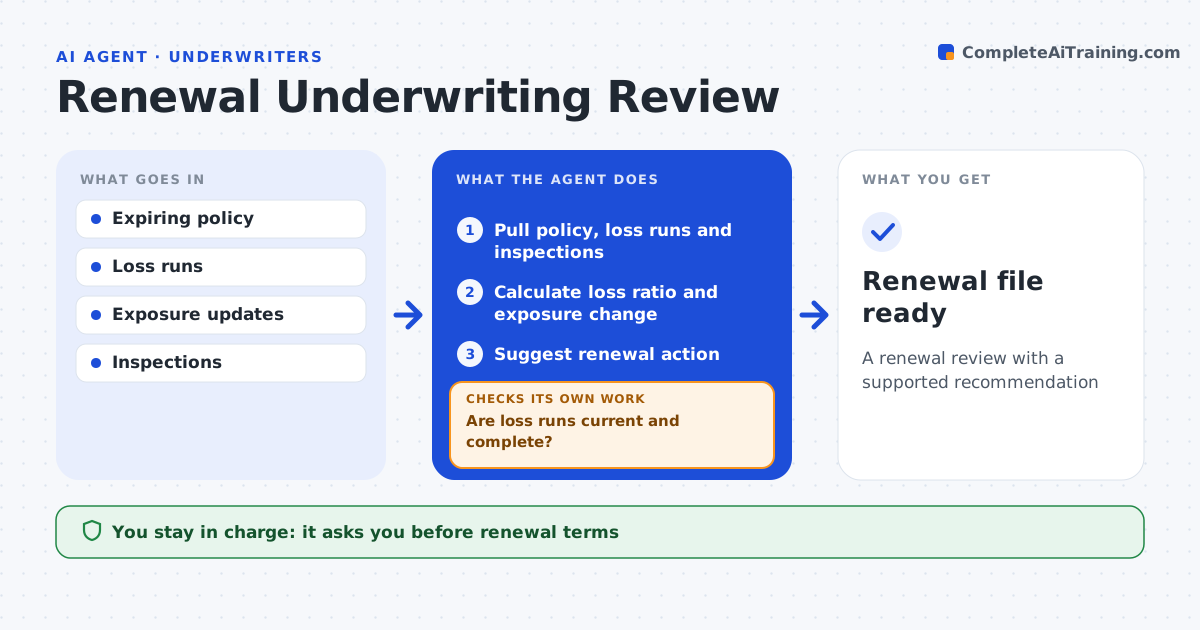
Renewal Underwriting Review Agent
A renewal review with a supported recommendation
What it does
Underwriters often see a renewal file only weeks before expiry, too late to change terms with the broker. Ninety days before renewal, this agent prepares the review. It pulls the expiring policy, loss runs, exposure changes, inspection results and payment history. Before analyzing, it checks that loss runs are current and complete and requests missing ones from the broker or claims. It calculates the loss ratio and exposure change and compares them to guidelines and prior terms. It suggests a renewal action: renew as is, renew with changes or refer. Loss ratios over 70% get suggested changes, and exposure up over 25% triggers a full re-underwrite. It notes open claims with low reserves. The underwriter decides the renewal terms. Edge case: a large open claim has a low reserve, so the agent notes possible deterioration.
How it works
Follow the arrows from top to bottom. The orange dashed arrow is the loop: when a check fails, the agent goes back and tries again.
Read the steps as a list
- Renewal 90 days out
- Pull policy, loss runs and inspections
- Are loss runs current and complete?If not: request updated loss runs and wait. Back to step 2.
- Calculate loss ratio and exposure change
- Suggest renewal action
- Underwriter decides termsThe agent waits here for your OK.
- Renewal file ready
How it decides
It compares loss ratio and exposure change to guidelines to suggest renewal action.
- Loss ratio over 70%: suggest changes
- Exposure up over 25%: re-underwrite
- Open claim with low reserve: note
Make it yours
Every agent is a starting point. You choose these settings for your own situation.
- Lead time
- Loss ratio thresholds
- Data sources
- Review template
What keeps you in control
It always asks you first
- Renewal terms
- Non-renewal notices
Hard limits
- Never issues notices
- Never binds
It stops when
- Done: file ready
- Stop: no loss runs 45 days out, alert underwriter
Set it up
We guide you through the set-up, step by step
Members get the full set-up guide for this agent. No technical skills needed: you copy, paste and upload.
- One set of instructions to paste into your AI, with the clicks for ChatGPT, Claude, Microsoft 365 Copilot, Gemini and Grok
- The agent then walks you through connecting your own data, one source at a time
- A downloadable copy with the flow chart, the rules and the full guide