AI agent for auto mechanics
Repair Estimate Builder Agent
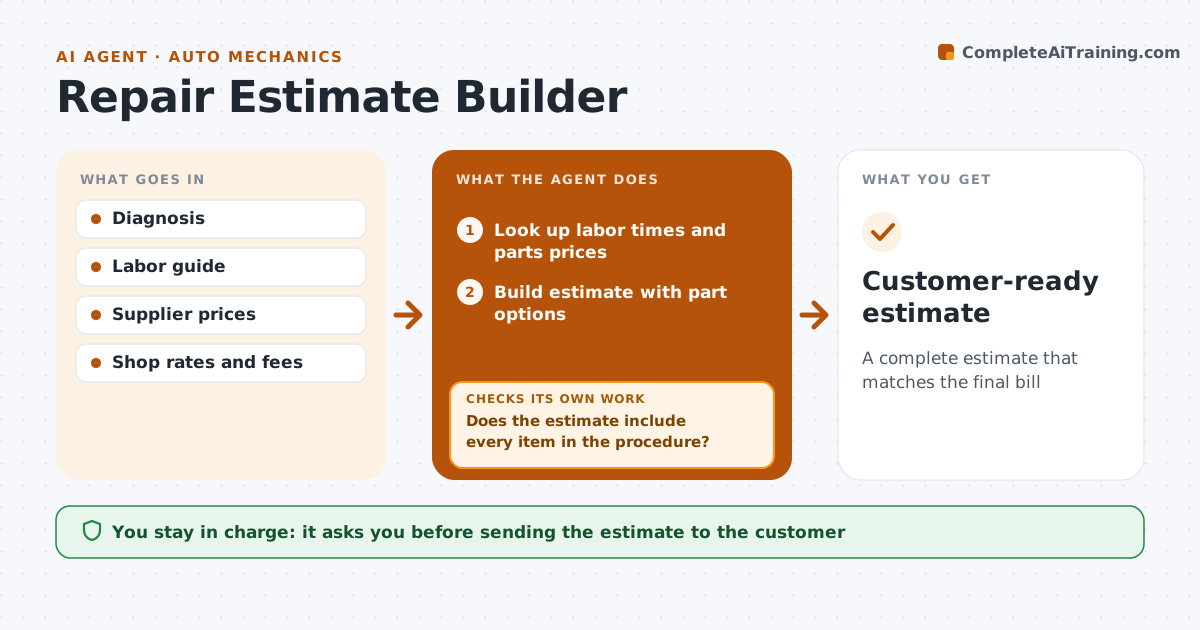
A complete estimate that matches the final bill
What it does
An estimate needs the right labor time and every part, including small ones like seals and one-time-use bolts, or the shop eats the cost or surprises the customer later. Once diagnosis is complete, this agent looks up labor guide times and supplier prices and builds the estimate, showing good, better and best part options when more than one brand fits. It then compares the estimate with the repair procedure's parts list to confirm every gasket, seal, bolt and fluid is included. If anything is missing, it adds it and checks again. A part that needs programming after install gets the programming labor added. It removes labor that overlaps when two jobs on the same car share disassembly. The service writer approves before the estimate goes to the customer. Edge case: a customer-supplied part gets labor only and a note on warranty limits.
How it works
Follow the arrows from top to bottom. The orange dashed arrow is the loop: when a check fails, the agent goes back and tries again.
Read the steps as a list
- Diagnosis complete
- Look up labor times and parts prices
- Build estimate with part options
- Compare estimate with the repair procedure parts list
- Does the estimate include every item in the procedure?If not: add missing parts, fluids or programming labor. Back to step 3.
- Remove overlapping labor between jobs
- Service writer approves the estimateThe agent waits here for your OK.
- Customer-ready estimate
How it decides
It includes everything listed in the repair procedure and applies labor overlap rules when jobs share disassembly.
- Show part options where more than one brand fits
- Always include fluids, seals and one-time-use bolts
- Apply overlap when jobs share disassembly
Make it yours
Every agent is a starting point. You choose these settings for your own situation.
- Labor rate
- Parts markup rules
- Option tiers shown
- Shop fees and taxes
What keeps you in control
It always asks you first
- Sending the estimate to the customer
Hard limits
- Never changes prices or markups
- Never places supplier orders
It stops when
- Done: approved estimate ready to present
- Stop: a required part has no supplier stock, tell the service writer
Set it up
We guide you through the set-up, step by step
Members get the full set-up guide for this agent. No technical skills needed: you copy, paste and upload.
- One set of instructions to paste into your AI, with the clicks for ChatGPT, Claude, Microsoft 365 Copilot, Gemini and Grok
- The agent then walks you through connecting your own data, one source at a time
- A downloadable copy with the flow chart, the rules and the full guide