AI agent for home inspectors
Report Release and Payment Agent
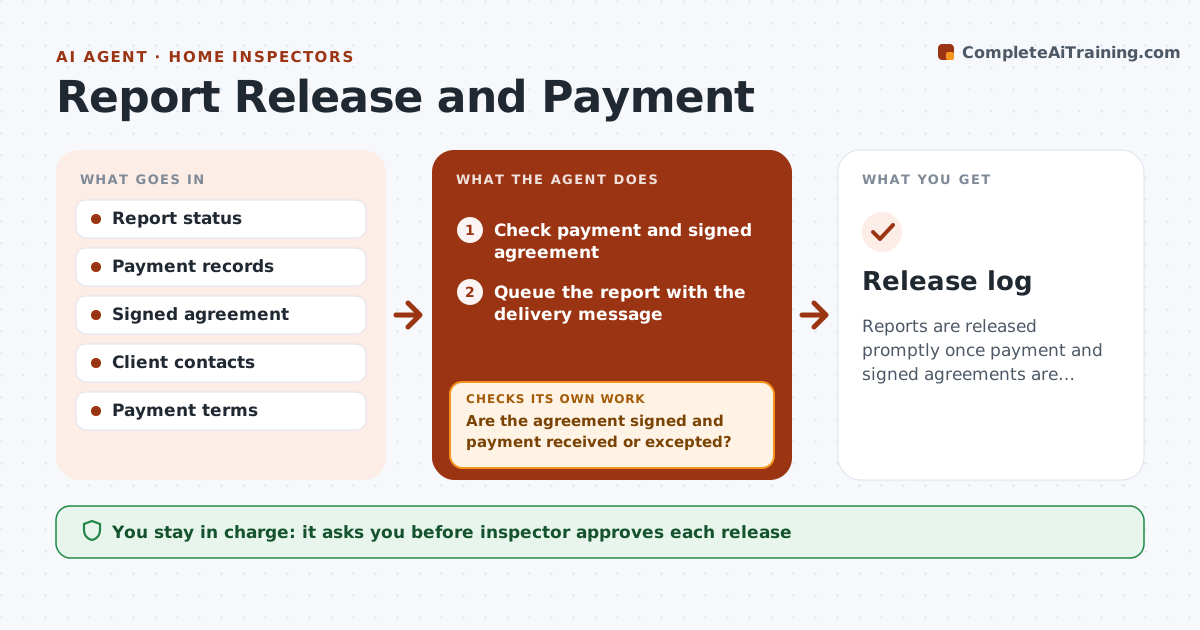
Reports are released promptly once payment and signed agreements are confirmed, and delivery is verified.
What it does
You finish a report on Tuesday and the client has not paid, so it sits, or you send it and the payment never comes. This agent checks payment status and agreement signatures for every finished report, then queues the report for release. For unpaid clients, it drafts reminders on a schedule. When you approve a release, it confirms delivery and tracks whether the client opened it. If delivery fails, for example the email bounces, it tries the alternate contact. You approve each report release and any payment exception. Edge case: a buyer's agent paying on closing day is handled as a payment exception and requires your approval.
How it works
Follow the arrows from top to bottom. The orange dashed arrow is the loop: when a check fails, the agent goes back and tries again.
Read the steps as a list
- Report marked finished
- Check payment and signed agreement
- Are the agreement signed and payment received or excepted?If not: Draft a reminder and recheck after 24 hours. Back to step 2.
- Queue the report with the delivery message
- Inspector approves each report releaseThe agent waits here for your OK.
- Send the report and log delivery
- Did delivery succeed and was the report opened?If not: Retry with the alternate email or phone and alert the inspector. Back to step 6.
- Log the closure
- Inspector approves any payment exceptionThe agent waits here for your OK.
- Release log
How it decides
A report is released when the agreement is signed and payment is received or an approved exception exists.
- Release only after payment or approved exception
- Send reminders at 1, 3 and 7 days
- Retry delivery once with the alternate contact
- Escalate to the inspector at day 7
Make it yours
Every agent is a starting point. You choose these settings for your own situation.
- Reminder days
- Alternate contact rule
- Exception policy
- Delivery method
What keeps you in control
It always asks you first
- Inspector approves each release
- Inspector approves payment exceptions
Hard limits
- Never release a report or issue refunds itself
- Never change payment terms
It stops when
- Done: report delivered and logged
- Stop: client disputes the invoice
Set it up
We guide you through the set-up, step by step
Members get the full set-up guide for this agent. No technical skills needed: you copy, paste and upload.
- One set of instructions to paste into your AI, with the clicks for ChatGPT, Claude, Microsoft 365 Copilot, Gemini and Grok
- The agent then walks you through connecting your own data, one source at a time
- A downloadable copy with the flow chart, the rules and the full guide