AI agent for systems analysts
Requirements Traceability Agent
Every in-scope requirement is linked to delivered work and a passing test
What it does
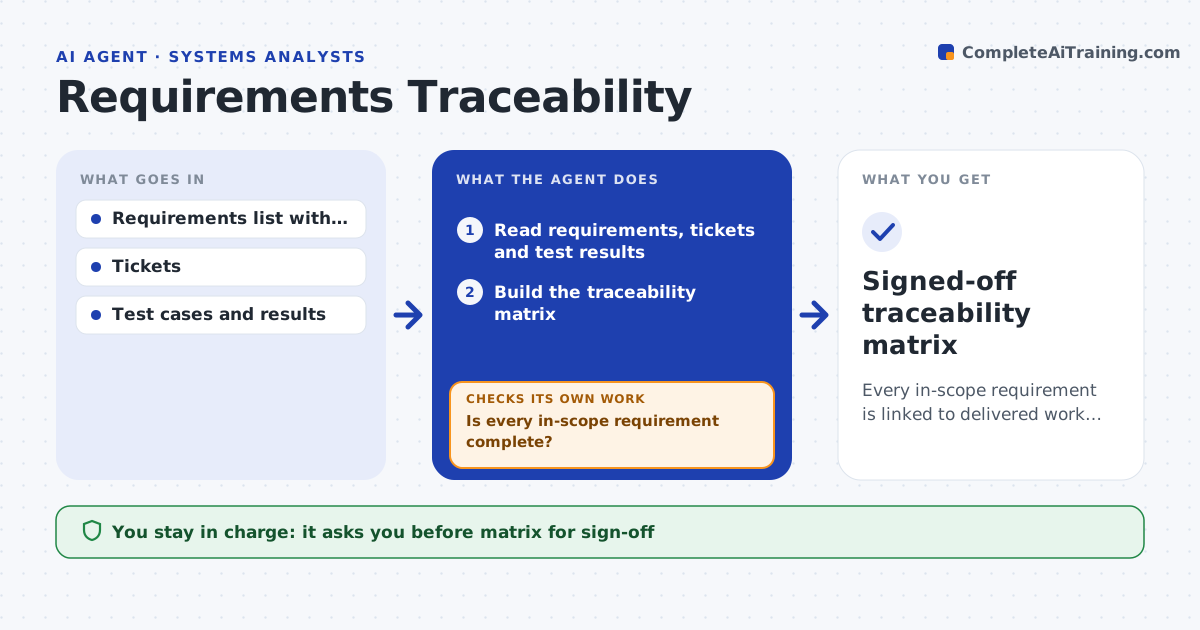
Analysts write requirements, but proving each one was built and tested is hard when they live in documents, tickets and test tools. Each week, or when sign-off is requested, this agent reads requirements, tickets and test results and links each requirement to its design items, tickets and test cases. It builds a traceability matrix and flags requirements with no ticket, no test, a failed test, or a test older than the requirement's latest wording. A requirement is complete only with a closed ticket and a passing test against its current version. It sends named questions to the right owners, waits for updates and checks again. Deferred requirements need an explicit out-of-scope note. It prepares the matrix and a gap summary, and the analyst approves before sign-off. Edge case: when a requirement's wording changes, its old tests are marked stale because they may test the old version.
How it works
Follow the arrows from top to bottom. The orange dashed arrow is the loop: when a check fails, the agent goes back and tries again.
Read the steps as a list
- Weekly run or sign-off requested
- Read requirements, tickets and test results
- Build the traceability matrix
- Flag missing links, failed tests and stale tests
- Send named questions to ticket and test owners
- Is every in-scope requirement complete?If not: wait for owner updates and recheck the remaining gaps. Back to step 2.
- Does every deferred requirement have an out-of-scope note?If not: ask the analyst to confirm scope and record the note. Back to step 4.
- Prepare matrix and gap summary for review
- Analyst approves the matrix for sign-offThe agent waits here for your OK.
- Signed-off traceability matrix
How it decides
A requirement is complete only when it has a closed ticket and a passing test run against its current version.
- Changed requirements mark their tests stale
- Failed tests count as gaps
- Deferred requirements need an explicit out-of-scope note
Make it yours
Every agent is a starting point. You choose these settings for your own situation.
- Tools connected
- Run schedule
- Completion rules
- Matrix format
What keeps you in control
It always asks you first
- Matrix for sign-off
- Marking a requirement out of scope
Hard limits
- Never edits requirements
- Read-only on test results
It stops when
- Done: full coverage approved
- Stop: an owner does not respond before sign-off, list the gap in the sign-off pack
Set it up
We guide you through the set-up, step by step
Members get the full set-up guide for this agent. No technical skills needed: you copy, paste and upload.
- One set of instructions to paste into your AI, with the clicks for ChatGPT, Claude, Microsoft 365 Copilot, Gemini and Grok
- The agent then walks you through connecting your own data, one source at a time
- A downloadable copy with the flow chart, the rules and the full guide